Configure API authentication
Learn how to configure API authentication on your resources.
Retool supports many types of API authentication. You can use static authentication tokens or create auth that asks the end user to provide credentials each time they access the application.
If none of the following options work for your API, you can use custom API authentication.
API authentication
You can add authentication details for an API by navigating to the Authentication section of the Resource settings page.
This lists all the authentication types Retool support natively, and Custom Auth to create custom or multi-step flows.
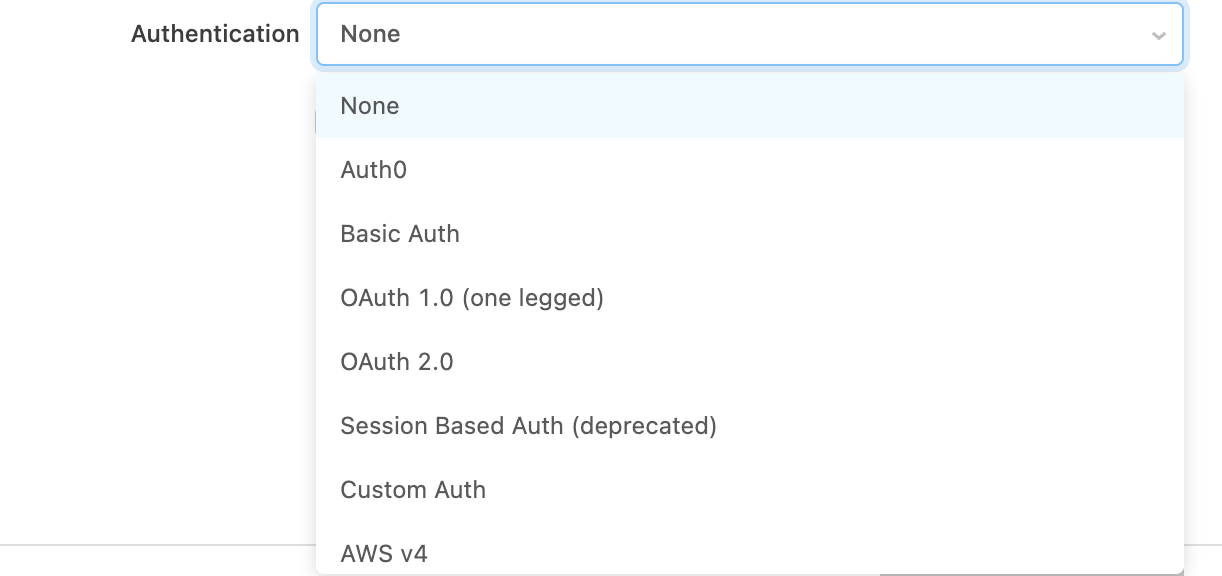
OAuth 2.0
Retool also supports the OAuth 2.0 authentication scheme. In OAuth 2.0, authentication details are not shared between your end users unless you enable the Share OAuth2.0 credentials between users option.
When the share credentials option is disabled, each of your end users will be required to authenticate via the OAuth authentication flow. The Access/Refresh token that is returned by the OAuth identity provider will be encrypted and then associated with the user's current session with Retool. This allows you to delegate authorization and authentication to the OAuth Identity provider. If needed, you can set the token's lifespan in the Advanced > Access token lifespan field.
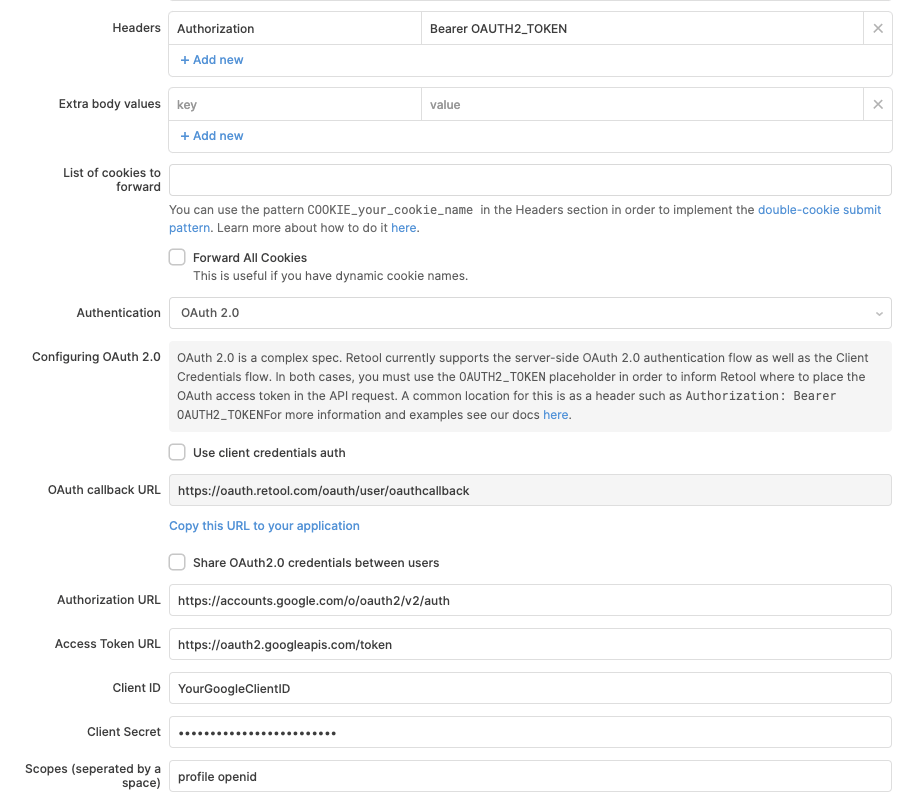
Here is a sample configuration of Retool connecting with Google's OAuth 2.0 API. Things to take note of:
- We added the header:
Authorization: Bearer OAUTH2_TOKEN- theOAUTH2_TOKENis a magic placeholder string that gets replaced with the access token at runtime. You can use this magic string in the header or in the URL parameters of the query. - The OAuth callback URL is static and cannot be directly changed. Self-hosted organizations can dynamically set the callback URL, however, as the URL's domain corresponds to the value for the BASE_DOMAIN environment variable.
Cookie-based APIs
Retool also supports APIs that use cookies for authentication. In this scenario, the API authorizes a session by responding with a Set-Cookie header that contains an authorization token. The API then expects all future authenticated requests to send that same authorization token in the Cookies header.
Though Retool proxies all HTTP requests through the backend, Retool supports forwarding the cookies set by the API to the user's browser. This includes attributes such as the expiration date. The cookies are then stored in a HTTPOnly cookie in the user's browser, which is tied to the lifecycle of the user's current session. All future requests the user makes to the API have the same cookie added to their request.
To configure this, tell Retool the name of the cookie that should be forwarded onto the user's browser. You can also specify a URL to check the user's authentication status.
After you configure the cookies, you must create a login page in Retool that asks the user for authentication details and makes an API request to the login endpoint. After a successful login, the authentication cookie is parsed from the response and forwarded along onto the user's session.
Double cookie submit pattern
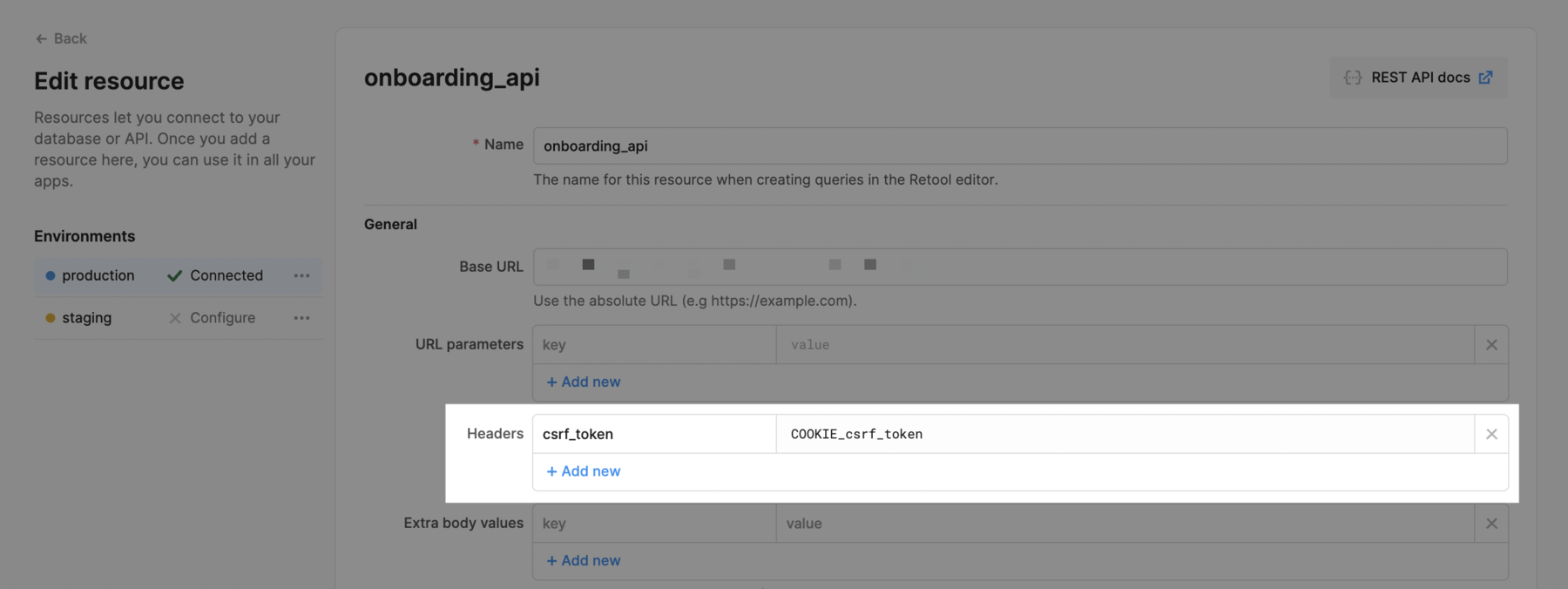
You can implement the double cookie submit pattern by passing a header with the prefix COOKIE_.
Forwarding cookies that are pre-set on your domain
Forwarding pre-set cookies is only available on Self-hosted Retool.
You can automatically forward specific cookies that are pre-set on the domain you are running Retool on. For example, say you have Retool hosted on retool.yourdomain.com and you want to automatically forward cookies named someCookie1 and someCookie2 that are set on the yourdomain.com domain.
First, you'll need to add these cookies to an allow-list with an environment variable. If you want to allow forwarding for multiple cookies, add them as a comma-separated string as below.
FORWARDABLE_SAME_DOMAIN_COOKIES_ALLOWLIST=someCookie1,someCookie2
Next, in the resource settings page for the resource that should forward these cookies, add the cookies in the List of cookies to forward section, as below.

someCookie1 and someCookie2 will now automatically be forwarded for this resource whenever you make a request. If you want to include one of the cookies in a header, you can follow the double cookie submit pattern (COOKIE_someCookie1) described above.
Pass OpenID SSO provider tokens to API requests
If you use SSO with OpenID, Retool allows you to use the JWT obtained from the SSO process in your API requests. You can use environment variables that were set up when integrating Retool with your OpenID SSO provider by following the guide to Custom OIDC SSO.
AWS v4 signature-based authentication
You can also sign your API Requests using Amazon's v4 Signature Signing Process. To do that, you need to specify your AWS Region, Service Account Key, and Secret Key.
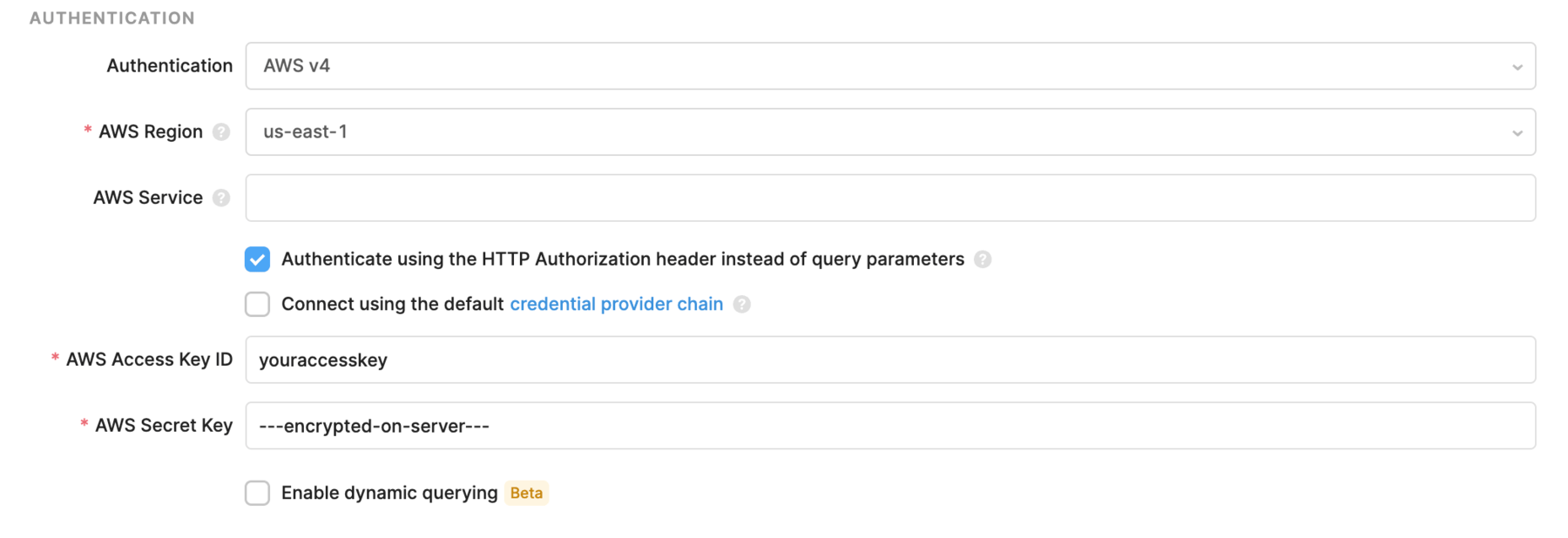
The AWS Service is an optional field that will be extracted from the base URL if left empty. Normally, the service corresponds to the subdomain of your API. For example, if you are making a request to a service hosted at https://xyzabc.execute-api.us-east-1.amazonaws.com, then your service should be xyzabc.execute-api.
For AWS v4, you can pass the authentication information in the query params or the Authorization header. By default, the Authenticate using the HTTP Authorization header instead of query parameters option is checked, as many AWS services only support authentication using the header.