Configure a custom domain for Retool Cloud
Learn how to configure a custom domain for your Retool Cloud organization.
You can configure your Retool Cloud organization to use a custom domain. This enables your users to more easily navigate and improves the embedded app across browsers.
1. Configure DNS
DNS configuration needs to be completed with the tooling you use to manage your top level domain name. This is often the registrar where you registered the domain, or a DNS provider such as Cloudflare or AWS.
Create an A record mapping either the top level domain or subdomain to Retool’s IP addresses:
- 35.92.202.168
- 35.92.202.169
- 35.92.202.170
Retool recommends against using wildcard * DNS entries for your configuration as these can expose you to domain takeovers.
DNS changes can take up to 24 hours to propagate in some cases. To validate that your DNS is configured and propagated, you can use the dig command on the command line:
$ dig retool.example.com +nostats +nocomments +nocmd

; <<>> DiG 9.10.6 <<>> retool.example.com +nostats +nocomments +nocmd
;; global options: +cmd
;retool.example.com.  IN A
retool.example.com. 120 IN A 35.92.202.168
2. Configure Retool
Navigate to /settings/branding in your organization's Retool settings. Under Add a custom domain, enter the domain name in the text box.
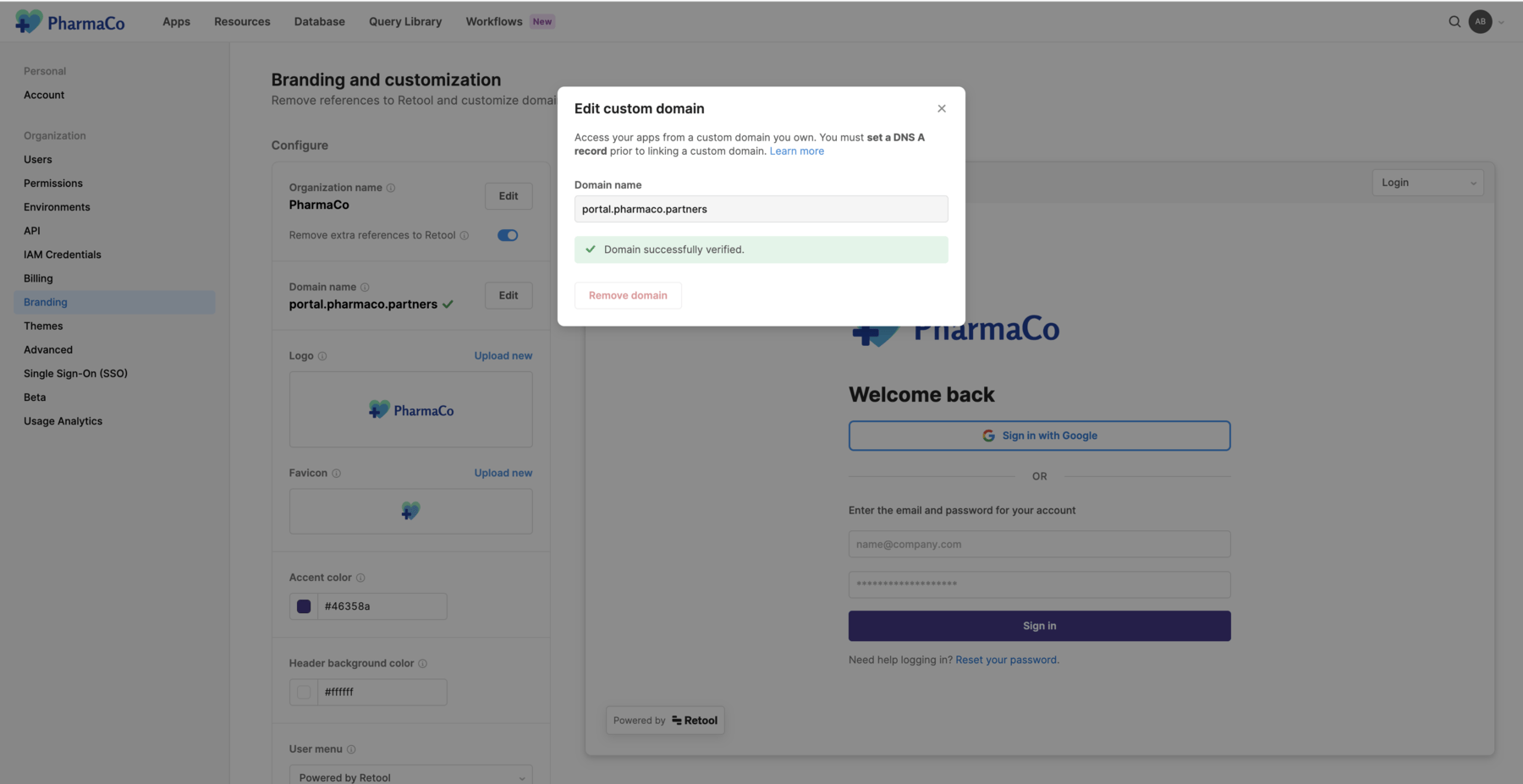
The domain briefly enters a pending state while Retool provisions HTTPS certificates and updates internal infrastructure to support the new domain. An error state likely indicates that the DNS wasn't updated to point to Retool. If this occurs, verify that your DNS is updated and that dig shows the correct IP addresses, and then retry verification.
3. Log in
The domain should be configured after a few minutes. Sign out of your organization and back in through your custom domain to confirm. Your new login page should be visible on <your_custom_domain>/auth/login.
Note that you can still log in through <your_subdomain>.retool.com/auth/login as well as <your_custom_domain>/auth/login.
The Sign in with Google option is not available by default when accessing the login page using your custom domain. You must configure Google SSO for your custom domain to make it available. Users can still log in using Sign in with Google at <your_subdomain>.retool.com/auth/login or login.retool.com/auth/login until you make this change.
Using Retool Embed
To embed Retool apps from your Retool-hosted organization into a website like https://example.com, ensure that Retool is on the root example.com domain or a subdomain like retool.example.com. Because Retool is the hosting provider, you need to make some changes to your DNS configuration.
Some web browsers, like Safari, block third party cookies by default. Since Retool sets cookies when authenticating users, attempting to authenticate the embedded Retool app across domains is not possible in these browsers, unless you change your browser's cookie privacy settings.