Multi-instance releases
Learn how to create and manage releases across instances
Self-hosted organizations can manage the releases of protected apps across multiple deployment instances. You can specify which release version of an app is available on each deployment that's configured with Source Control. This is particularly useful if you want to test a newer version of an app on a specific instance first.
You can also programmatically manage multi-instance releases and manifests using the Retool API. Refer to the Source Control section of the Retool API reference for complete API documentation.
Overview
Multi-instance releases makes use of release artifacts and manifests to manage app releases across instances.
- Each app release has its own artifact. This represents a snapshot of the app at the time of release. These are stored in the
dist/apps/<app-uuid>/<release-version>.zipdirectory of the Source Control repository. - Each instance has its own release manifest. Each manifest file contains a list of app UUIDs and the release that is made available for the instance. These are stored in the
manifests/directory of the Source Control repository.
.
├─ .retool/
│   └─ protected-apps.yaml
├─ apps/
│   ├─ app1
|   |   ├─ 0.1.0.zip
|   |   ├─ 0.2.0.zip
|   |   └─ ...
│   ├─ app2
│   └─ ...
├─ dist/
│   └─ apps/
│       ├─ app1-uuid
│       ├─ app2-uuid
│       └─ ...
└─ manifests/
    ├─ dev.yaml
    └─ prod.yaml
As with protected apps, you do not directly modify files within the repository. You create and manage multi-instance releases using the Retool UI or, optionally, using the Retool API.
Demo
Watch the following videos that demonstrate how to create and manage manifests and releases.
- Create a manifest
- Create a release
Requirements
To use multi-instance releases:
- You must be using Source Control to protect apps.
- Each instance must be running self-hosted Retool 3.252 or later.
- The Source Control configuration must be the same across all instances, such as source control provider, repository, and branch.
- Enable Multi-instance releases: public beta in your organization's Settings > Beta page. If you want to also use the Retool API to programatically manage multi-instance releases, also enable Multi-instance releases: public API.
1. Create a manifest
Each instance needs its own manifest file stored in the manifests/ directory of the Source Control repository. The manifest determines the version of the app that is published on the instance. You create and manage manifests in your organization's Source Control settings.
To create a manifest:
- Navigate to your organization's Settings > Source Control page.
- Click Create manifest in the Releases pane.
- Enter a name to use for the manifest.
- Click Create branch with release manifest. Retool then creates a branch and commits the new manifest to it.
- Click Open pull request to start a new pull request.
2. Select the manifest for an instance
A manifest determines which app releases to publish on an instance. You assign each manifest to each instance. To configure an instance to use a specific manifest:
- Sign in to a specific instance (e.g.,
dev). - Navigate to Settings > Source Control.
- Click Edit config in the Releases pane on the right.
- Select the manifest to associate with the instance (e.g.,
dev).
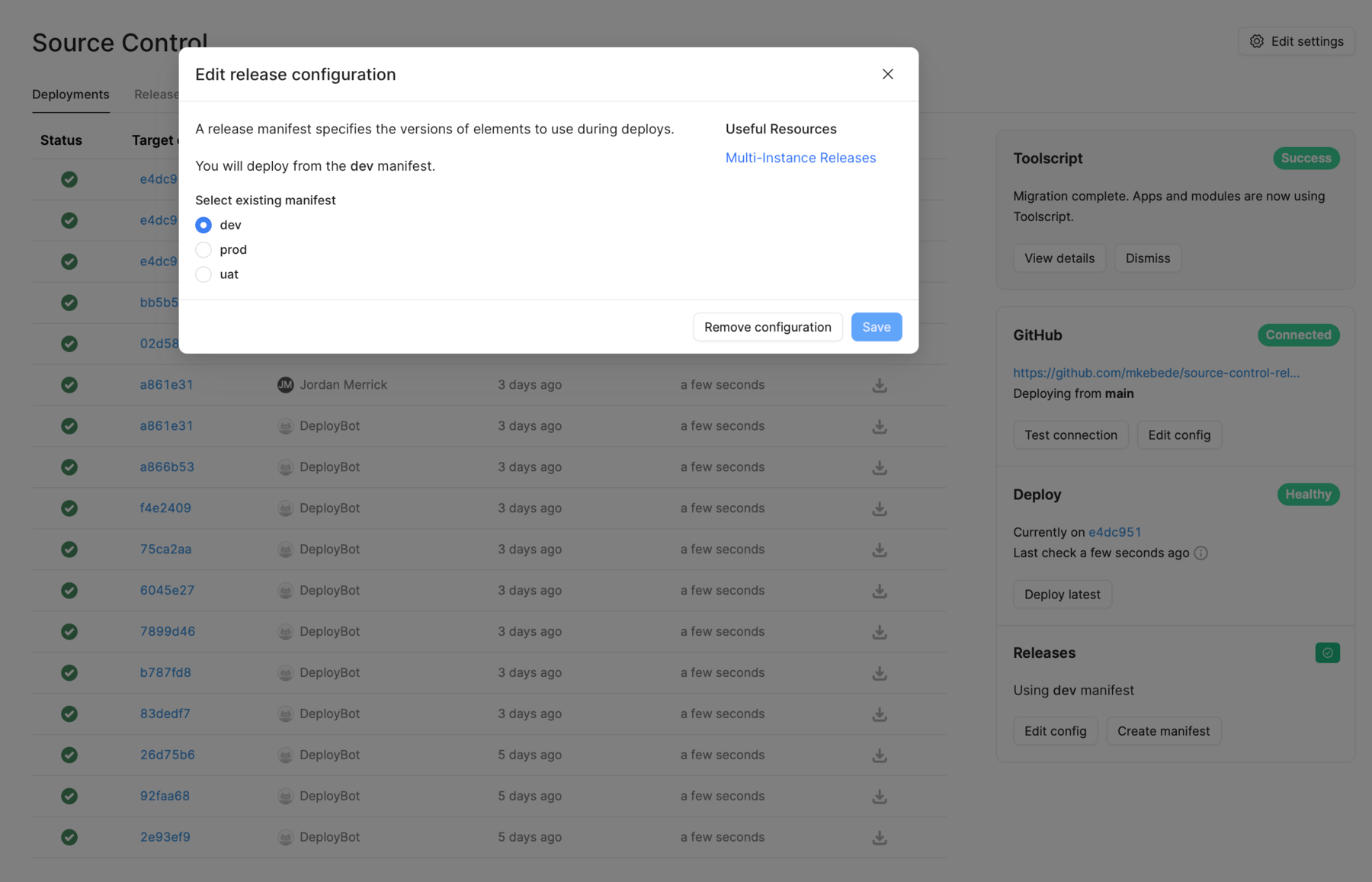
Once complete, the instance will then publish the release versions associated with the manifest. For example:
| Instance | Manifest |
|---|---|
| Development | dev |
| User testing | uat |
| Production | prod |
In the example above, apps defined in the dev manifest are published accordingly to the Development instance.
3. Create a release
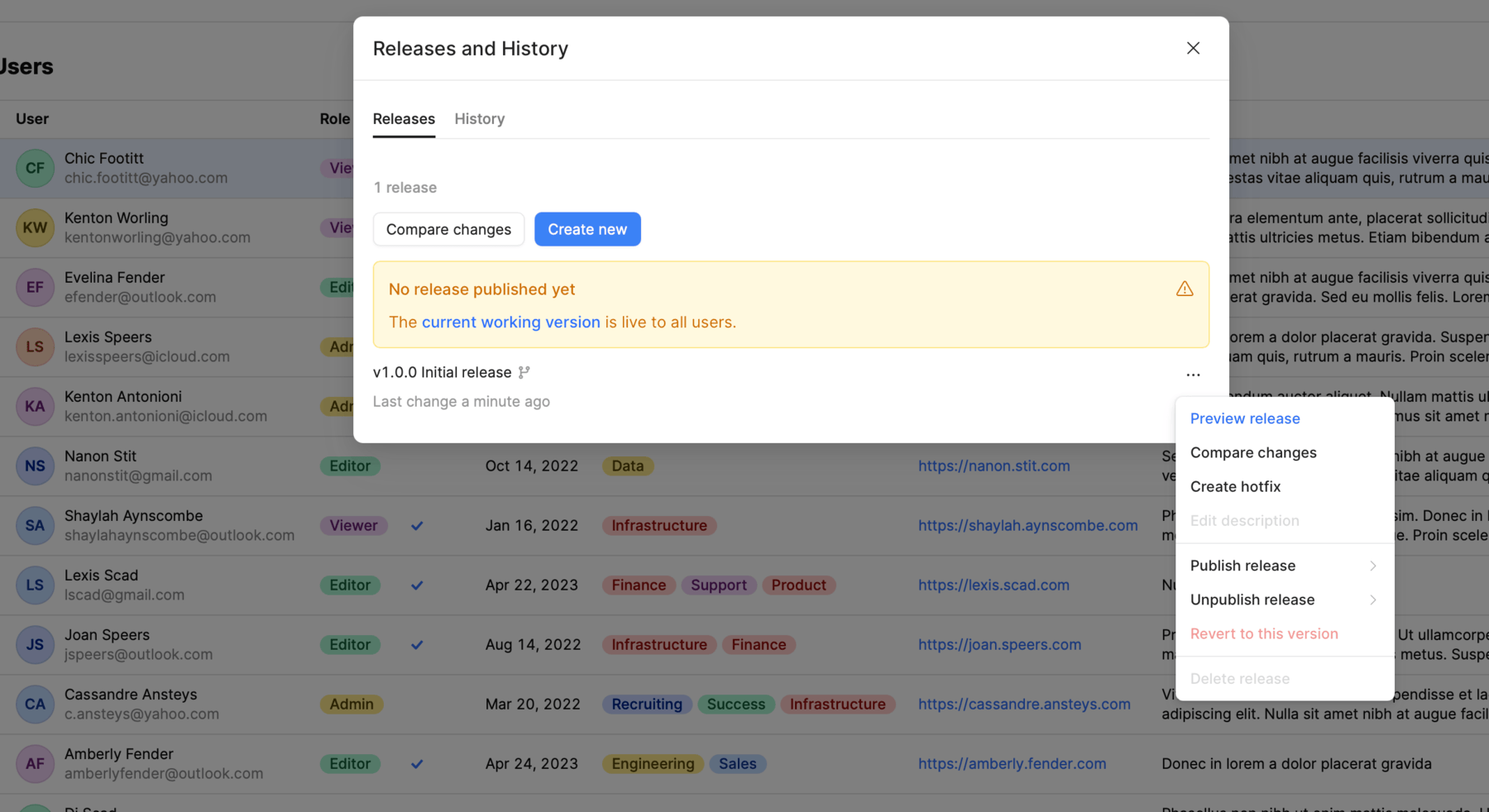
To create a new release, open the app for which to create a release in View mode—you cannot create a release whilst editing an app.
- Click the Releases button in the status bar. Note that the button displays the release version currently open. If there have not been any previous releases, the app uses
latest(current working version). - Click Create new to create a version for release. Retool uses Semantic Versioning and automatically increments the version number based on your selection of Major, Minor, or Patch versioning.
- Click Create release PR to create a branch and pull request for the release.
- Confirm that you want to create a branch and release artifact for the new release. Check that the version and description information is correct, then click Create branch with release artifact.
- Click Open pull request to begin opening a PR with your source control provider.
The new release is only available once the pull request has merged and its changes deployed. Click the Releases button in the status bar once this has been completed to view app releases to see the new release available.
Manage releases
There are two ways with which you can manage releases:
- View and manage the deployment of all app releases in the Releases tab of the Source Control settings page.
- View and manage the deployment of individual app releases in the Releases and history modal.
View and manage all apps
You can manage multi-instance app releases and manifests from the Source Control settings page. The Releases tab is a graphical interface for managing all release manifests. It contains a list of all protected apps, and the release version deployed to each instance. Each column corresponds to each instance that uses multi-instance releases.
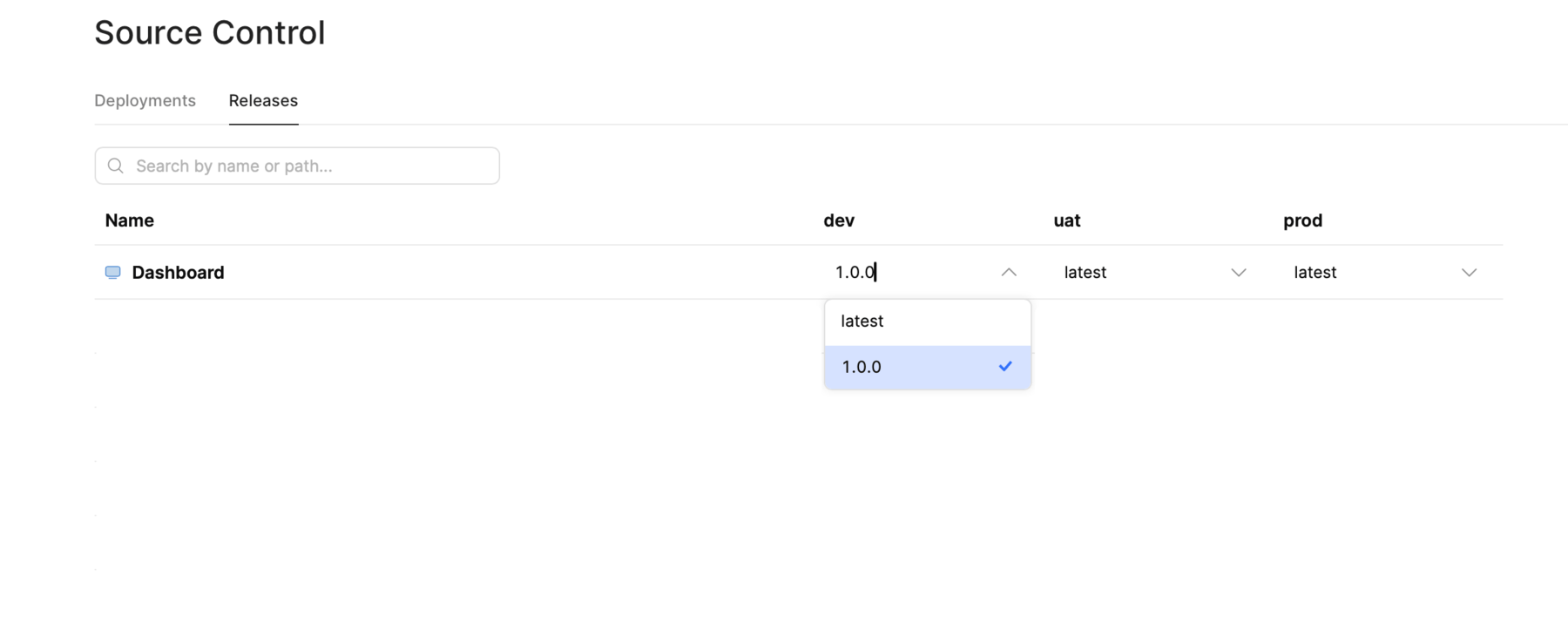
View and manage all apps.
To change the deployed release version of an app for any instance:
- Click on the version number in the column and select the release to use. You can make multiple changes, if required.
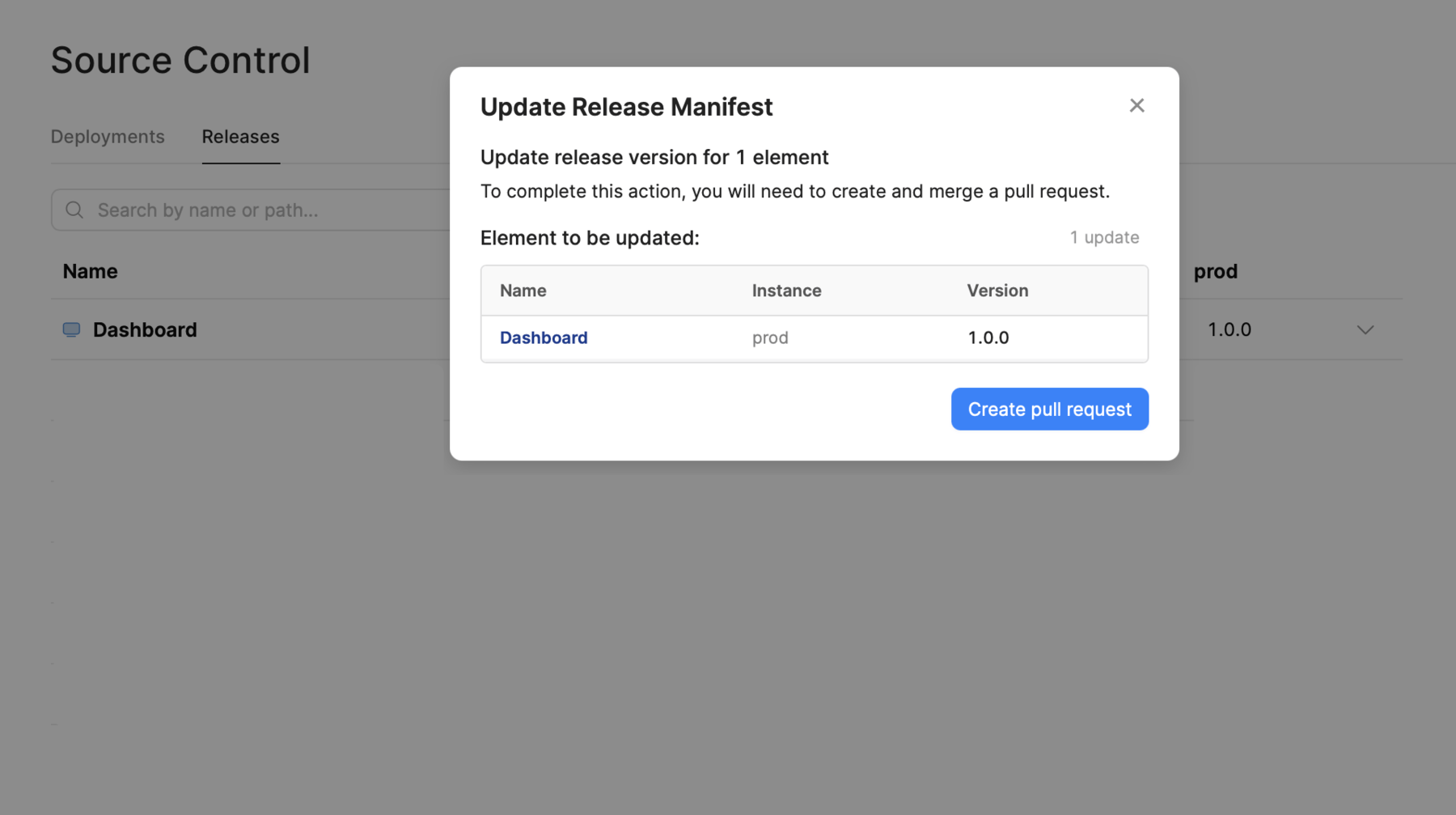
- Click Review to review and confirm the changes.
- Click Create pull request to start a new pull request.
View and manage an individual app and its releases
Similar to creating a new release, you can use the Releases and history modal to manage the release deployment across instances. To deploy a release:
- Click ••• to open the contextual menu for the release you want to deploy.
- Select the instance in the Publish release sub-menu. All instances with a manifest are automatically listed.
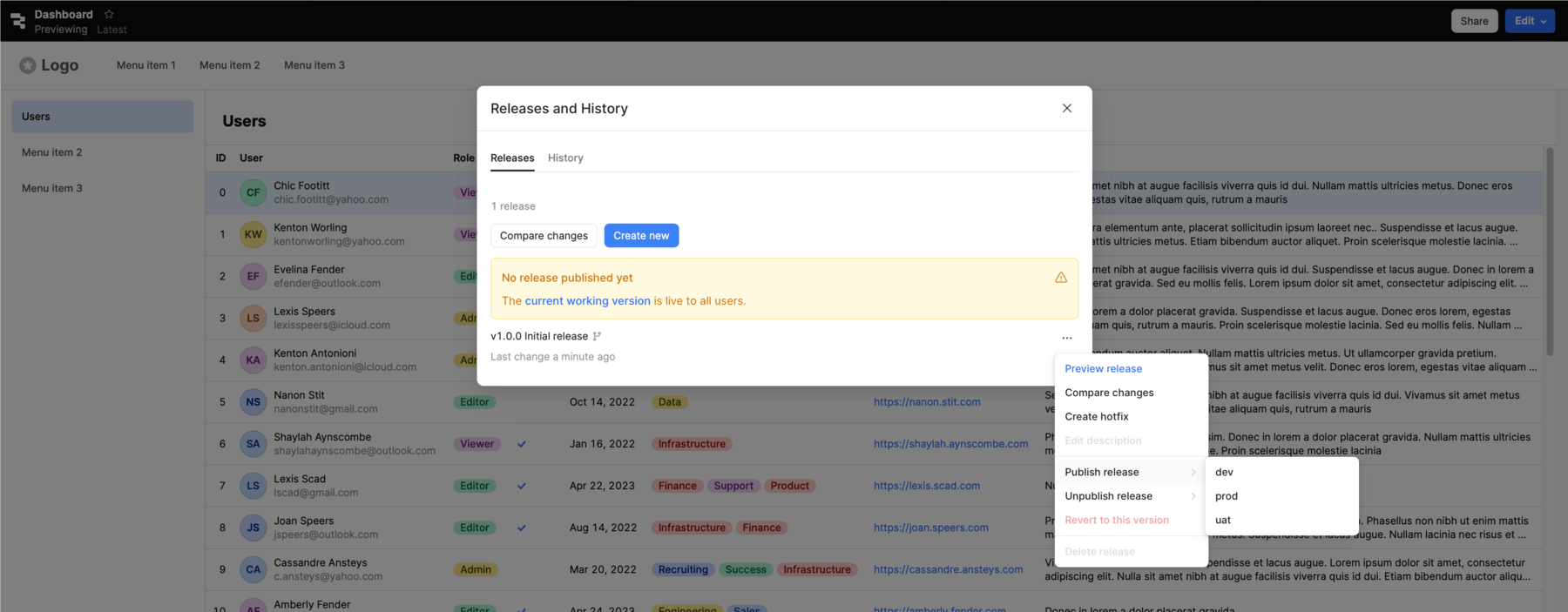
Patch a release with a hotfix
Only one hotfix branch can be created for each major.minor release version at a time.
You can create a hotfix to perform a patch update of an app release. This process creates a collaborative hotfix branch based on the selected release for users to make changes. A hotfix enables you to patch any major.minor release version without needing to unprotect it first.
Once you complete a hotfix, a patch release is created and made available.
To create a hotfix branch:
- Click the Releases button in the status bar.
- Find the release to patch.
- Click ••• to open the contextual menu and select Create hotfix.
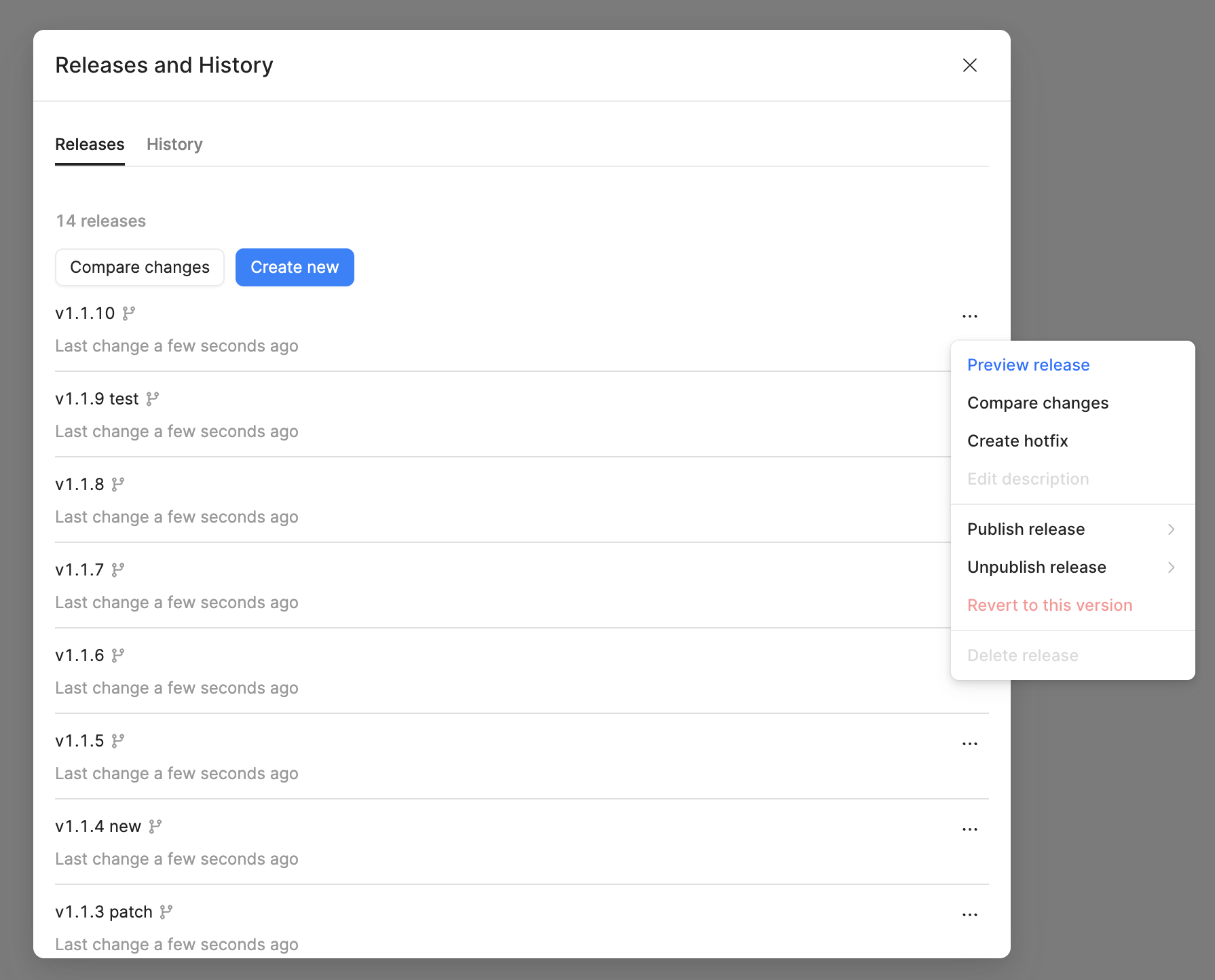
After you complete the necessary changes on the hotfix branch, create a new release:
- Open the Releases and History pane in the left toolbar.
- Provide a description of the changes made on the hotfix branch and click Create patch release PR.
- Confirm that you want to create a release artifact for the patch release.