Tools for Retool Agents
Learn how to use tools with Retool Agents.
A tool is a logical block that an agent can use to complete an action, like fetching data. Each Retool Agent has at least one tool, or more commonly a set of tools, at its disposal that it can use as it runs. The agent determines which tools to use, and in what order to call them. Within Retool Agents, a tool can be a function, a workflow, or another agent.
Add Tools
An agent requires a tool, or a set of tools, to work with. You can select + Add Tool from the Configuration tab to add tools to your agent.
There are several different kinds of tools you can add or create within Retool Agents.
- Core tools are created by Retool.
- You can create custom tools with a function.
- Tools can be imported from other agents, or an MCP server.
- You can use a workflow or another agent as a tool.
There is no minimum or maxiumum number of tools you can add, but LLMs typically perform best with 1-10 tools.
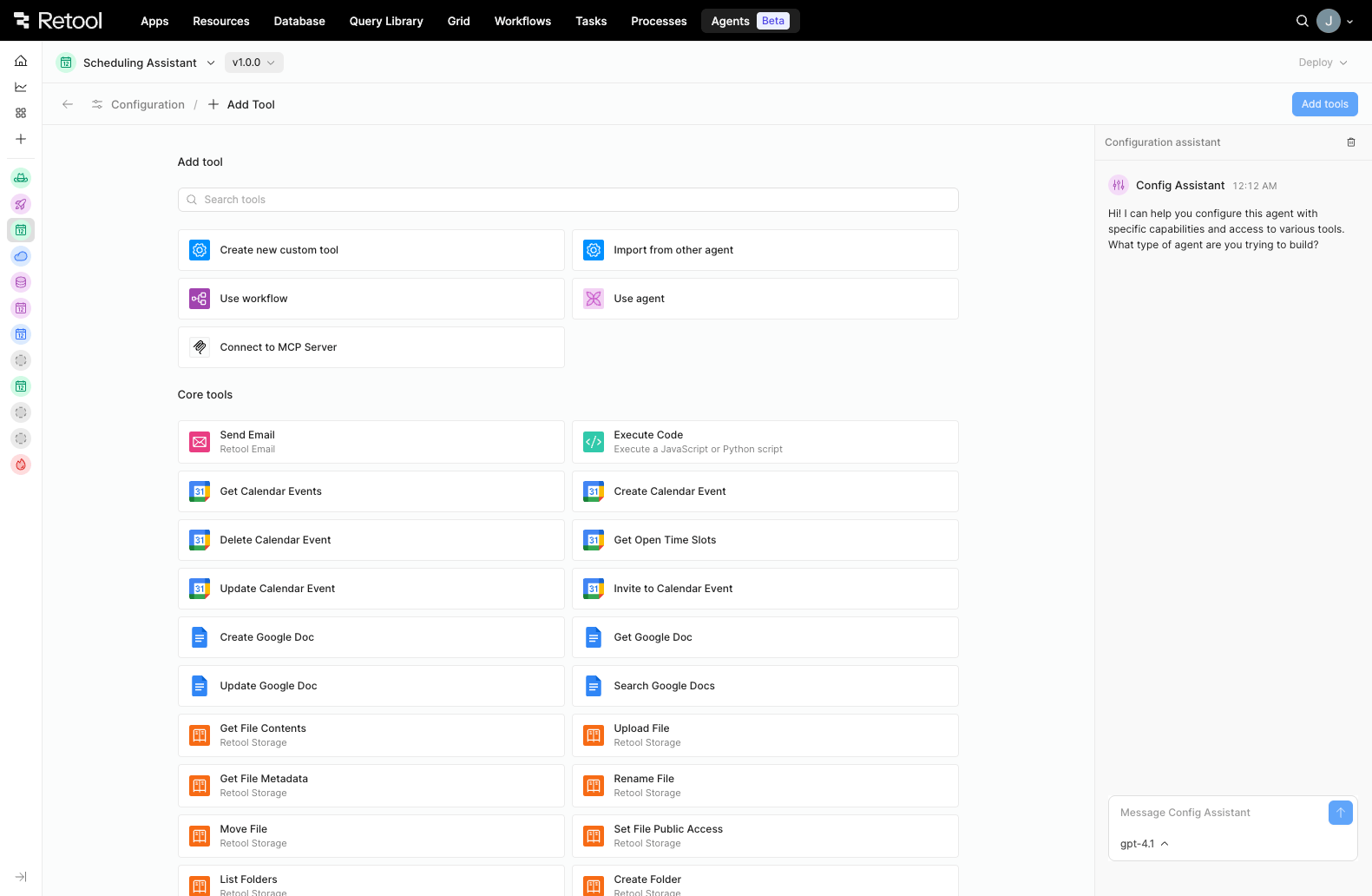
Select Add tool from the Agent Configuration page to display tool options.
Custom tools
Custom tools are created through Function Logic that is local to your agent, and you can use the Function Generator to build a function by @ mentioning resources you'd like to include. Custom tools enforce typed parameters (the Function Generator creates these automatically; do not add parameters prior to generating a custom tool with the Function Generator). Functions are versioned alongside agents, so they will never get out of sync with the latest deployed agents, and they have no triggers.
Functions do not cost anything to create or maintain, and they are not subject to run limits. You can configure the Tool Timeout on a function for up to 2 minutes maximum.
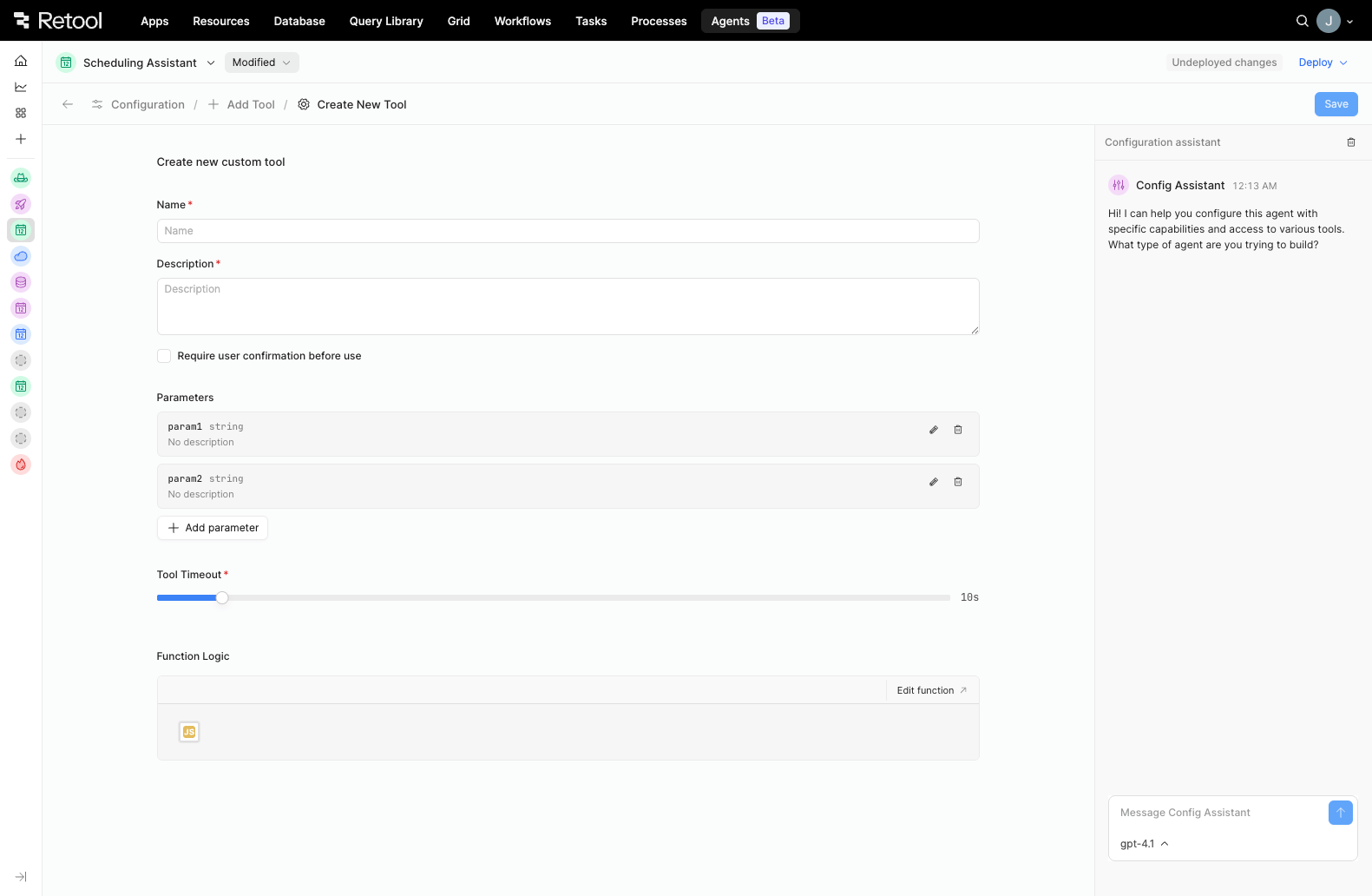
Create a new custom tool page.
Import tools from another agent
To import only the tools from an agent, instead of the full agent configuration, you can choose Import from other agent. You must have Edit access to the agent from which you're importing tools. Importing a tool from another agent creates a copy of the tool within your agent. Editing or modifying an imported tool will not make edits to the original tool or the agent you imported it from.
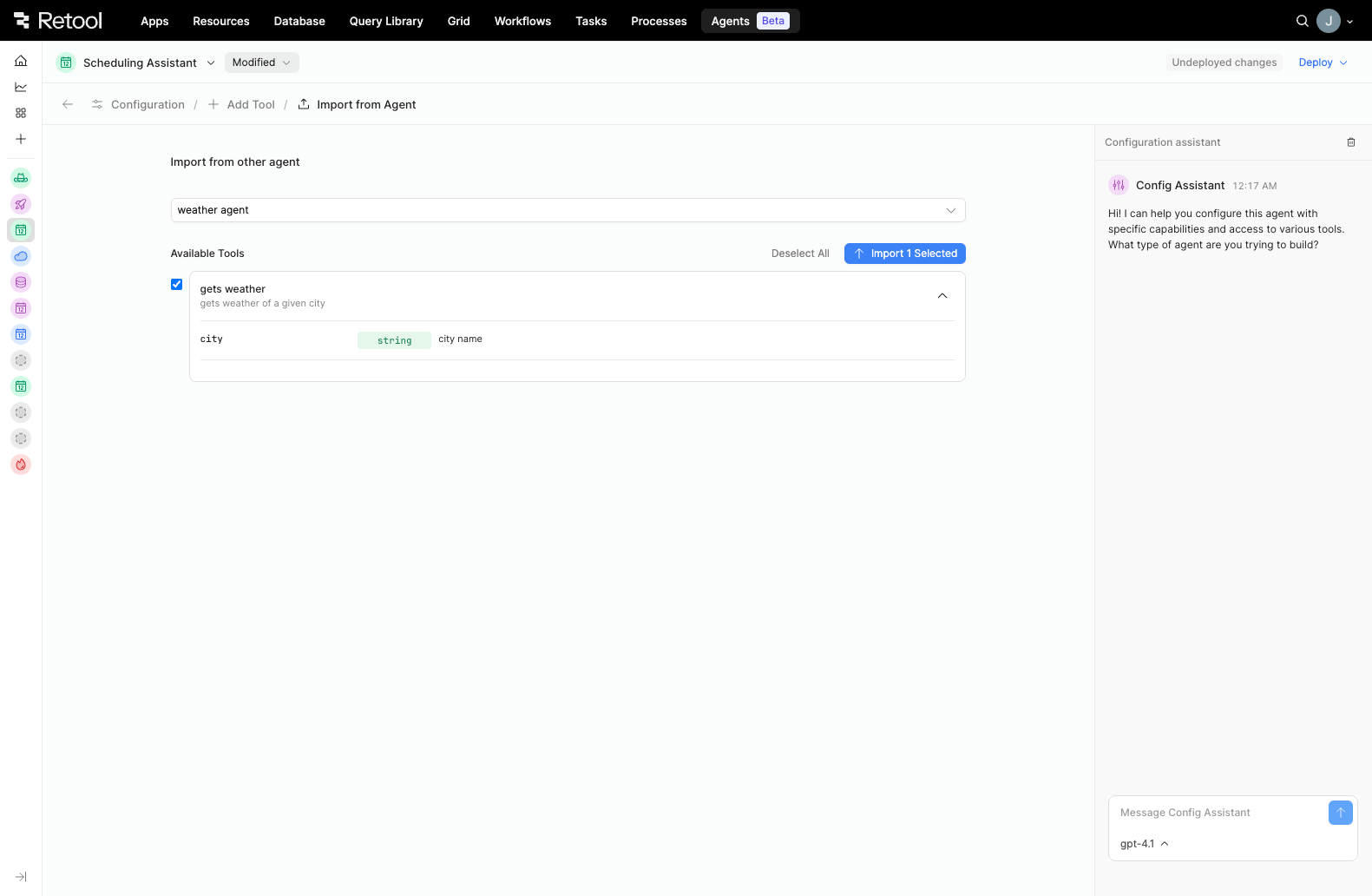
Import tools from another agent.
Use a workflow or another agent
Selecting Use workflow or Use agent allows you to add an existing workflow or agent as a tool within your agent configuration. You must have Edit access to the workflow or agent you select. Using a workflow or another agent as a tool creates a copy of the workflow or agent within your agent. Editing or modifying a workflow or agent you're using as a tool in your agent will not make edits to the original workflow or agent.
You can configure the Tool Timeout for up to 2 minutes maximum on a workflow, and up to 8 hours maximum on an agent.
Connect to MCP server
Model Context Protocol (MCP) is an open standard that provides a protocol for LLM applications (clients) to call tools from a remote system (server).
To pull pre-built third-party integrations into your agent as tools from external data sources (such as GitHub, Slack, Cloudflare, Stripe, Docker, etc.), select Connect to MCP Server. You can select Add new resource from the Select MCP Server dropdown if you have not already created an MCP resource. You can configure the Tool Timeout for up to 2 minutes maximum.
Retool currently only supports remote-hosted MCPs.
Core tools
Core tools minimize the amount of setup work you must do in order to create a useful agent, and they expedite the creation of key use cases, such as Get Calendar Events or Execute code. If modified, core tools are converted into custom tools.
Retool Agents offers the following core tools:
| Tool name | Description |
|---|---|
| Send Email | Send an email using Retool Email. |
| Execute Code | Execute an arbitrary JavaScript or Python script. Cannot include custom libraries. |
| Get Calendar Events | Retrieve a list of calendar events from a specified user's Google Calendar. |
| Create Calendar Event | Create a new event on a user's Google Calendar. |
| Delete Calendar Event | Delete an existing event from a user's Google Calendar. |
| Get Open Time Slots | Query one or more Google Calendars to find available time slots between a given time range. |
| Update Calendar Event | Update an existing event on a user's Google Calendar. Any provided values will fully replace the existing values for those fields. |
| Invite to Calendar Event | Add one or more attendees to an existing Google Calendar event. |
| Create Google Doc | Create a new, empty Google Doc with a specified title. |
| Get Google Doc | Retrieve the full structure and metadata of a Google Doc by its document ID. |
| Update Google Doc | Applies changes to an existing Google Doc using the Google Docs batchUpdate API. Supply the unique document ID and a JSON object or array describing the desired updates (insert text, apply styles, add images, etc.). The final state of the document is returned as determined by the provided update requests. |
| Search Google Docs | Retrieve a list of files from the user's Google Drive, optionally filtered or paginated. |
| Get File Contents | Retrieve the contents of a file by its ID and return the data as a Base64-encoded string. |
| Upload File | Upload a file to Retool Storage. |
| Get File Metadata | Retrieve a paginated list of file metadata from Retool Storage. |
| Rename File | Rename an existing file in Retool Storage. |
| Move File | Move a file to a different folder in Retool Storage. |
| Set File Public Access | Update the public accessibility of a file in Retool Storage. |
| List Folders | Retrieve a paginated list of folders from Retool Storage. |
| Create Folder | Create a new folder in Retool Storage. |
| Rename Folder | Rename an existing folder in Retool Storage. |
| Delete Folder | Delete a folder from Retool Storage. |
| List Vectors | Retrieve a list of vector namespaces from the Retool Vectors resource. |
| Semantic Search | Search for semantically similar records in a specified vector namespace using a natural language query. |
| Get Document Chunks | Retrieve the individual chunks of a document stored in a document vector namespace. |
| List URLS | Retrieve a list of indexed URLs stored in a document vector namespace. |
| Get URL Chunks | Retrieve the individual content chunks of an indexed URL stored in a document vector namespace. |
| List Documents | Retrieve a list of documents stored in a document vector namespace. |
| Search Web | Perform a web search and retrieve a list of relevant results based on a natural language query. |
| Get Webpage Content | Fetch the contents of a webpage and extract the main text content for analysis or processing. |