Event handlers
Learn how to trigger actions and queries in response to user interactions.
Event handlers allow you to trigger queries, control components, and perform other actions in response to user interactions, all without writing custom JavaScript.
You can add event handlers in response to component events—similar to addEventListener events in native JavaScript and onChange events in React—or in response to queries. For example, you can create an event handler to trigger a query in response to a button click, or in response to a successful table update.
Use in response to component events
Create event handlers in response to component events in the Interaction section of the Inspector by clicking + next to Event handlers.
The available events depend on the attached component. For example, Text Input components have Submit, Change, Focus, and Blur events, while Button components only have a Click event. The component library contains a full reference of these events.
Multiple event handlers
You can add multiple event handlers to a single component, but note that they run in parallel. In the following example, the event handlers calling getProducts and sendEmail are triggered at the same time.
To chain event handlers synchronously, create event handlers in response to query successes or failures.
Use in response to queries
Create events in response to queries by adding the event handler to the Success or Failure section of the query editor.
Trigger queries from other queries
Event handlers set on a query's success or failure are chained and run synchronously. For example, the below getData query runs only after the updateRow query returns a success response.
Display query notifications to users
There are query notifications displayed to app editors by default. If you want to display query notifications to users, use the Show notification event for the event handler on the query.
Event handler actions
Common event handler actions include Control query, Control component, Open URL, and Run script. Refer to the Events reference for the full list.
Control component details
After selecting the Control components action, choose a component to see its available methods. The definitions for these methods can be found in the component library under the Methods heading of a given component. You can use any component API in event handlers.
For example, the following switch event handler uses the table's .setFilter() method to filter by active users.
Open URL
Use the Open URL action to trigger navigation to a new URL. Retool supports built-in URL schemes for this setting in the format schema:<data>.
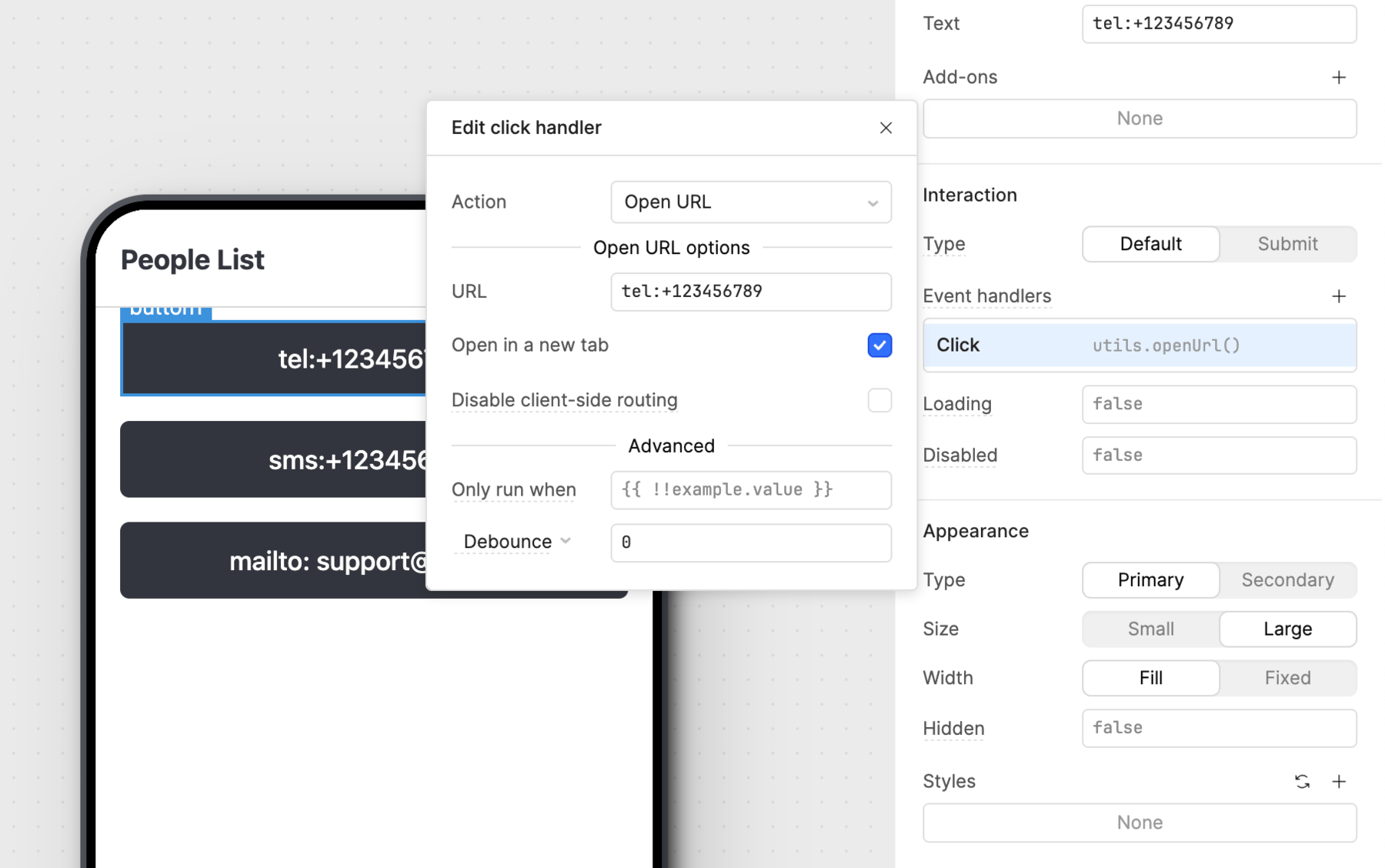
URL schemes
Duplicate or delete event handlers
To duplicate an event handler to the same component or query, click ••• to the right of the event handler, then Duplicate.
To delete an event handler, click ••• to the right of the event handler, then Delete.
Conditional runs
Use the Only run when option to configure event handlers to only run when a given condition evaluates to true, such as {{ + switch1.value + }}. When the given condition evaluates to false, the event handler does not run.
You can find this option in the Advanced section of your event handler settings.
For example, the following event handler only runs the sendEmail JavaScript query when the selected user is enabled.
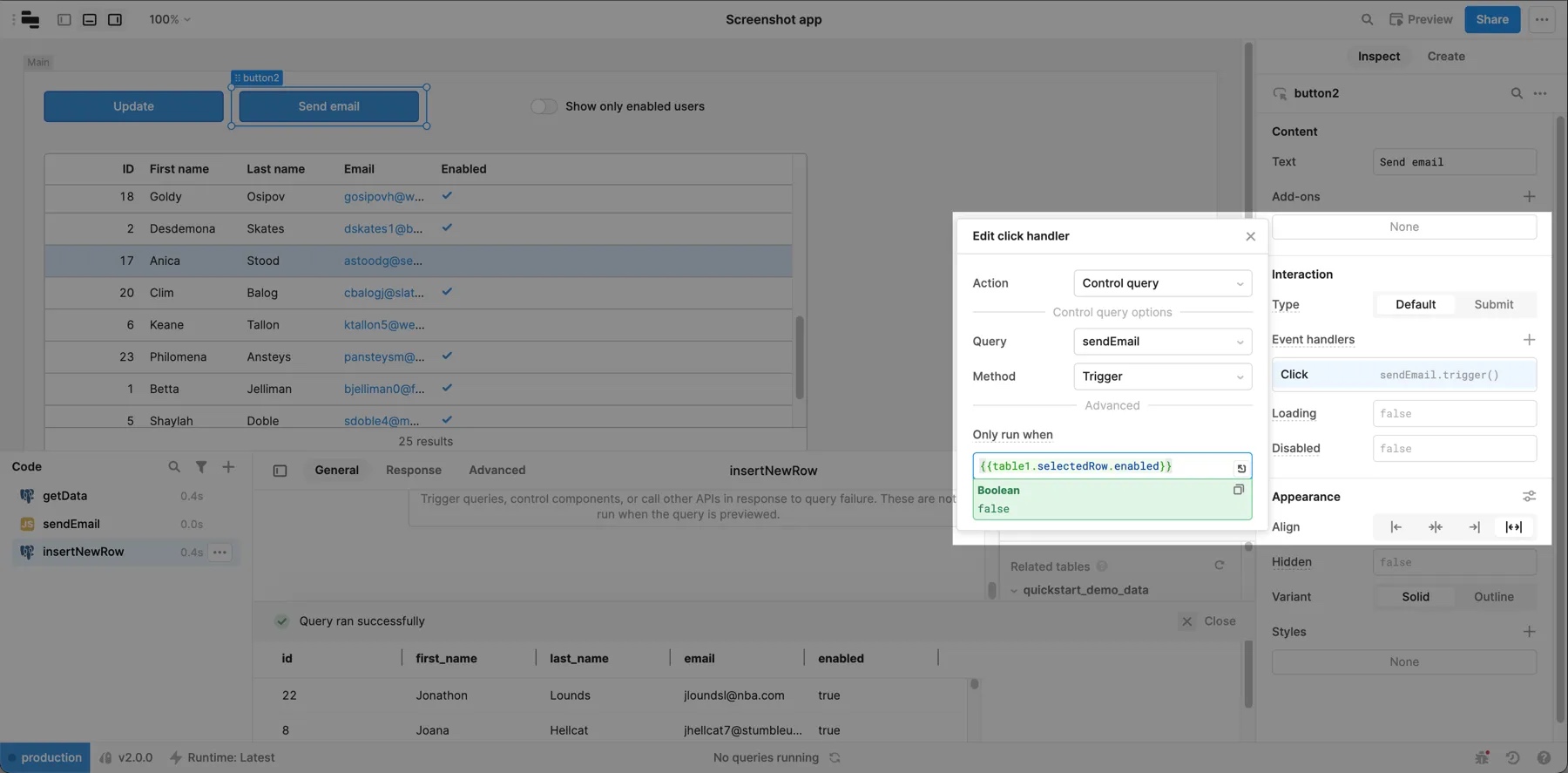
Only run when event handler options.
Debounce and throttle
Debounce and throttle settings modify the timing of an event handler.
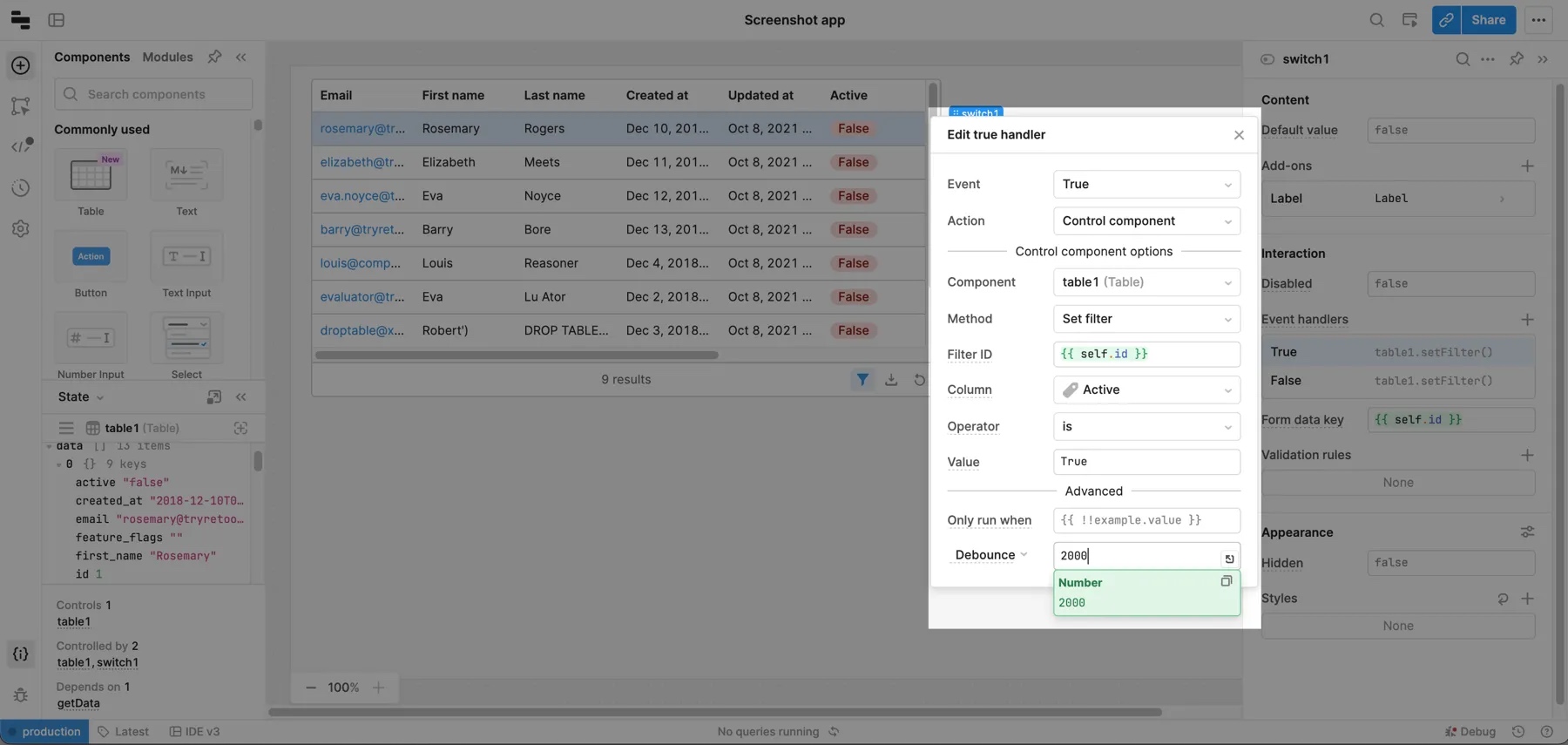
Debounce
Debounce delays an action until the specified milliseconds have elapsed since the event was last triggered. It's useful for delaying expensive queries.
For example, a text input which updates on every user input might use an expensive underlying query. Instead of calling this query on every keystroke, use Debounce to run the query only when the user stops typing.
Throttle
Setting a Throttle ensures an action is only called once per the specified milliseconds.
For example, a button might use an event handler to call an expensive refreshUserData query on click. Use Throttle on the event handler so the query runs at most every two seconds, even if a user clicks the button more frequently.