Internationalization
Learn how to enable localization for your Retool apps.
Retool supports internationalization (i18n), allowing you to adapt Retool app content and data for users across different languages and regions. This guide covers how to add translations to your Retool org and use Retool's out-of-the-box i18n functionality in your apps.
Upload translations
Navigate to Settings > Internationalization to upload and manage your translations.
File structure and naming convention
Your translation files should be structured as flat JSON objects and follow a consistent naming convention across different locales.
Below is an example of what your filesystem might look like. Each locale's directory (e.g., en, es, fr, kr) should contain the translation files with the same filenames (common.json, customer_settings.json). Make sure each file contains the same set of keys.
├── en
│   ├── common.json
│   └── customer_settings.json
├── es
│   ├── common.json
│   └── customer_settings.json
├── fr
│   ├── common.json
│   └── customer_settings.json
└── kr
    ├── common.json
    └── customer_settings.json
Here are example files for common.json, uploaded separately into Retool for the English (en) and Spanish (es) languages.
{
    "add_card_receipts": "add card receipts",
    "add_filter": "add filter",
    "amount": "amount",
    "budget": "budget",
    "date": "date"
    ...
}
{
    "add_card_receipts": "agregar recibos de tarjeta",
    "add_filter": "agregar filtro",
    "amount": "cantidad",
    "budget": "presupuesto",
    "date": "fecha"
    ...
}
Upload translation files
Retool supports the most common ISO language codes, conforming to the ISO 639-1 standard, and includes country codes. Select your language and country code and upload your flat JSON file.
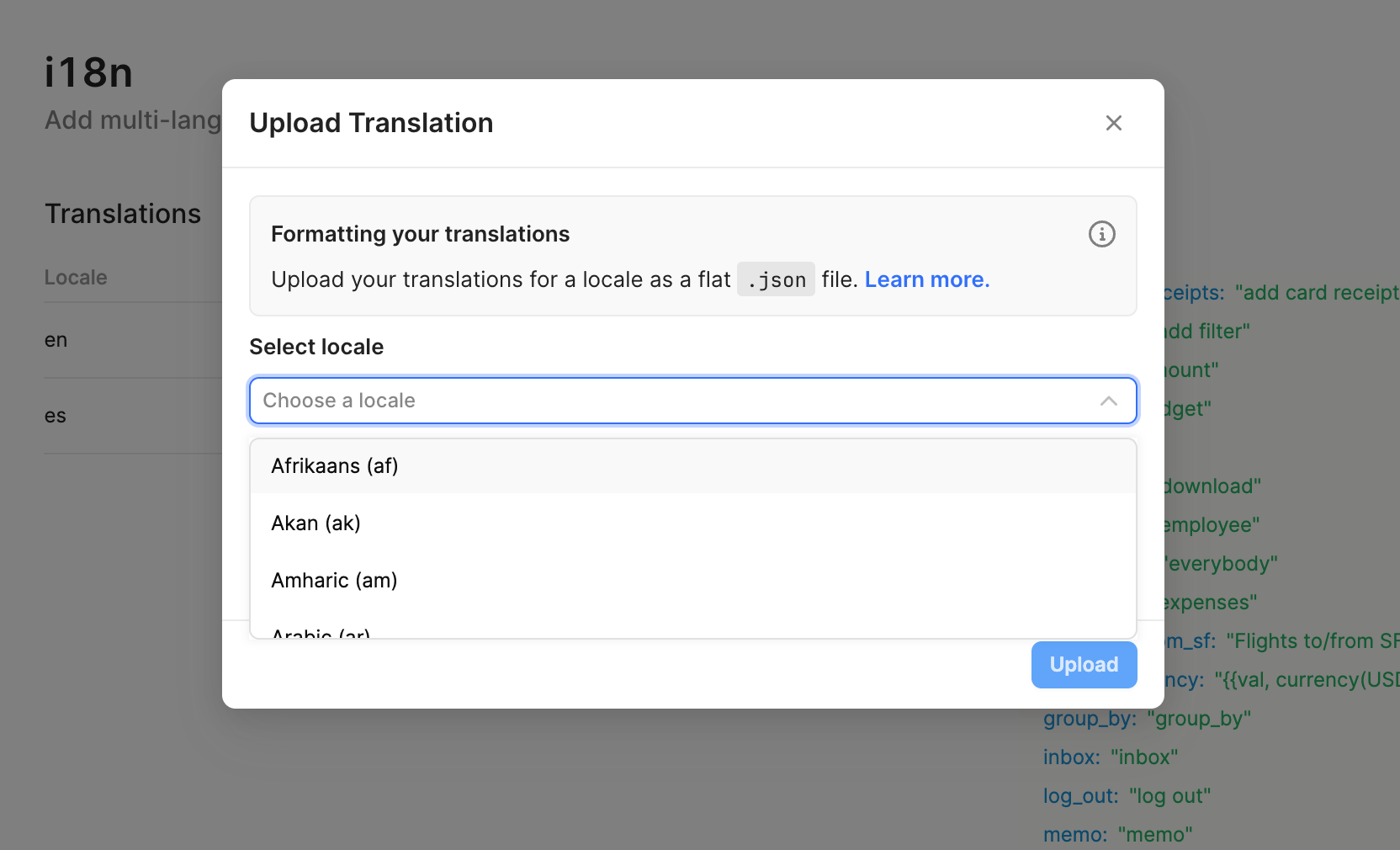
Files uploaded for locales without a country code specified will automatically be used as a fallback. For example, if a file is uploaded for French (fr), translations will still work for users in France and Canada. If French (fr-FR) is also uploaded, then Retool will default to French (fr-FR) for users in France and French (fr) for users in Canada.
Source Control
Retool supports the ability to sync translations across multiple spaces or instances by integrating with source control. To get started:
- Create a folder named
translationsat the root of your repository. - Inside this folder, use the same file structure and naming conventions that you use when uploading translation files directly to Retool.
- All translation files in the
translationsfolder are be automatically synced to Retool instances that are linked to the same source control repository.
Localize your Retool apps
To localize your applications and format text, dates, and currencies, follow the localization guide. Retool provides default translations for strings in components in several languages.