Configure workflow error handlers
Handle workflow errors at the block level or globally.
As you build workflows of increasing complexity that interact with more data sources, it's important to handle errors and debug unexpected behavior effectively. You can configure blocks to function as error handlers and perform actions should any errors occur during the run.
Block-level vs. global error handling
Workflows support two types of error handling that work together to give you fine-grained control over error behavior.
Use block-level error handling when:
- You need different error handling logic for specific blocks.
- You want to retry or provide fallback values for particular operations.
- Errors should be handled without terminating the workflow.
Use global error handlers when:
- You want to catch all unhandled errors in one place.
- You need consistent error logging or notifications for unexpected failures.
- You want a safety net for errors you didn't explicitly handle.
You can use both approaches together. Handle expected errors at the block level, and use a global error handler as a catch-all for unexpected failures.
Block-level error handling
Individual blocks can handle their own errors using On Error connectors. When a block fails, you can connect it to a downstream block that handles the failure. This is useful when you want to:
- Handle specific errors differently for different blocks.
- Perform custom recovery actions for a particular operation.
- Continue workflow execution with alternative logic after a failure.
To use block-level error handling:
- Select the block Settings.
- Change Finally to Continue.
- Drag the red On Error connector that appears to connect it to another block that will handle the error.
Retry failures automatically
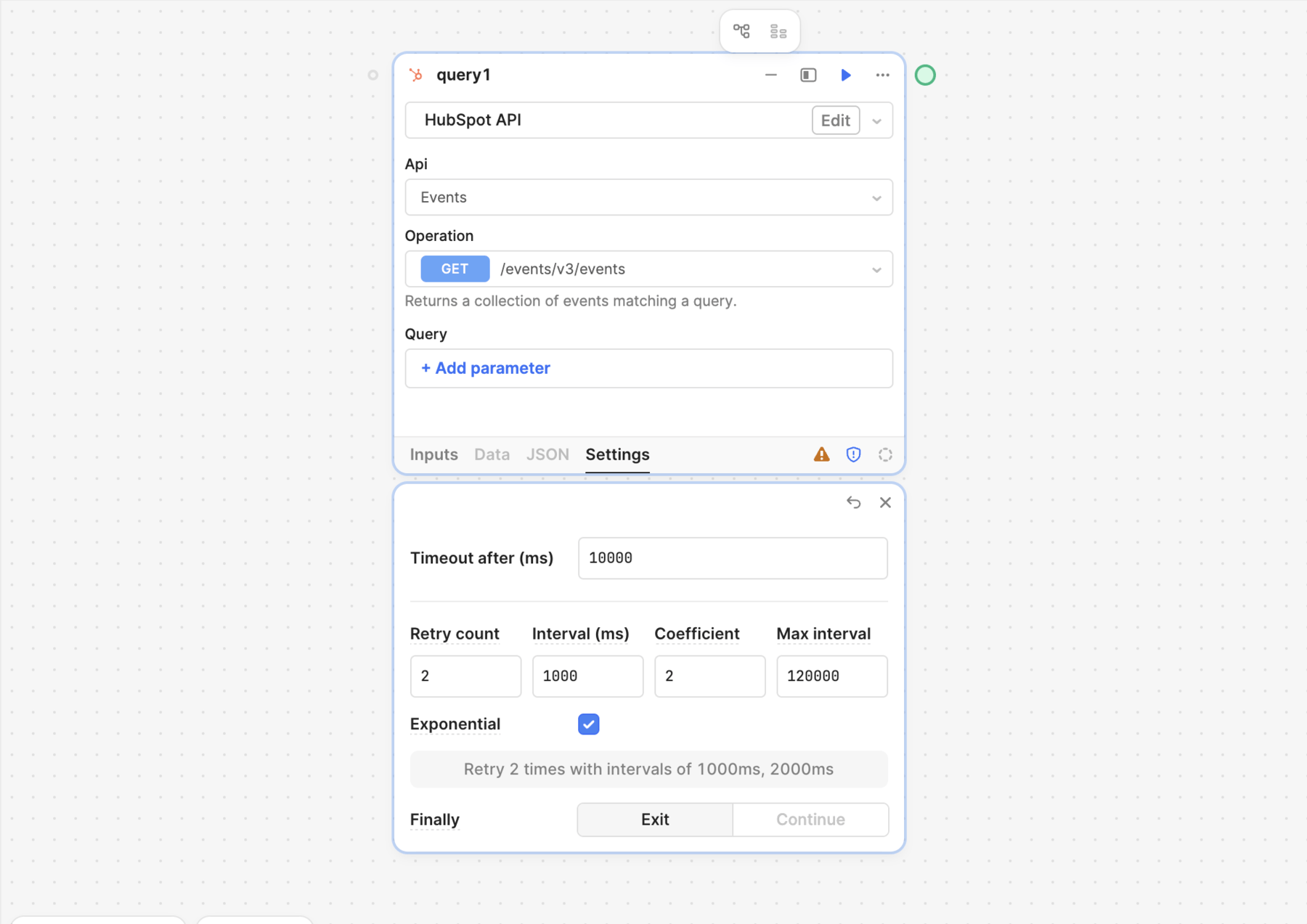
For more granular error handling, you can configure error handlers to automatically execute again. This allows your workflow to automatically retry failed blocks with a specified schedule. Setting an exponential backoff can be especially useful for retrying blocks that query rate-limited APIs or data sources.
To configure retry settings, select Settings on the block. Refer to Resource query block settings to learn more.
Global error handling
Global error handlers catch unhandled errors. When you configure a global error handler, it executes only when:
- A block fails without an On Error connection.
- An error occurs that isn't caught by any block-level handler.
This means if a block has an On Error connection to a handler block, the global error handler will not execute for that block's errors. This prevents duplicate error handling and gives you control over which errors should be handled locally versus globally.
Supported block types
You can configure the following block types to operate as global error handlers that execute if an error occurs anywhere during a workflow run. Note that workflows continue to run even after an error is triggered.
- Resource query
- JavaScript or Python Code
- Loop
- Response
Configure a block to be an error handler
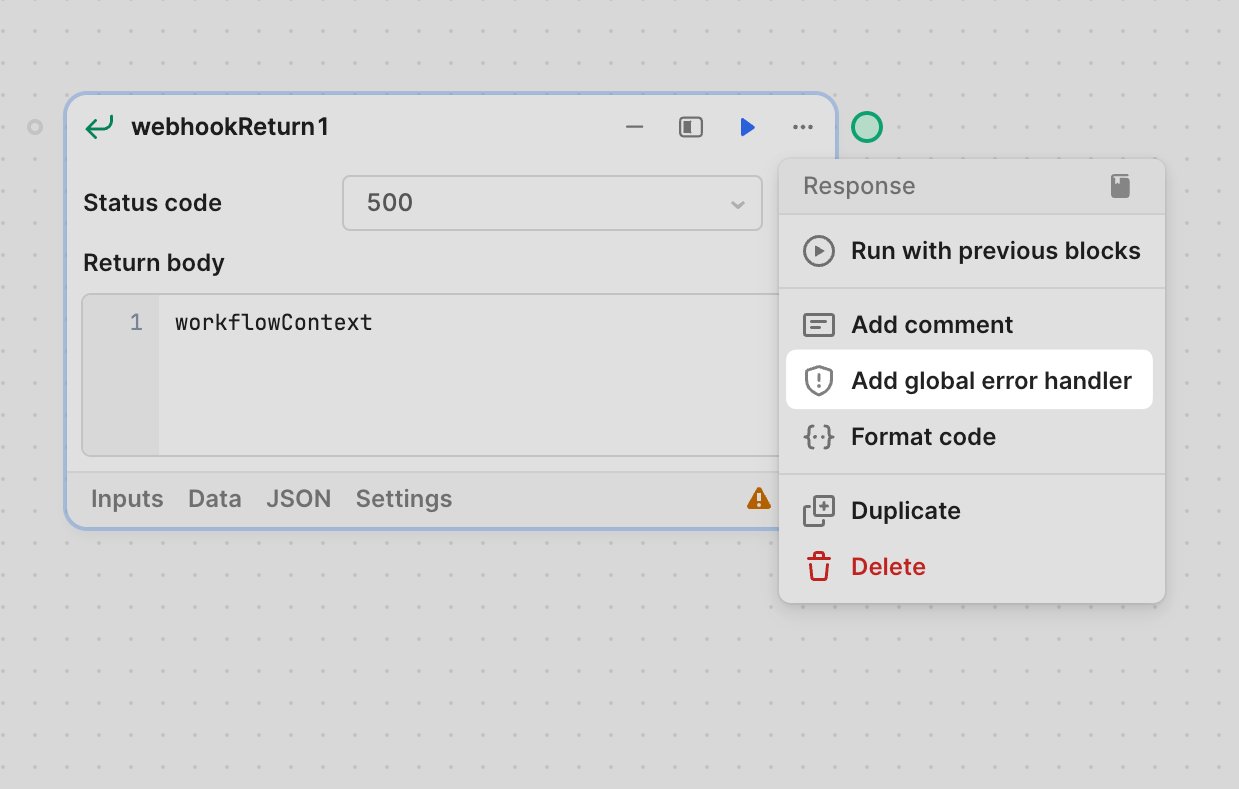
To configure a block for error handling, click ••• and select Add global error handler. Error handlers do not need to be part of the control flow and will execute if the workflow detects an error.
Retrieve the workflow error details
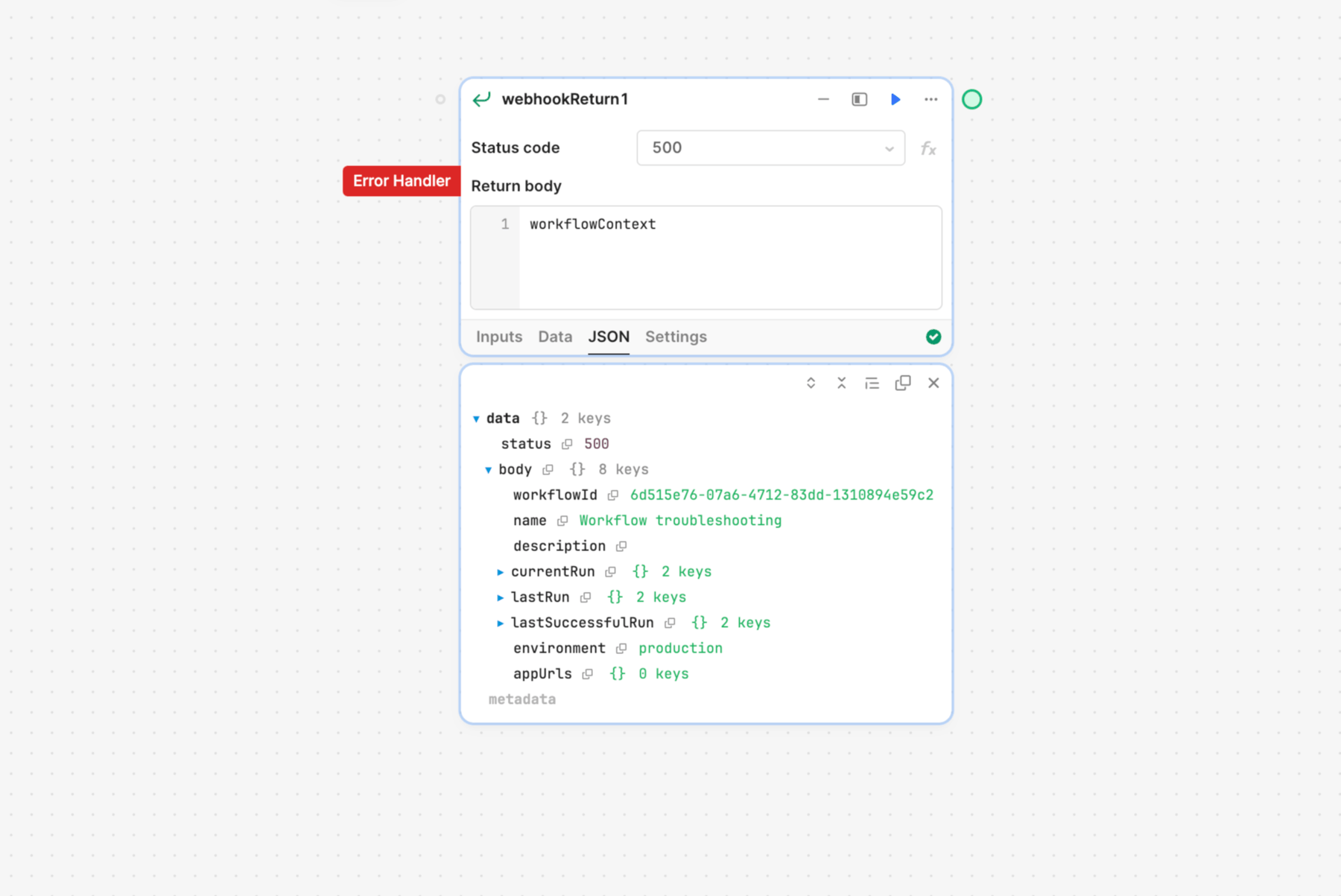
You can reference workflowContext anywhere in your workflow to include workflow details. For example, you can get the workflow name using {{ workflowContext.name }}. This can be useful for distinguishing between workflows that send notifications or including details about when the workflow's actions were last completed.
If a workflow fails, Retool makes the error information available at workflowContext.currentRun.error. You can use this when configuring an error handler to log errors from the current run. For example, a Response block can return a 500 status with the error message.
Review and debug runs
You can use Ask AI to debug JavaScript, SQL, or GraphQL queries using AI-powered debugging.
Retool logs every successful and failed run of a workflow. Click Run history in the status bar to debug workflows. The Run history panel contains a list of recent runs, each with their date, time, their status. You can then view the status of each block to see where a failure may have occurred.
Run logs can help troubleshoot problems with queries, such as malformed SQL statements or invalid JavaScript. You can filter log entries to show only error, success, or info entries. Keep in mind that queries are considered successful if they didn't return an error. A workflow cannot determine if its actions produced the results you expected.
Admins can enable and update the retention period for Run History data from Settings > Advanced settings > Workflows: Enable Data Retention. The default retention period is 30 days, and the maximum retention period is 90 days.
Monitor usage with run logs
Retool calculates workflow usage and billing based on runs. You can view information about workflow runs by reviewing the logs.