Share published apps
Share apps with other users, and manage access.
Once you publish your app, you can share it with other users in your organization and manage access to it using the Share modal.
Share app
From the app builder, click in the navbar to open the Share modal. You can also access this modal from the apps landing page by clicking ··· > Share.
From this modal, you can copy the link to your app and manage access to it.
Manage access
Users who have Own access to an app can configure access for other users.
In the Manage access section of the modal, you can invite users and user groups, and you can configure their access to the app.
Click View full access list to see a list of users that can access your app, the mechanism through which their access is managed (individually, or via user group), and their level of access.
Share app preview
While you're building, you can generate and share an app preview link for your app. This allows you to share your changes with other users who have Edit access to the app for review and feedback before you publish the changes.
Click to open the Change History panel. In the Working Branch section, click Create. Once the preview link is ready, click to copy the link to your clipboard, or View app to open the app preview.
Preview links expire after 7 days.
Share app folders
Admins can also share app folders with users. This enables you to share multiple apps within the same folder simultaneously rather than individually.
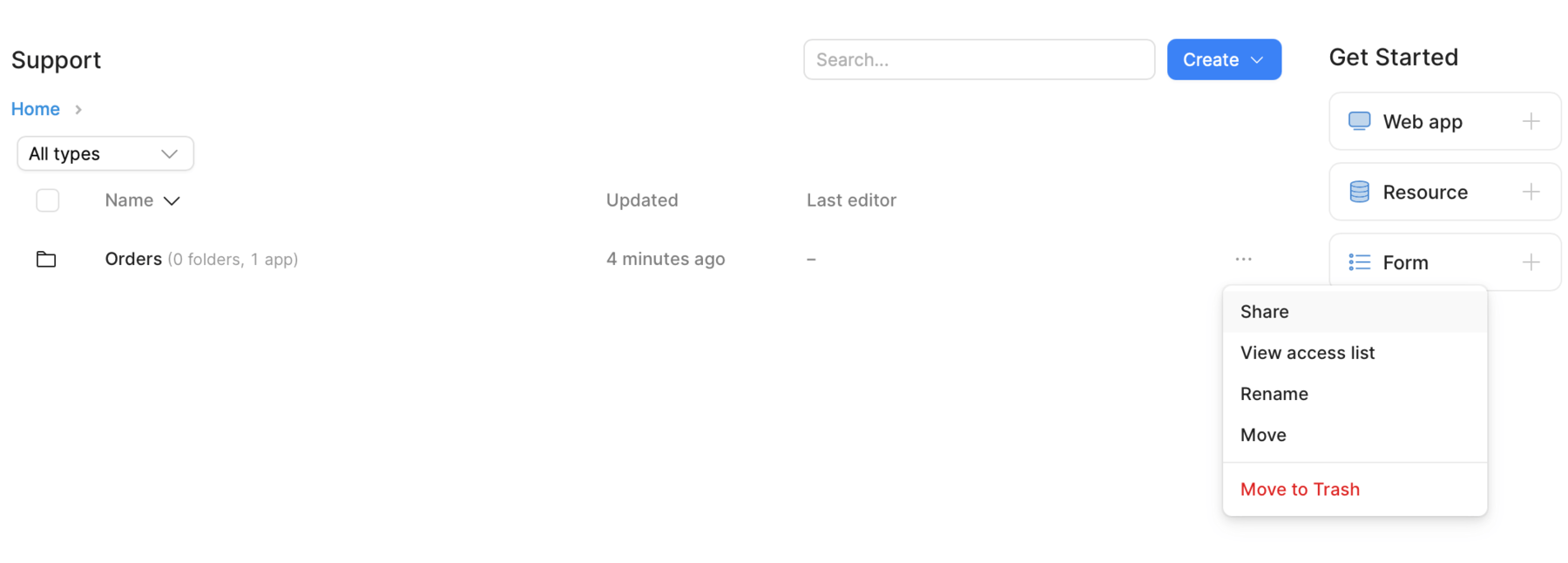
Share an app folder.
Share via MCP
Admins, or users with Own access to an app, can also share an app using Retool's MCP server. Use retool_grant_app_access to grant or update access for a user or group, and use retool_revoke_app_access to revoke direct access. View the access list with the retool_list_app_access tool.
Export app
You can export a ZIP of your published app from the apps landing page. Locate the app you want to export, and click the ··· menu. Click Download as ZIP.
This is useful if you need to move apps between Retool instances.
Exported apps can't run outside of Retool. They rely on Retool's internal code and services to run and can't be hosted elsewhere.
Capabilities and limitations
The following tabs show a summary of the current capabilities of the app builder. Limitations describe functionality that isn't yet supported in apps but may exist in classic apps.
- Capabilities
- Limitations
- Access list management.
- Individual user and user group management.
- Shared app folders.
- Share app using Retool's MCP server.
- External users (who have email domains from outside your organization) can view published apps.
Some functionality is not currently supported:
- Embedded apps in external websites or applications.
- Public links to apps.
- Shared draft apps before publishing.
- Custom pages.
- User actions for logging in, resetting a password, and claiming an invitation. Apps can sign users out and list apps and folders using hooks.