Offline mode
Learn how to configure Retool Mobile apps for offline use.
Offline mode makes it possible for Retool Mobile apps that run natively to continue functioning without a data connection. When enabled, queries that read data can cache the most recent results to make them available offline. Queries that write data are held in a queue and run once the data connection is restored.
Considerations
If you plan to use offline mode, keep in mind the following considerations.
Read queries only cache data when viewed by the user
Queries configured to read data for offline mode only cache data when the user views the results. The user must navigate to screens and view the query data at least once while connected.
If you need to download data in advance, consider using localStorage to temporarily download data that can be accessed when offline.
Write queries run sequentially
Queries configured to write data in offline mode run sequentially when the connection is restored. If one query fails due to a conflict, the user must resolve it before any remaining queries can run.
Write queries cannot have dependencies
Queries with pending changes in offline mode cannot depend on any other queries. For example, if you have a customer management app that is offline, the user could not create a new customer record and then refresh the list of customers. Similarly, the user could not create a new customer record offline and then make further changes.
Handle conflicts
All pending tasks run sequentially when a device's connection is restored. If multiple users made changes to the same data, offline mode cannot merge their changes. Consider using sync delay when enabling offline mode so that users must trigger pending tasks.
Cached data limits
Retool Mobile can cache up to 100MB of data. If offline mode exceeds this limit, Retool Mobile excludes the last used entries.
Enable offline mode
Offline mode is available on a per-app basis and enabled in the app IDE. Click ••• to open the App actions menu, select Mobile app settings, then toggle Mobile offline mode on.
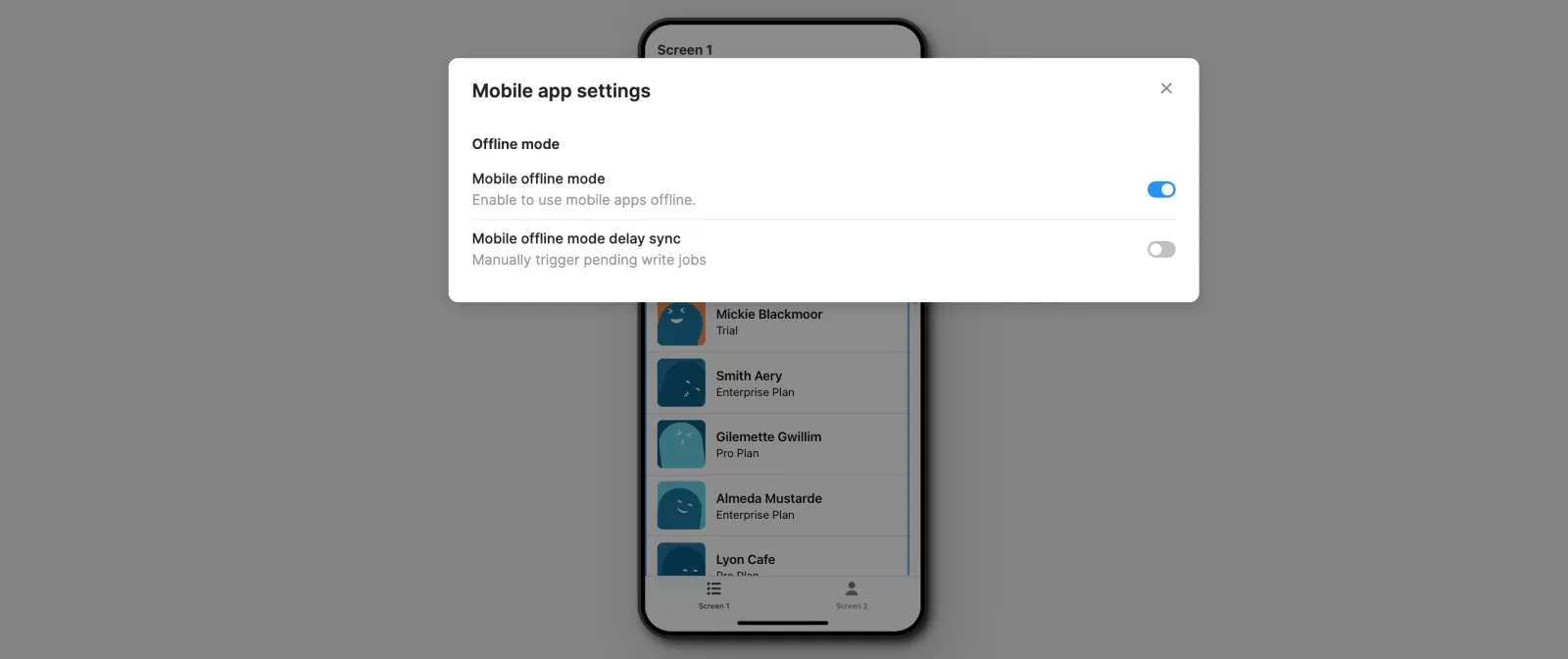
Retool Mobile attempts to trigger pending queries automatically. You can require users to manually trigger pending queries that write data by toggling Mobile offline mode delay sync.
When offline mode is enabled, your app displays a connection status bar at the top of each screen.
- Connected or Reconnected (green): The app is connected to Retool.
- Offline (amber): The app is not connected to Retool and is operating in offline mode. The status includes the number of pending changes.
- An error has occurred (red): The app is unable to reconnect or cannot perform pending changes.
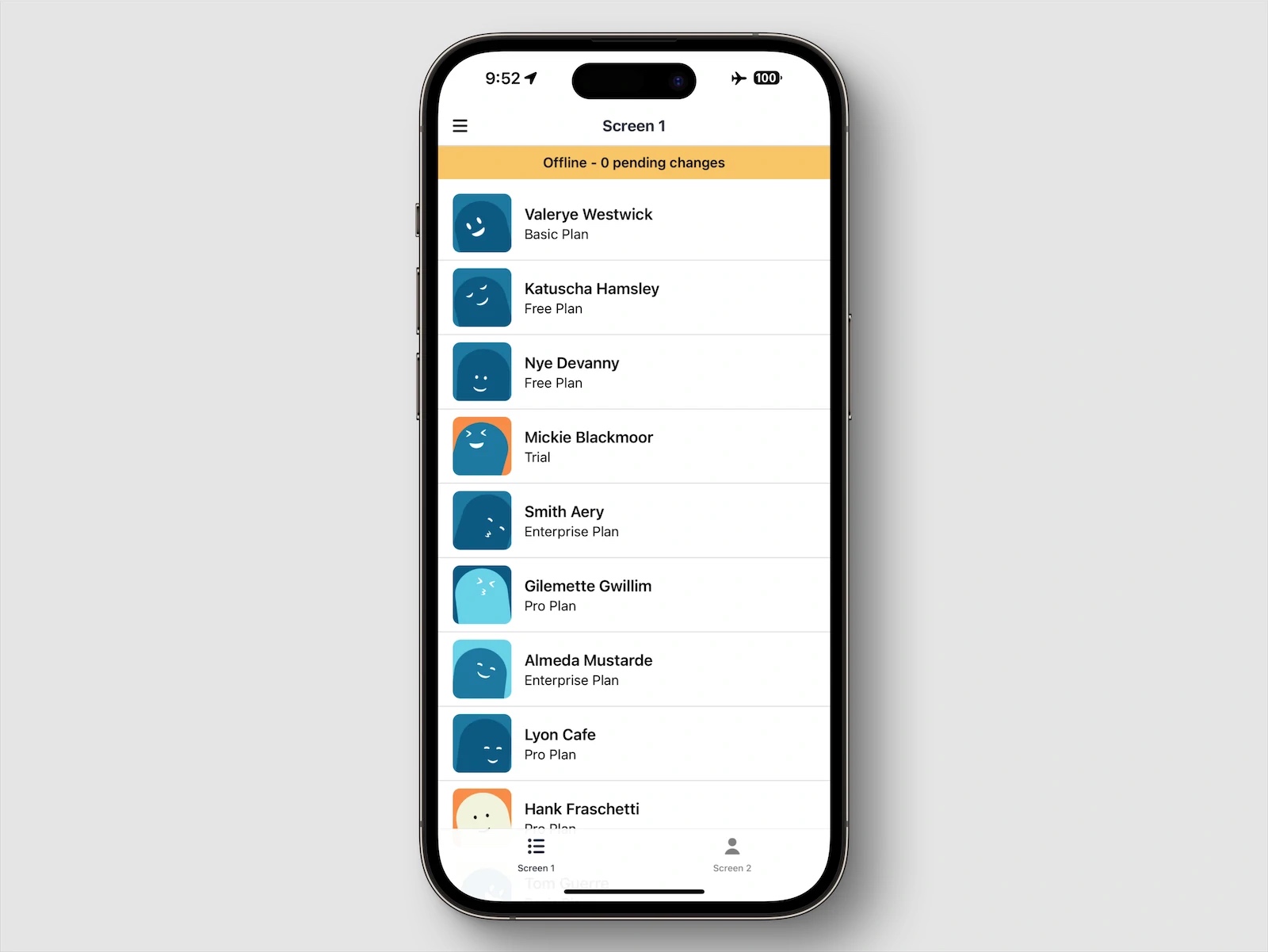
Retool Mobile stores cached data in the filesystem and is not lost when the app or device is restarted. Cached data is deleted if the app is uninstalled.
Configure offline query types
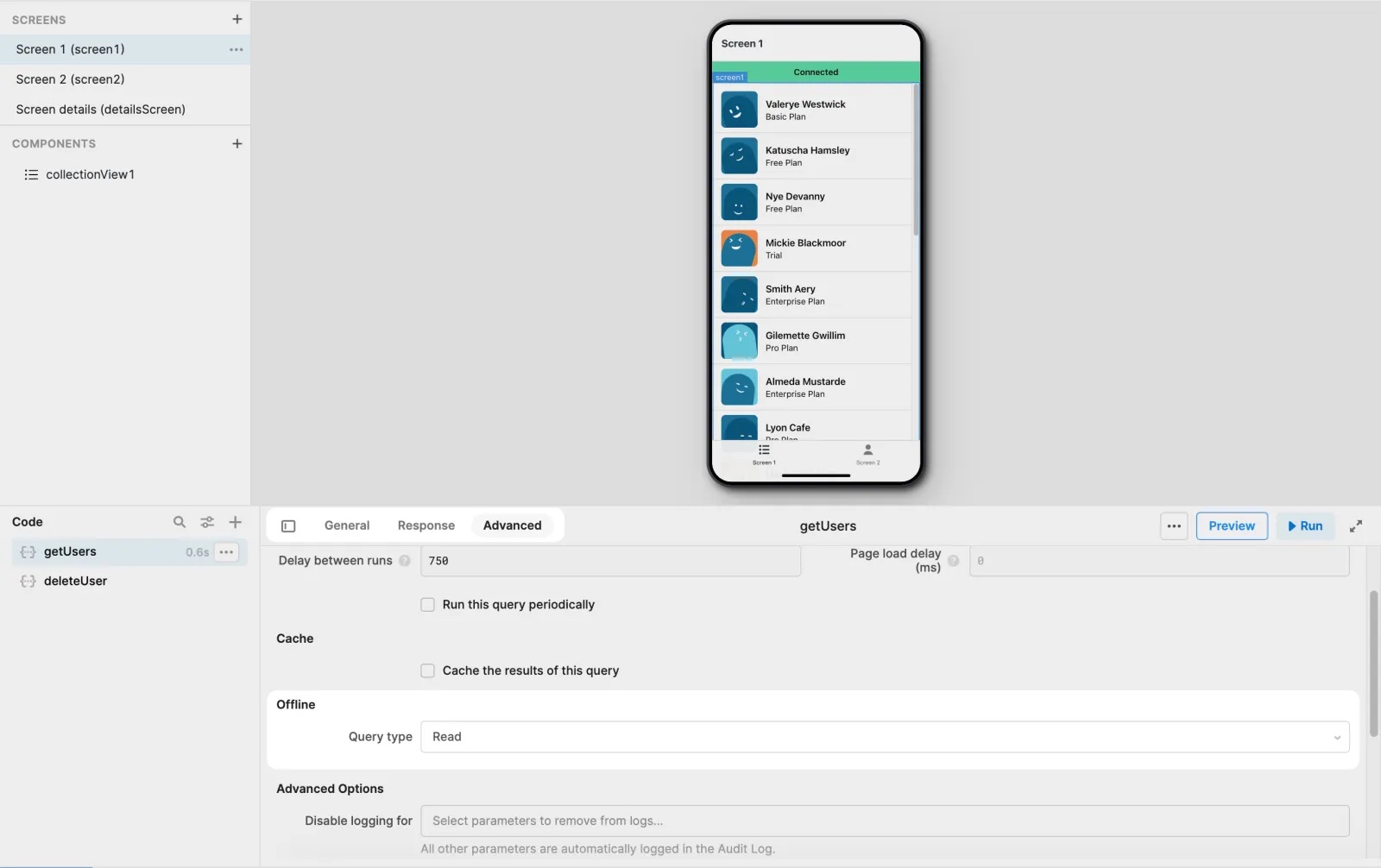
You must configure the Query type for each query that should be available in offline mode:
- Read: The query reads data. The app caches the most recent data returned by the query and makes it available offline.
- Write: The query writes data. The app enqueues these queries and triggers them when the connection is restored.
Select a query in the bottom panel, navigate to the Advanced tab, and specify the Query type in the Offline section.
View query status
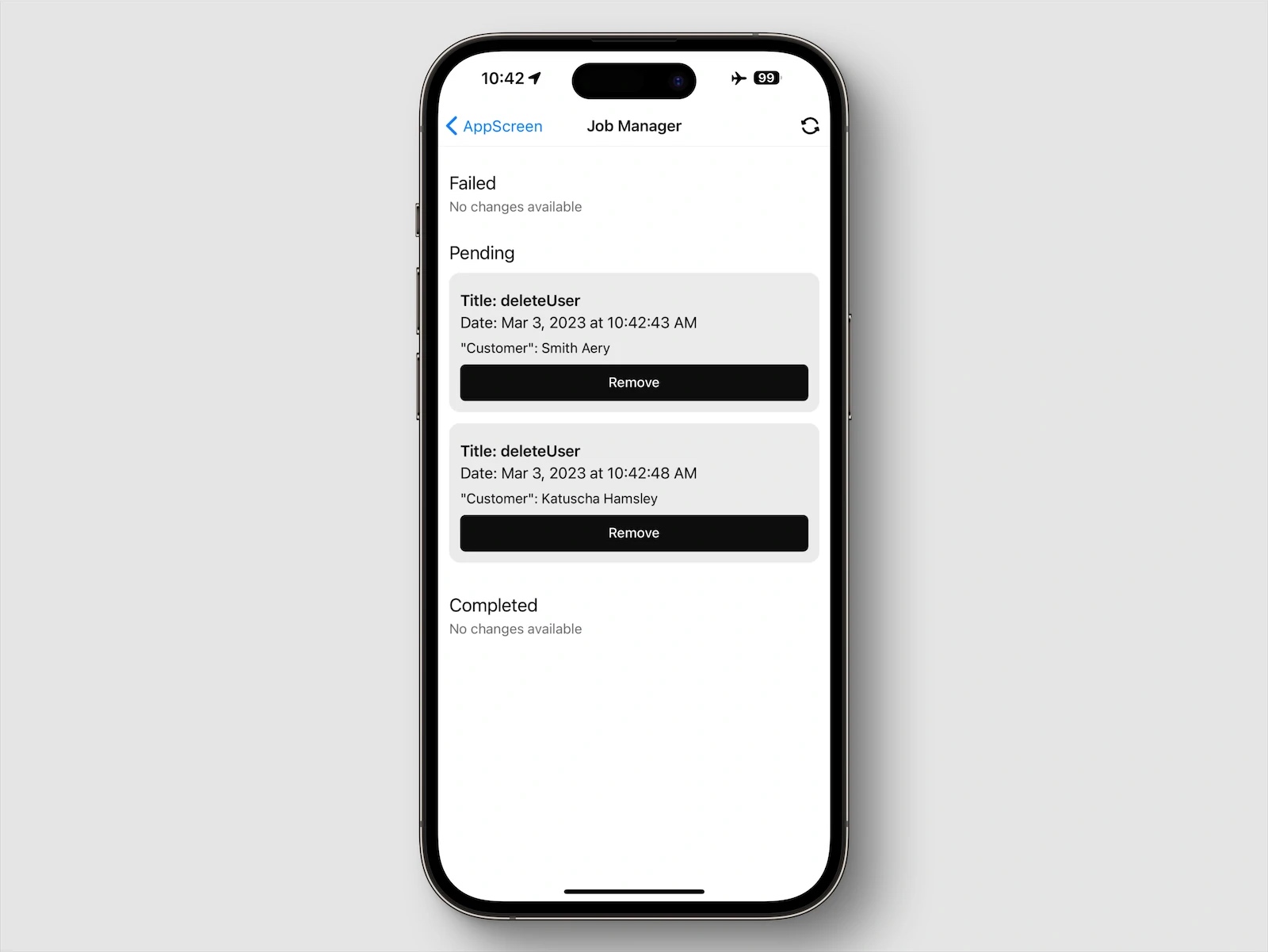
The Job Manager contains a list of failed, pending, and completed queries. Tap the connection status bar at the top of the app screen to open it. Each entry contains the query name and date. Users can remove pending queries by pressing Remove.
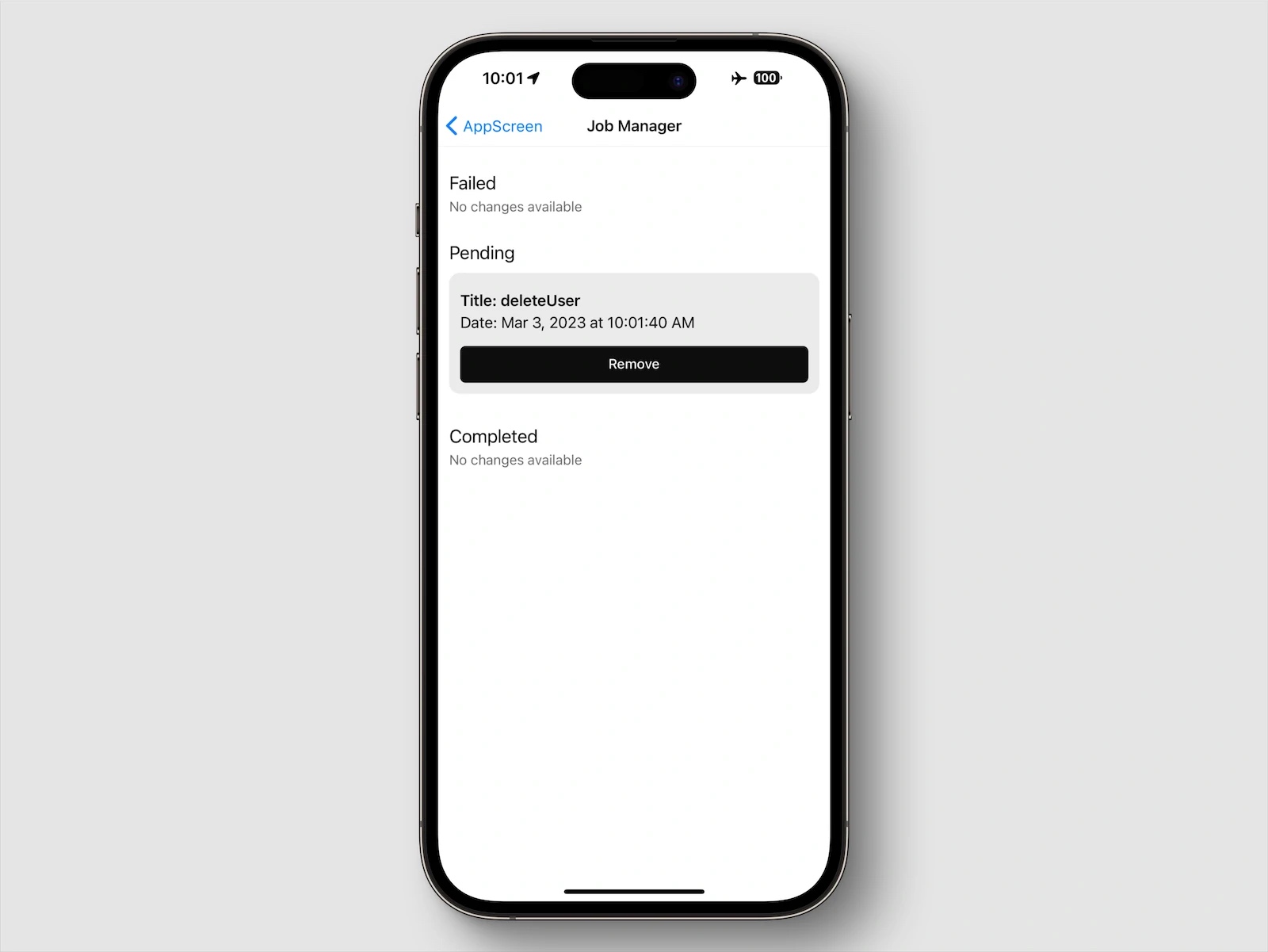
Offline write queries can display key-value pairs in the Job Manager. You configure these using the Display body fields in the Offline section for a query.
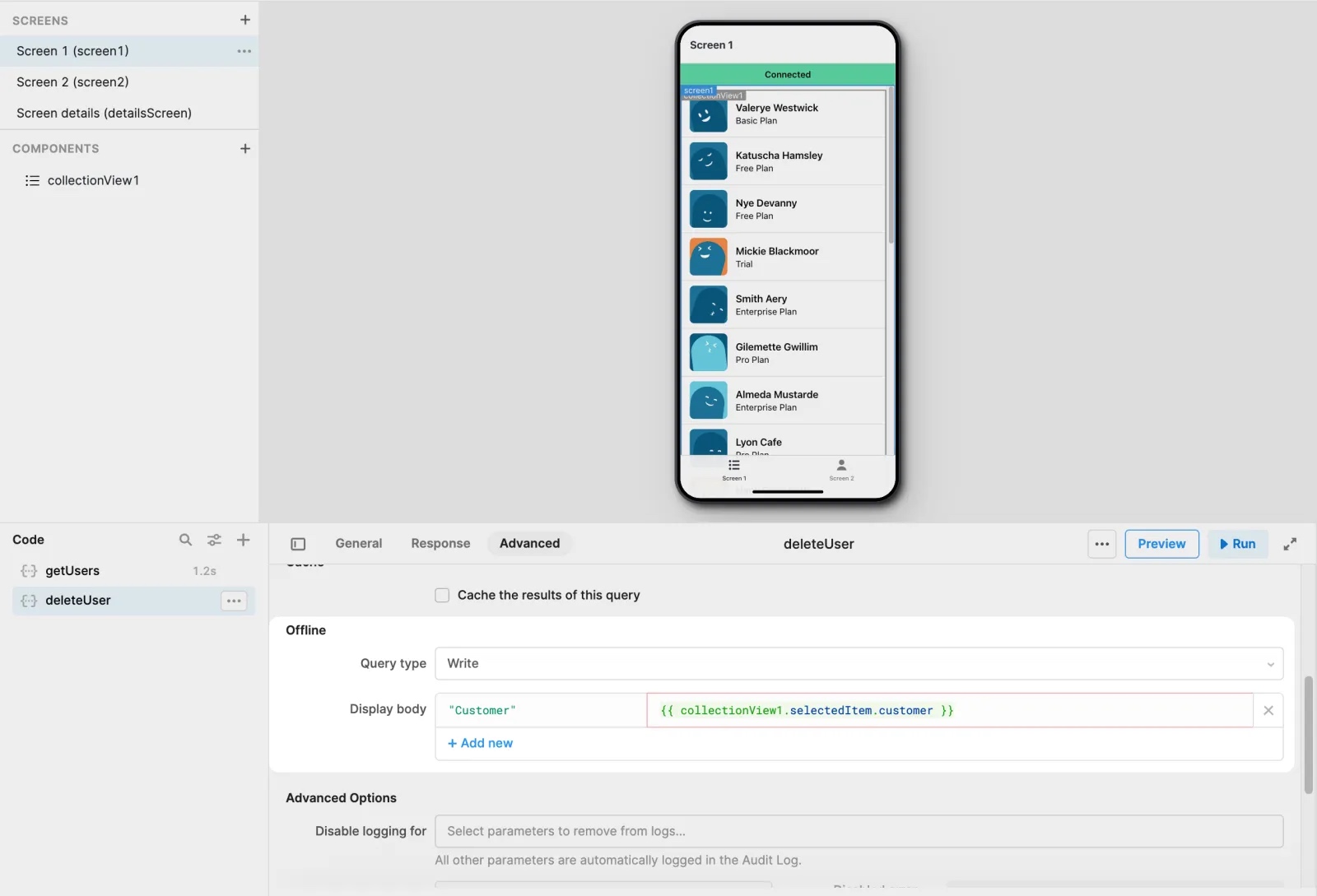
Display body values can help provide context on the pending changes, such as displaying the original and modified values.
Run pending changes
Retool Mobile automatically processes pending queries once the connection is restored. If Mobile offline mode delay sync is enabled, the Job Manager includes an action button to manually trigger the queries—users must press this for changes to occur.
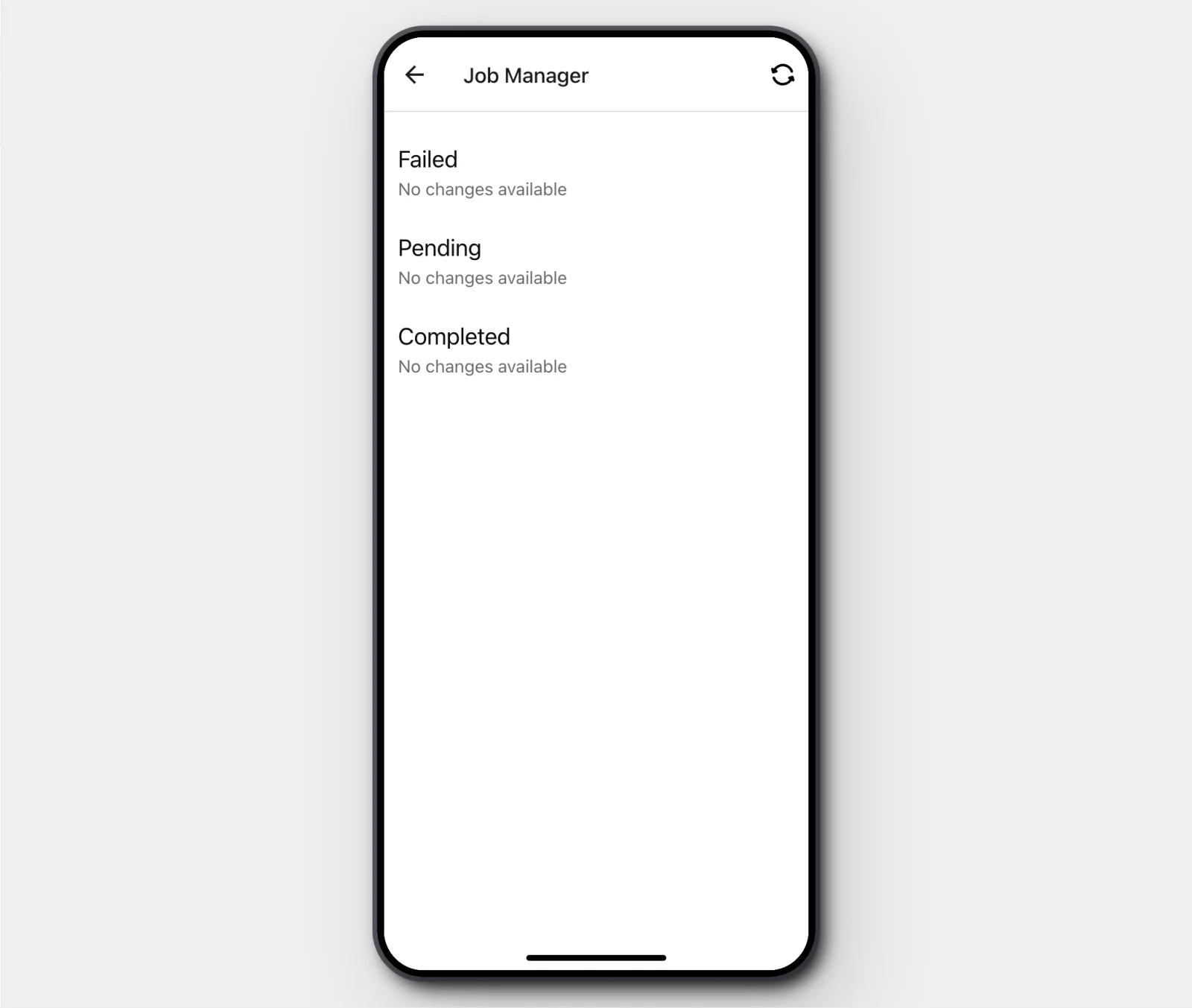
The Job Manager processes each pending change sequentially. If a query fails for any reason, such as a conflict in data, the user must resolve this by retrying or removing the failed change. Any remaining queries will remain in a pending state until this is completed.
Use Retool Storage in offline mode
Some users experience issues handling images in offline mode, because dependent queries are not supported after uploads. As a result, it’s impossible to execute post-upload processes while offline.
If you are having issues handling images in offline mode, reach out to your account manager or the support team and request that they enable the mobileRetoolStorageAsync feature flag.
This feature enables uploaded files to be stored on the device and added to the offline queue for later submission while providing the Retool Storage metadata right away. Users can then proceed with post-data processing even while offline.