Admin onboarding hub now available in the Settings Overview page
Admins on the Enterprise plan can now complete each step in the Get started section of the Overview page using guided step-by-step wizards instead of navigating through separate Settings pages to complete configuration.
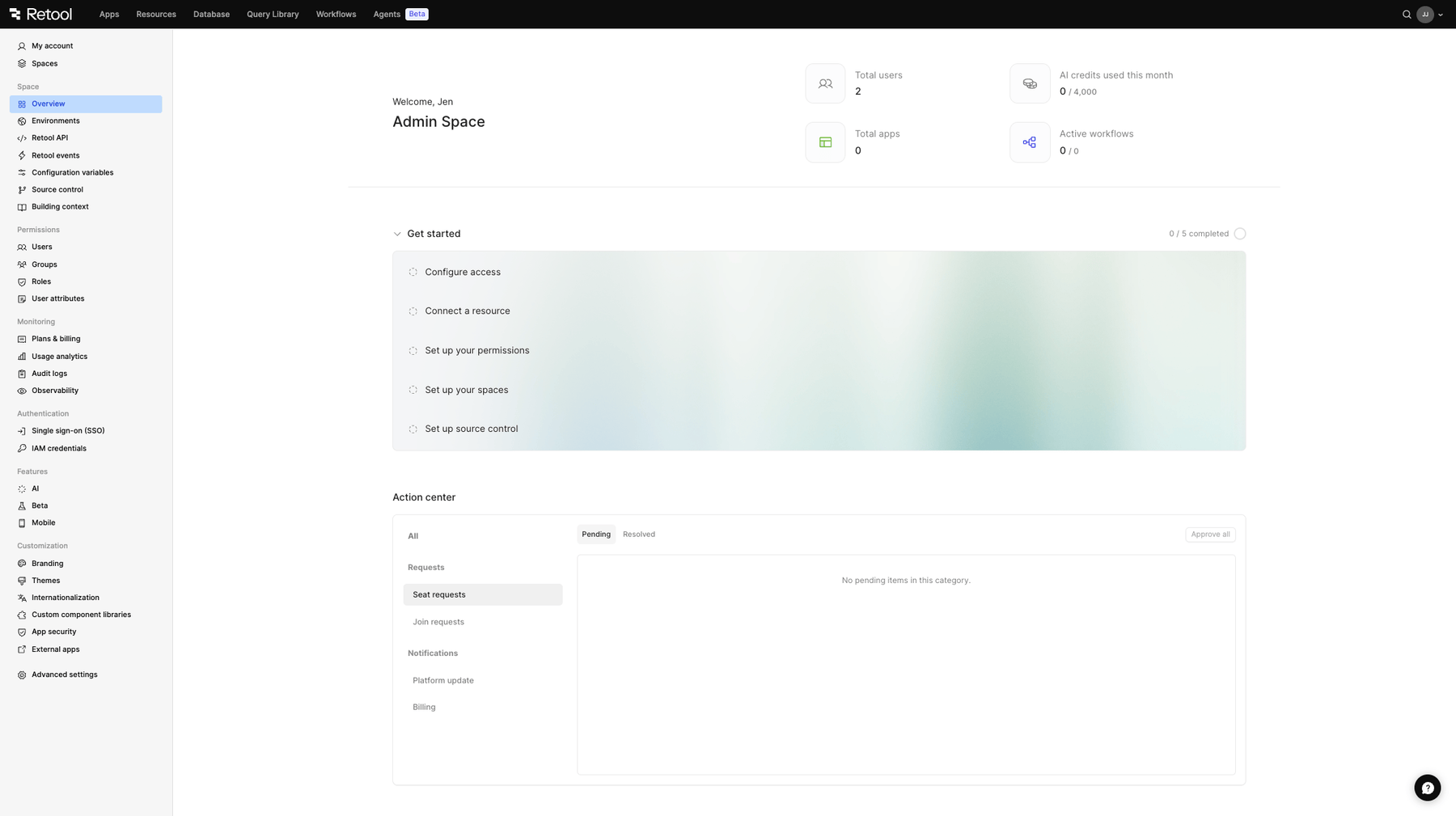
Overview page
You can now directly configure from the Overview page:
- SSO
- Resources
- Source control
- Spaces
- Permissions
The Permissions setup step is only available to organizations with object roles enabled. If object roles are not enabled for your organization, this step will be hidden. Refer to Object roles for more information.
The Get started section is aimed at providing a better onboarding experience for admins of new organizations, and will help identify what configurations still need to be set up for admins or existing organizations. For example, setting up spaces walks you through choosing custom spaces or a Dev/Staging/Prod environment split, naming and configuring each space, and optionally copying over your existing SSO settings, before creating every space at once.
The Overview page also includes an Action center that contains important notifications and pending join requests, suggested users, and seat upgrade requests, so admins can act on what needs attention, as well an at-a-glance overview of your organization stats, such as total users, apps, workflows, and AI credit usage.