Spend controls for AI usage
Admins for cloud-hosted instances on Enterprise plans can now set spend limits on AI usage using the new Spend Controls tab in the AI monitoring settings.
Limits work for both Retool-managed keys (credits) and bring your own key (tokens). Set an organization-wide default user limit, then override it for specific users or groups. You can also set a limit on a model to cap its total usage across your organization. For each, you can set a Notify at limit, which sends notifications and lets usage continue, and a Block at limit, which blocks further usage. A user's effective limit is their own limit, then the highest limit among their groups, then the default. Model limits apply separately from user and group limits.
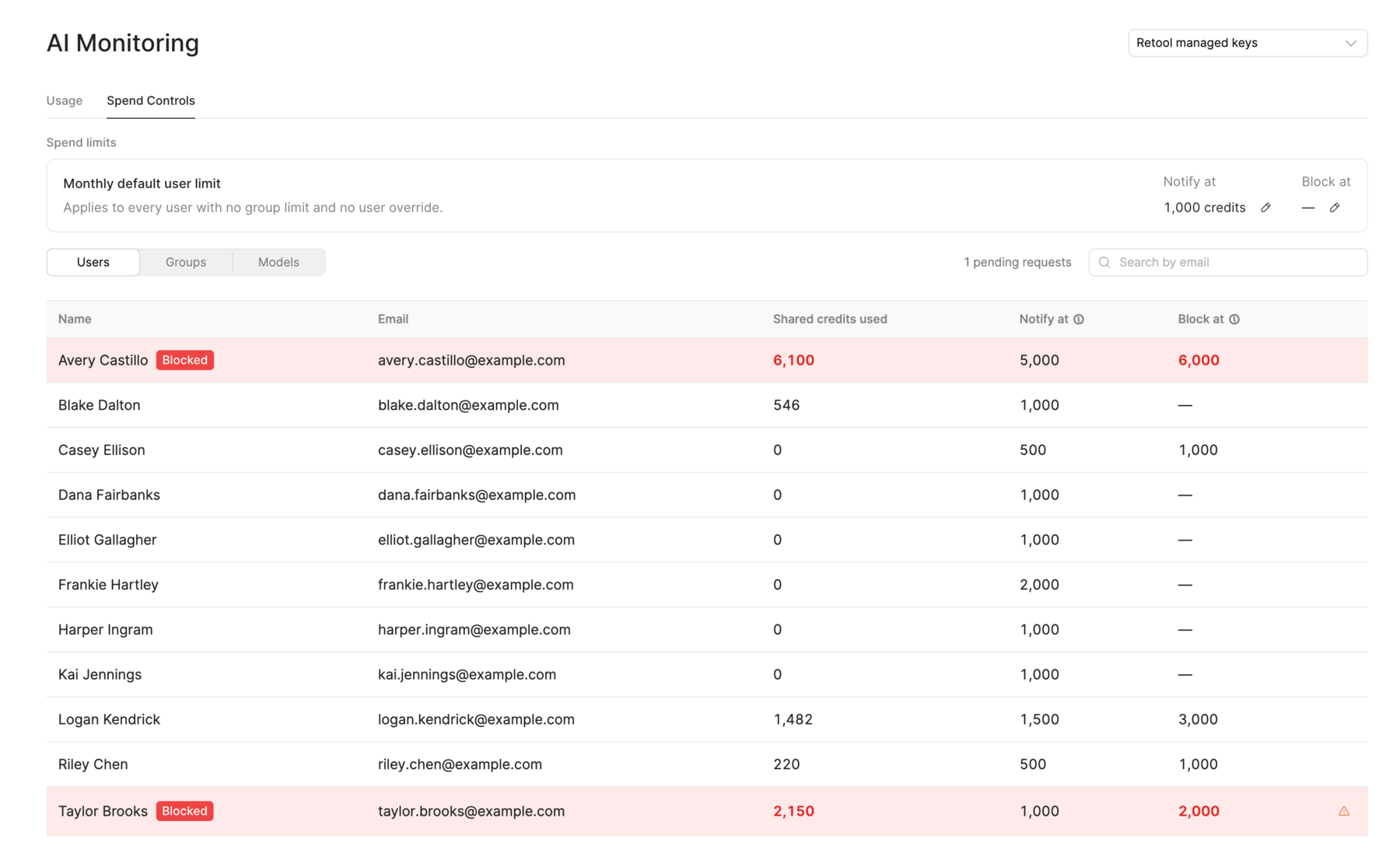
When a builder reaches a block limit, AI app building pauses and they can send a limit increase request to admins. Admins can review requests in the Spend Controls tab or from the Action center on the Overview page, then approve a higher limit or deny the request. Retool also sends email notifications when limits are reached.