Changelog

Updates, changes, and improvements at Retool.

Refer to the stable and edge release notes for detailed information about self-hosted releases.

92 posts tagged with "Apps"

View All Tags

App linting and performance debugging tools

The new Linting and Performance tools, available within Debug Tools in the App IDE, provide additional methods for debugging and optimizing apps.

Linting

Identify queries, code, and components that may affect app performance.

Linting tools
Linting tools

Performance

Linting tools
Linting tools

View statistics related to app performance along with an overall performance score. This is a useful tool for measuring how changes affect an app's performance and provides guidance on how to optimize it further.

Upcoming deprecation of password protection for public apps

The option to password-protect public apps will no longer be available from February 18, 2024. To create a radically better experience in building authenticated Retool apps for external users, we’ve recently introduced Retool Portals, Retool Embed and Retool Forms.

Any existing public apps with password protection will remain protected. Should we decide to make any further changes to password protection, Retool will provide at least six months notice.

Button column type for the Table component

The new Button column type in the Table component is now available. When enabled, column values render as a button. This allows you to add buttons to trigger actions, queries, and open links using a button.

Phone Number Input component

The Phone Number Input component for web apps is now available. It automatically formats phone numbers, includes a country selector with international dialing code, and can perform validation based on the selected country. The default country is derived from the user's IP address.

New version of the Key Value component

A new version of the Key Value component is available to cloud instances and self-hosted instances on version 3.22 or later. It contains a number of improvements over the previous component:

  • Automatically reflects changes whenever the data source changes.
  • Added support for event handlers.
  • Various styling improvements.

App-level themes and typography controls

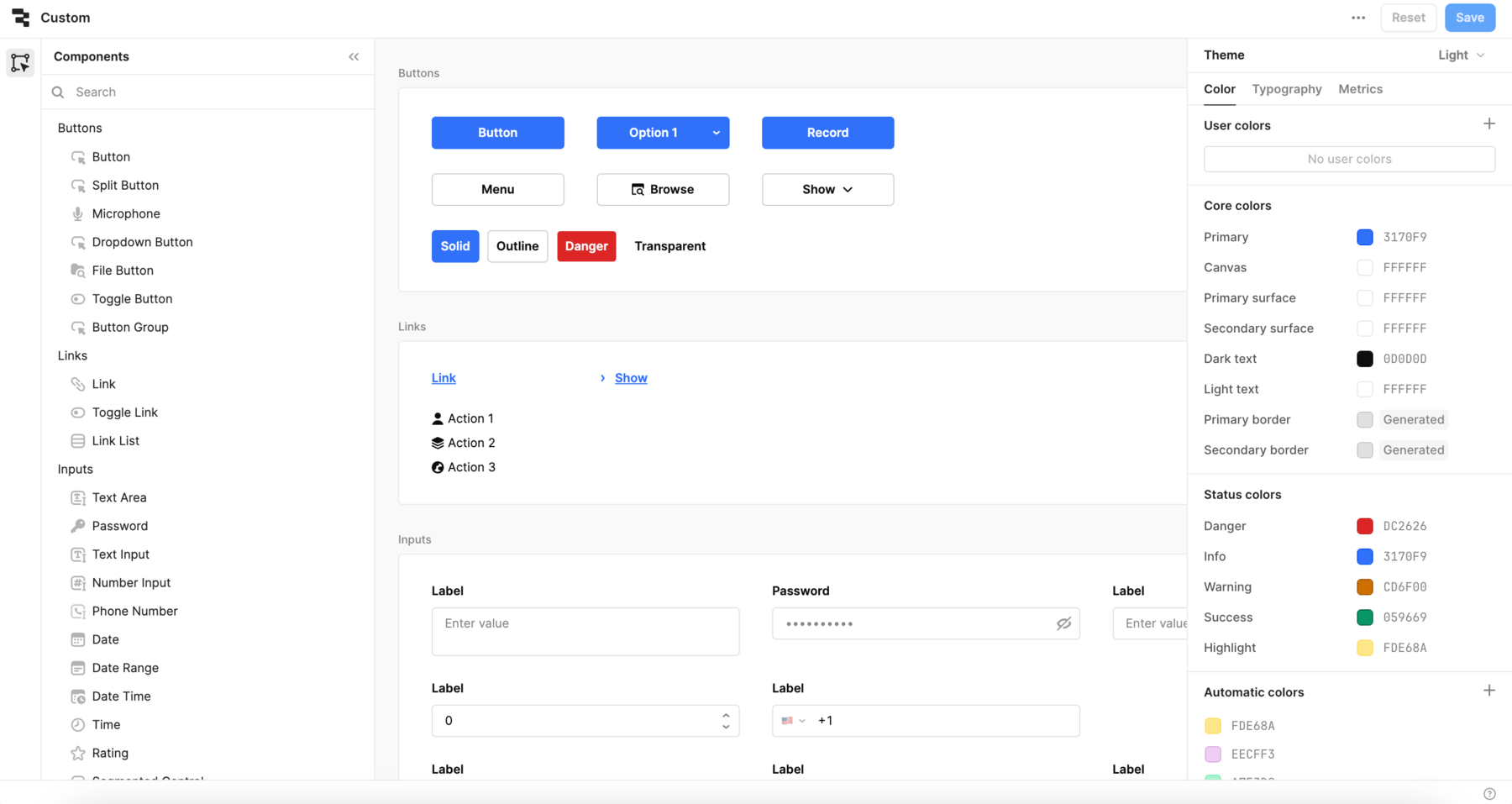
Retool organization users on the Business or Enterprise plan have the option to apply custom themes on a per-app basis. Previously, app themes were only available globally and required administrator access. App-level themes apply only to the current app. If your organization does not have access to org-level themes, you can still set a custom app theme.

App-level themes
App-level themes

We've also added some expanded typography settings. You can set custom typefaces and font sizes. Not all custom typefaces may work with the line heights used in Retool apps (generally 1em-1.5em).

Typography controls
Typography controls

Code search: Find code anywhere in your app

You can now search for all code within a Retool app, from resource queries and component properties to preloaded JavaScript and CSS. Code search can instantly search for case or exact word matches, and supports regular expressions for fine-tuned searches.

Visual refresh of the component library

A visually refreshed component library is currently available as an opt-in beta for cloud-hosted organizations. It contains minor style changes to many components, such as:

  • An updated color palette.
  • Changes to the active and hover state appearance for buttons and inputs.
  • Removing borders on input attachments and buttons.
  • Fixing inconsistencies with component spacing, font weight, border radius, etc.
  • A new look for the Tab and Navigation components.

Any style overrides you've made will still be retained.

Click Get started and leave a comment to request access.

Custom URLs for web apps

You can create custom URLs for web apps to make them more discoverable and easier to share with end users. With a custom URL set, end users can access apps at {domain}/app/{custom-url} or {domain}/p/{custom-url} if it's a public app.

Augment any software with external and embedded apps

We're expanding beyond internal tools so you can build nearly any software for your business with Retool.

With this launch, we're adding two new products to help you:

  • Ship a secure, custom portal: Build and host portals for your customers, partners, and vendors fully on Retool with external apps which manages signup, authentication, and permissions out of the box.
  • Augment existing software: Quickly add data and CRUD functionality to an existing app or portal with embedded apps.

Both external apps and embedded apps are now available across Business and Enterprise plans.

To learn more about how embedded and external apps are changing the way you can build with Retool, watch the overview video.

You can read details in the docs to embed your first Retool app or build an end-to-end portal on Retool.