Purchase additional AI credits
Organization admins on Team and Business plans can now purchase additional AI credit packs directly by clicking on Buy credits from Settings > Plans & Billing > under the new AI Credits tab.
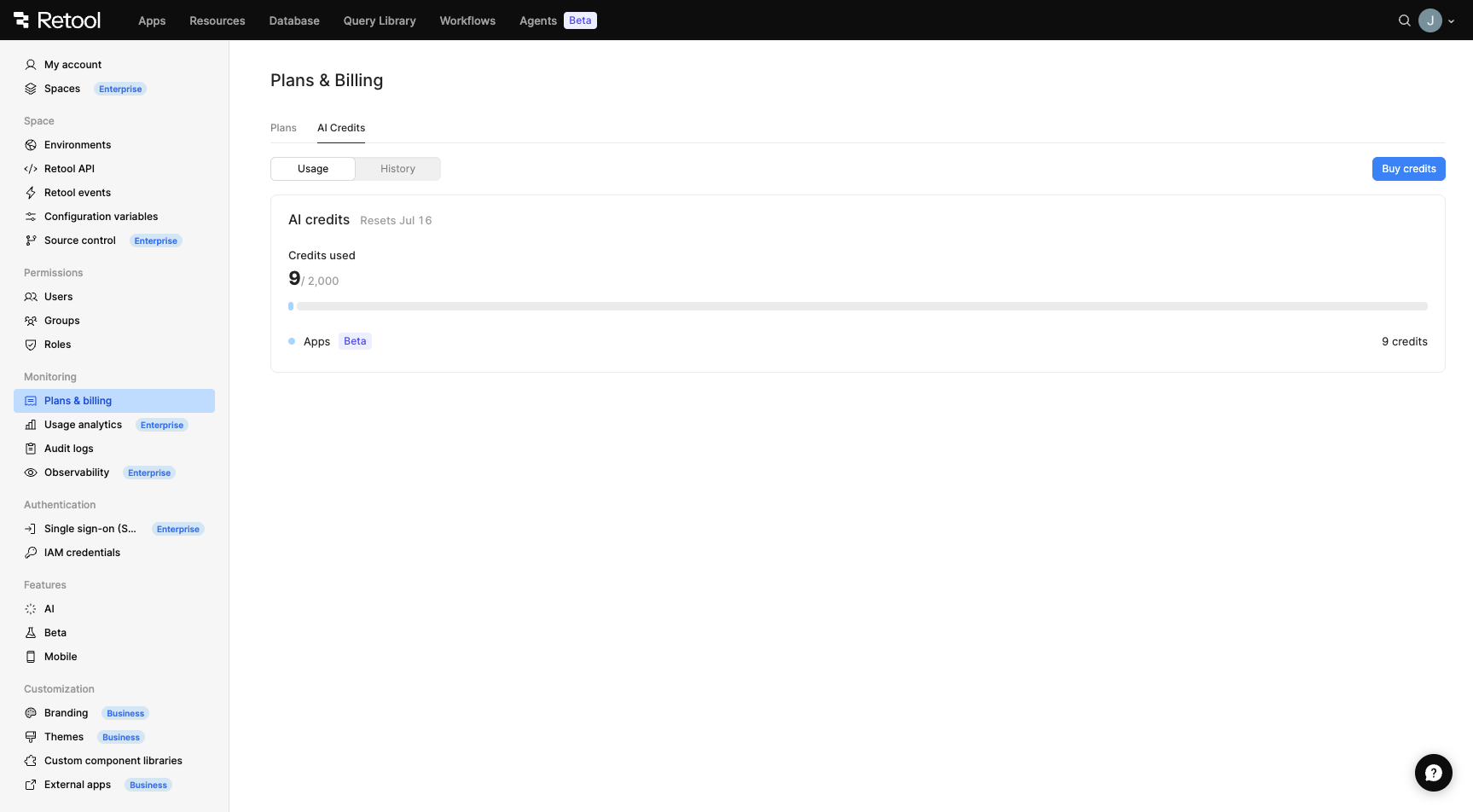
AI Credits tab with Buy credits button
Credit packs are sold in increments of 1,000 credits at $100 per pack. Purchased credits are added to your organization's shared pool and are consumed after your monthly allotment runs out, with the oldest (soonest-expiring) pack used first. Credit packs expire at the end of your next monthly billing cycle (between 30–60 days after purchase), depending on where you are in your billing cycle when you buy them.
- If you are billed monthly, your next billing cycle end date is your expiration date.
- If you are billed annually, your monthly billing date is the same day of the month you originally purchased your plan (e.g., if you purchased an annual plan on April 12, credits expire on the 12th of the following month).
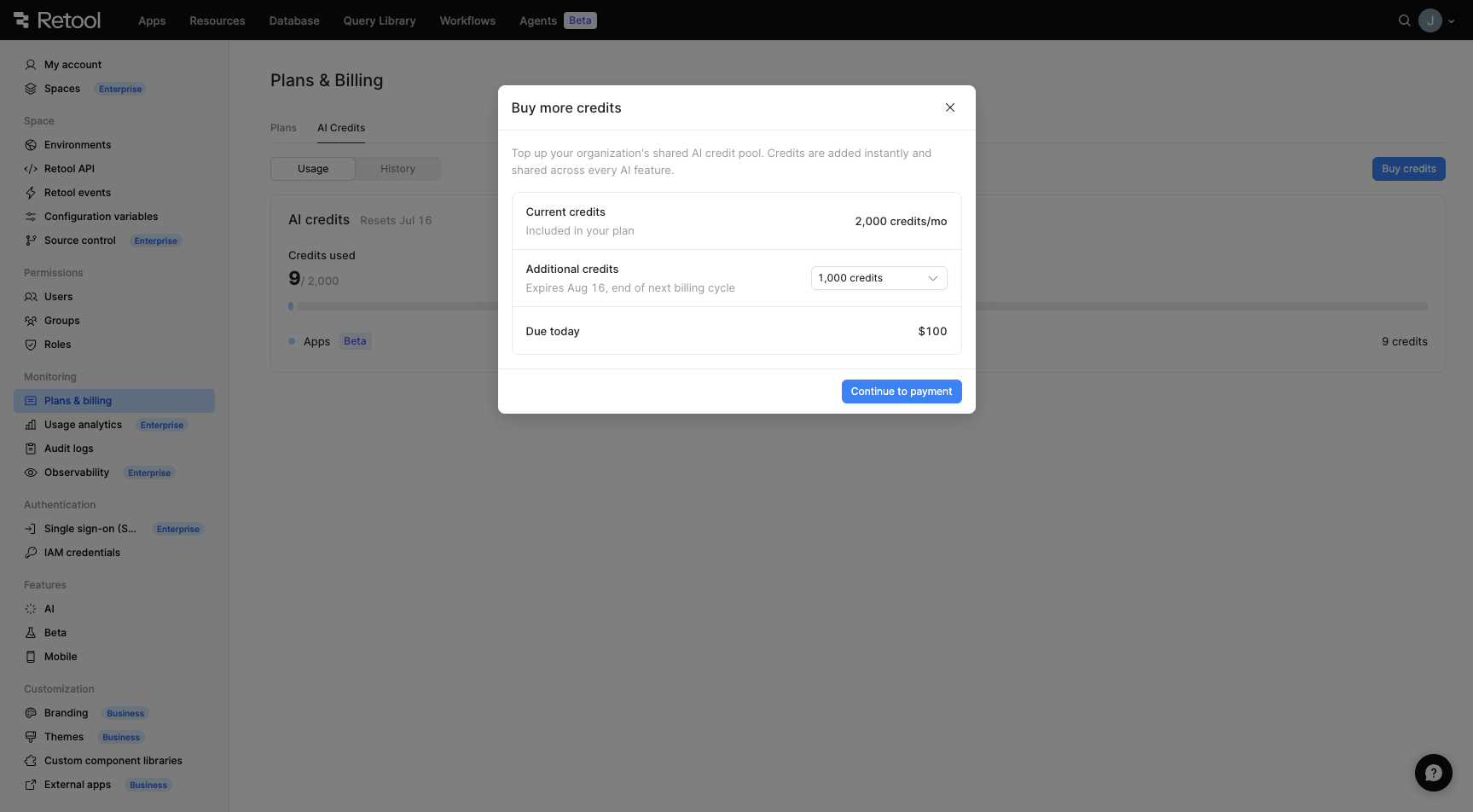
Buy more credits modal
When your organization's credits run out, admins will see a banner prompting them to purchase additional credits or upgrade their plan. Users who are not admins will be directed to contact their admin.
Credit pack purchasing is available on cloud plans using Retool-managed keys. Free plan organizations must upgrade to Team or Business to purchase credit packs. Enterprise customers should contact their account executive.
For more information, refer to the AI credits documentation.