Manage permissions for Retool Agents
Learn how to manage permissions and access for Retool Agents.
There are three objects relevant from a permissions standpoint: the agent, the tool, and the resource.
- Agents have Use, Edit, or Own permissions.
- Resources have Use, Edit, or Own permissions.
- Tools are not independently permissioned. They are implicitly permissioned based on the agent that contains them.
To use an app that calls an agent, you also need Use permissions on the app.
Folder permissions
For a user group to see all agents in an organization from their All agents page, an admin must grant them Edit all or Own all access for agents.
- Navigate to Settings > Groups.
- Select a group.
- Select the Agents tab.
- Choose Edit all.
Before a user can create and edit agents, an admin must configure their group with either Edit or Own permissions on an agent folder.
- Edit on a folder lets users create new agents within the folder, view and edit the configuration of agents they have Edit access to, and use those agents in creator mode.
- Own on a folder lets users do everything Edit allows, plus move, delete, or rename agents within the folder.
Permissions are not necessarily inherited to the agents within folders. Admins can grant Edit on a folder while restricting access to individual agents inside it.
Permission groups
Agents are available as a top-level, permissionable object in Settings > Groups.
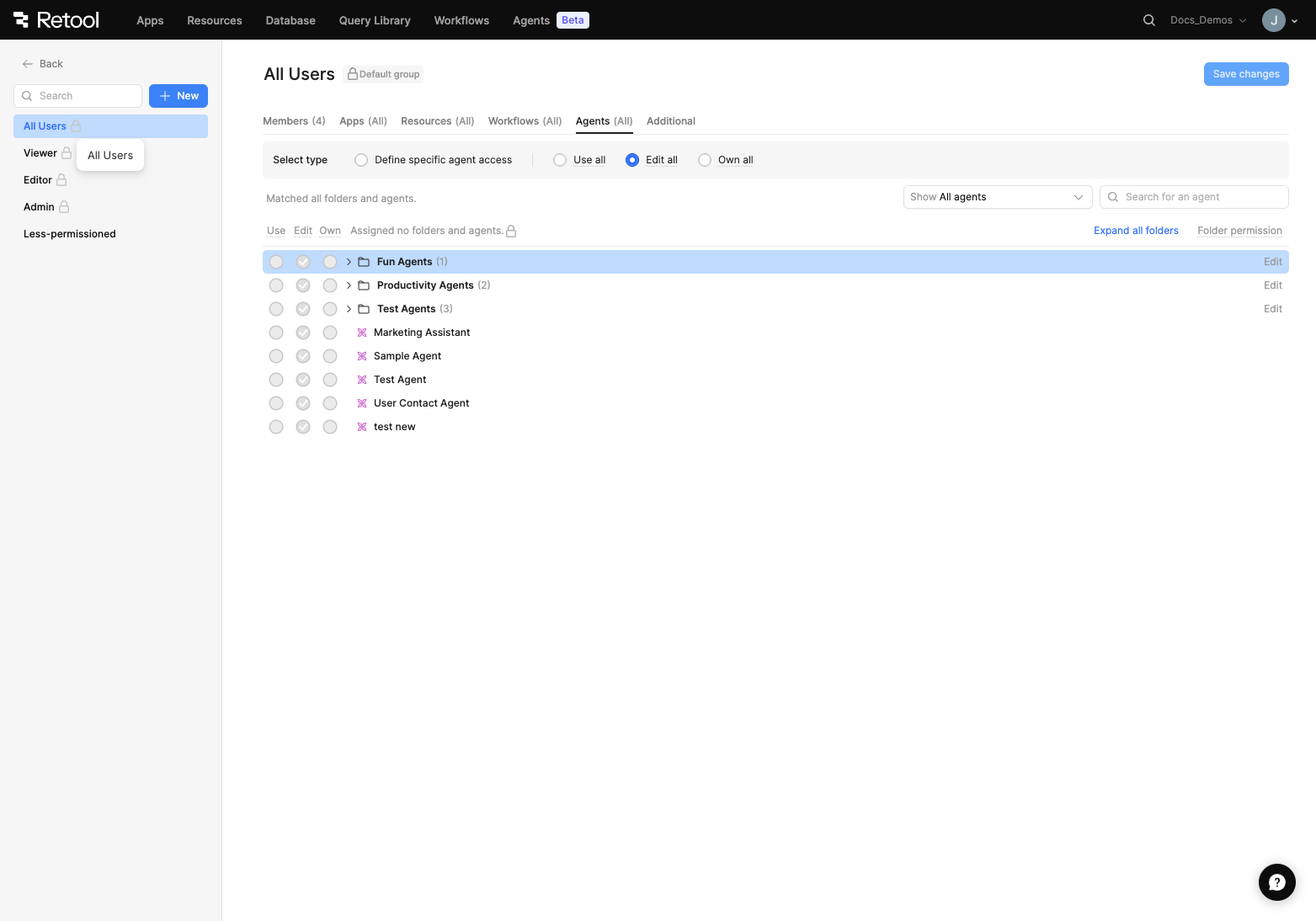
You can define access for agents at a group-level in Settings > Groups.
A group may have Use, Edit, or Own permissions on an agent.
| Action | Use | Edit | Own |
|---|---|---|---|
| View agent name, description, and version history | ✓ | ✓ | ✓ |
| Access the chat tab and create threads | ✓ | ✓ | ✓ |
| Call tools (requires Use access on the underlying resource) | ✓ | ✓ | ✓ |
| Build and edit agent configuration | ✓ | ✓ | |
| Move agent | ✓ | ||
| Delete agent | ✓ | ||
| Rename agent | ✓ |
The visibility of certain tabs within Retool Agents is also limited by permission level:
| Tab | Use | Edit | Own |
|---|---|---|---|
| Chats | ✓ | ✓ | ✓ |
| Configuration | ✓ | ✓ | |
| Logs | ✓ | ✓ | |
| Evals | ✓ | ✓ |
You can only edit an agent's configuration if you also have the necessary permissions on all tools used by the agent, for example, Use for workflows, Edit for resources and MCP.
Agent and resource permission combinations
When a user interacts with an agent, their effective capabilities depend on their permission level for both the agent and the underlying resource. The following table shows what each combination allows.
| Agent permission | Resource permission | What you can do |
|---|---|---|
| None | Any | Cannot interact with the agent. |
| Use | None | Can chat with the agent. If a tool is called, an error is returned because the user lacks resource access. |
| Use | Use or higher | Can chat with the agent and call tools. |
| Edit | None | Can modify agent configuration, but cannot reference a resource in a tool without resource access. |
| Edit | Use or higher | Can modify agent configuration and call tools. |
| Own | None | Can modify, delete, and rename the agent, but cannot call tools without resource access. |
| Own | Use or higher | Can modify, delete, and rename the agent, and call tools. |
Admin capabilities
You must have Retool AI enabled for your organization to use Retool Agents.
Retool Agents can be globally enabled or disabled in Settings > Retool AI > AI Agents.
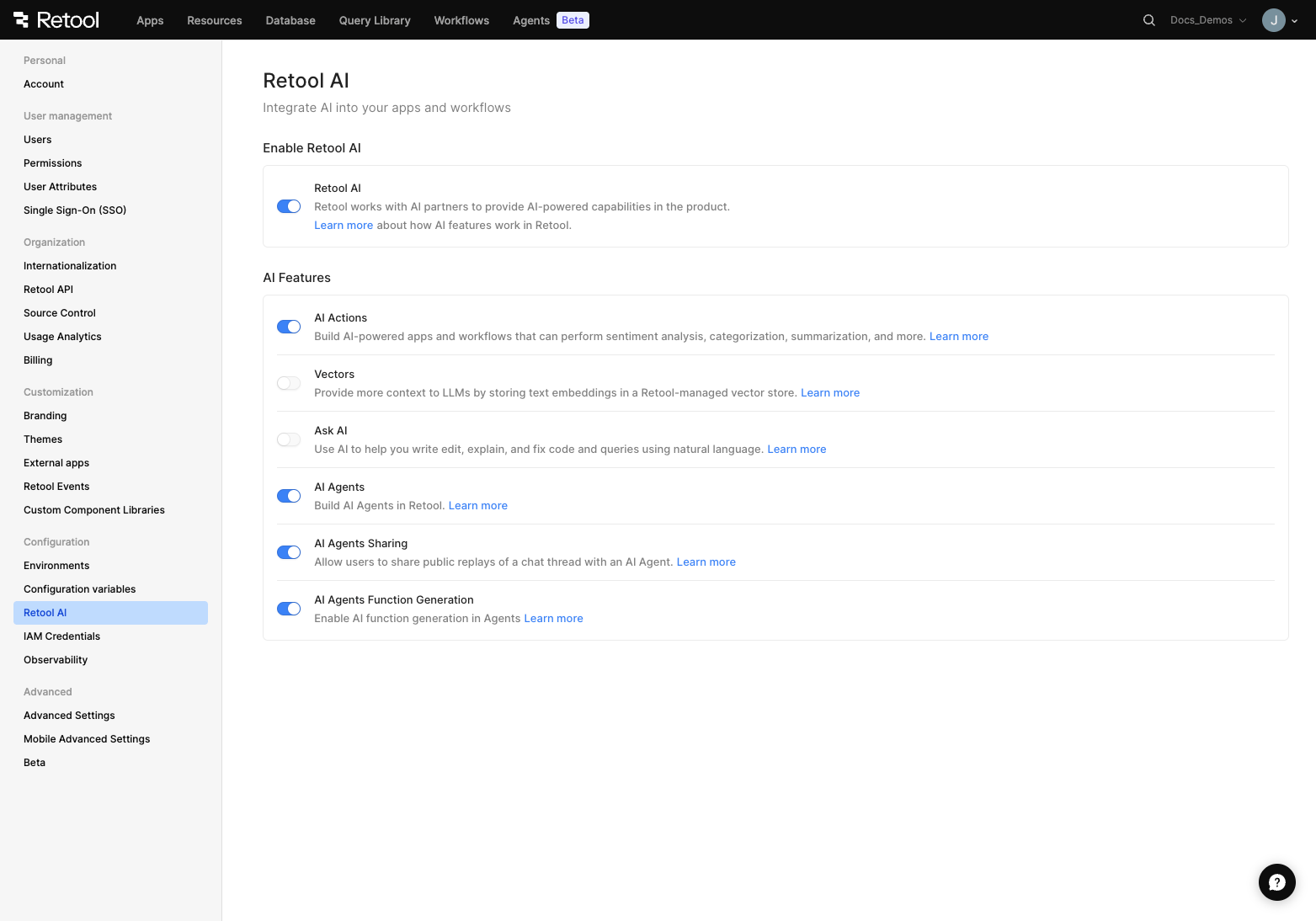
An admin of your Retool organization can enable Retool Agents in Settings > Retool AI > AI Agents.
Exercise extreme caution when disabling AI Agents Sharing. It immediately unpublishes all currently shared threads in your organization. Toggling it back on does not restore sharing for previously-created public threads.
To enable the Function Generator for automatic custom tool creation, toggle AI Agents Function Generation.
User consent handling
Consent is separate from access control. Consent assumes the agent has permission to execute the tool, but adds a validation step that the user approves the parameters before execution.
To require confirmation before an agent uses a tool, open the Edit Tool page and enable Require user confirmation before use.
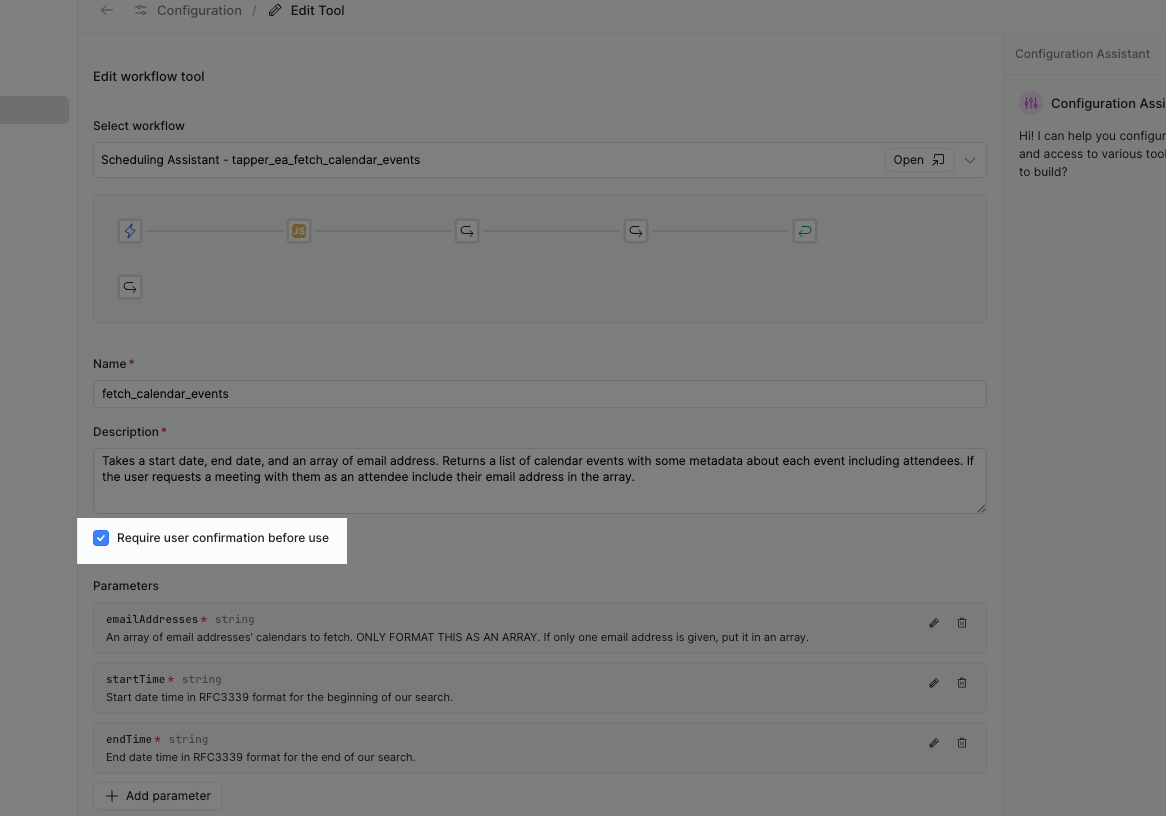
Check the box to Require user confirmation before use on the Edit Tool page.
When an agent is triggered via chat or from an app, tools requiring consent prompt the user for approval within the chat interface.
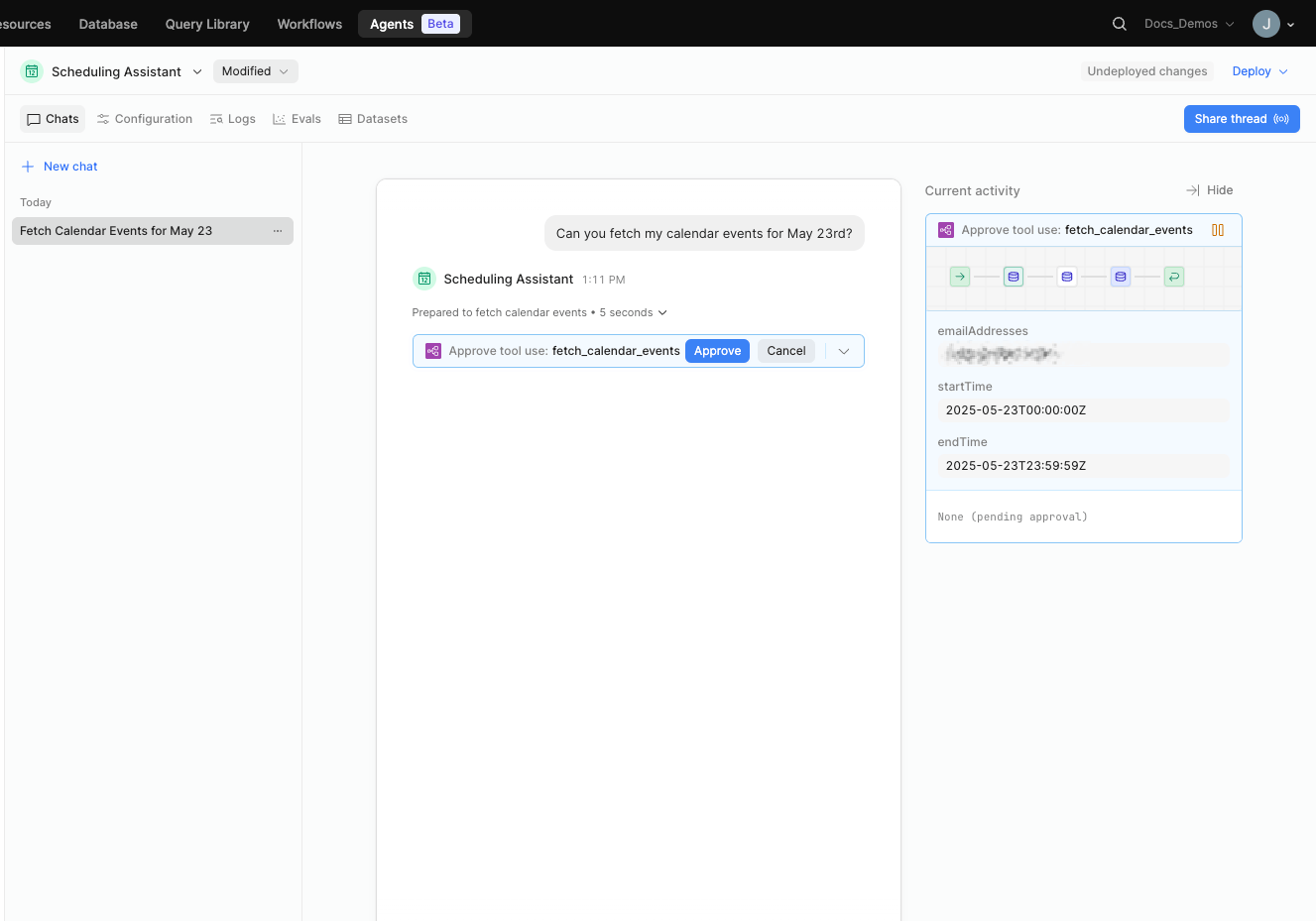
Tool requiring approval within the agent chat interface.
When an agent is called from a workflow, only tools that do not require consent are accessible. Similarly, agents invoked by another agent cannot access tools that require consent, even if the parent agent was called via chat.