Share apps with users and groups
Learn how to grant access to Retool apps through groups, direct sharing, and object roles.
There are three ways to grant users access to an app in Retool. They work together: access from all sources is additive, and users always receive the most permissive level they have across all sources.
| Method | Best for | Requires |
|---|---|---|
| Groups | Scalable access for many users at once | Business or Enterprise plan |
| Direct sharing | Sharing with specific users quickly | "Allow app owners to manage permissions" enabled |
| Object roles | Role-based access at scale across all apps | Business or Enterprise plan |
Groups
Configure access on a group's Apps tab in Settings > Groups. All members of the group inherit that access. This is the recommended approach for most organizations: changes to group membership automatically update who has access.
See Groups for full instructions.
Direct sharing
Direct sharing lets app owners share individual apps with specific users or groups without going through group settings. It is controlled by an organization-wide setting that admins must enable first.
Enable direct sharing
- Navigate to Settings > Advanced.
- Under Permissions, enable Allow app owners to manage permissions.
Once enabled, any user with Own access to an app can open the Share modal from the app and manage who has access.
Use the Share modal
App owners and admins can open the Share modal from the app header. From here, you can:
- Add individual users or groups and set their access level (Use, Edit, or Own).
- Remove direct access for users or groups you previously added.
- View all users with access granted through direct sharing.
Admins see a complete view of all access, including access granted through groups. App owners see only directly shared access.
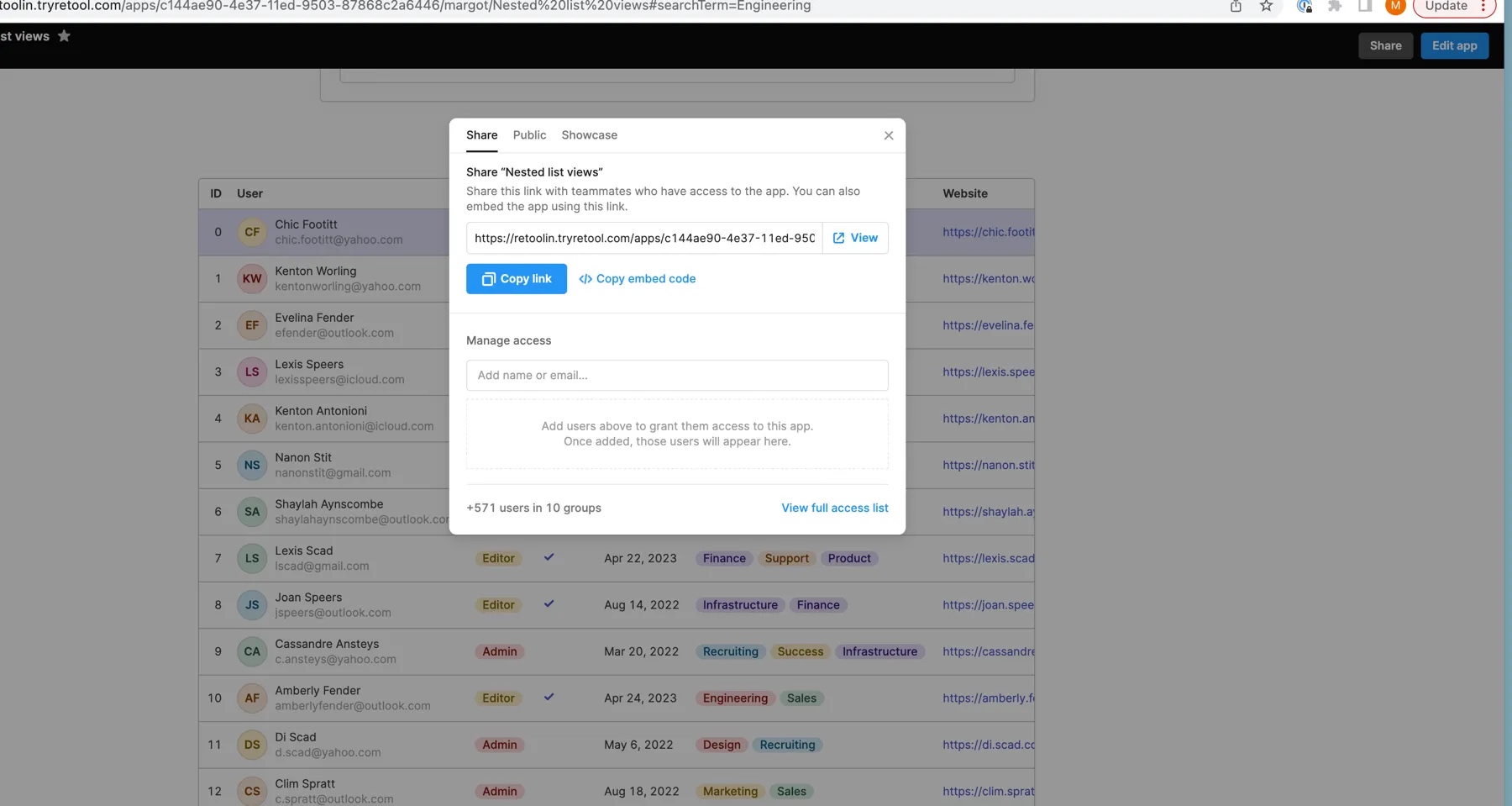
Who you can share with
- Organization members: Any active user in your Retool organization.
- Pending invites: Users who have been invited but haven't accepted yet. They inherit the app's permissions when they join.
- Groups: Any permission group in your organization.
You cannot share directly with external or embedded users via this modal.
External users (Retool Embed) can only be granted Use access. Edit and Own permissions are not available for external users.
How direct sharing interacts with group access
Direct sharing supplements group-based access; it does not override it. If a user already has Edit access through a group and you grant them Use access directly, they retain Edit access (the most permissive level wins). To restrict a user's access below what their groups grant, you need to adjust their group membership.
Object permission scopes via roles
This is available to Enterprise or Business plan customers who have signed an annual agreement with a member of the Retool sales team. If you're on a self-service Business plan, contact the Retool sales team to learn more.
You can grant app access to groups by assigning an object role that includes app permission scopes. This is more scalable than direct sharing for large organizations and gives you a centralized view of all access in the Object Permissions tab on each group.
See Create an object role for instructions.
Related
- Groups: Configure group-level access.
- Create an object role: Role-based app access on Business and Enterprise.
- View the access list: See everyone who has access to a specific app.
- Permission levels: What Use, Edit, and Own let users do.