Lab 5 - Service technican app using chat
Goal
Service technicians that perform service on the FM2 Electric Bike require an app to view their service appointments as well as a service manual they can refer to.
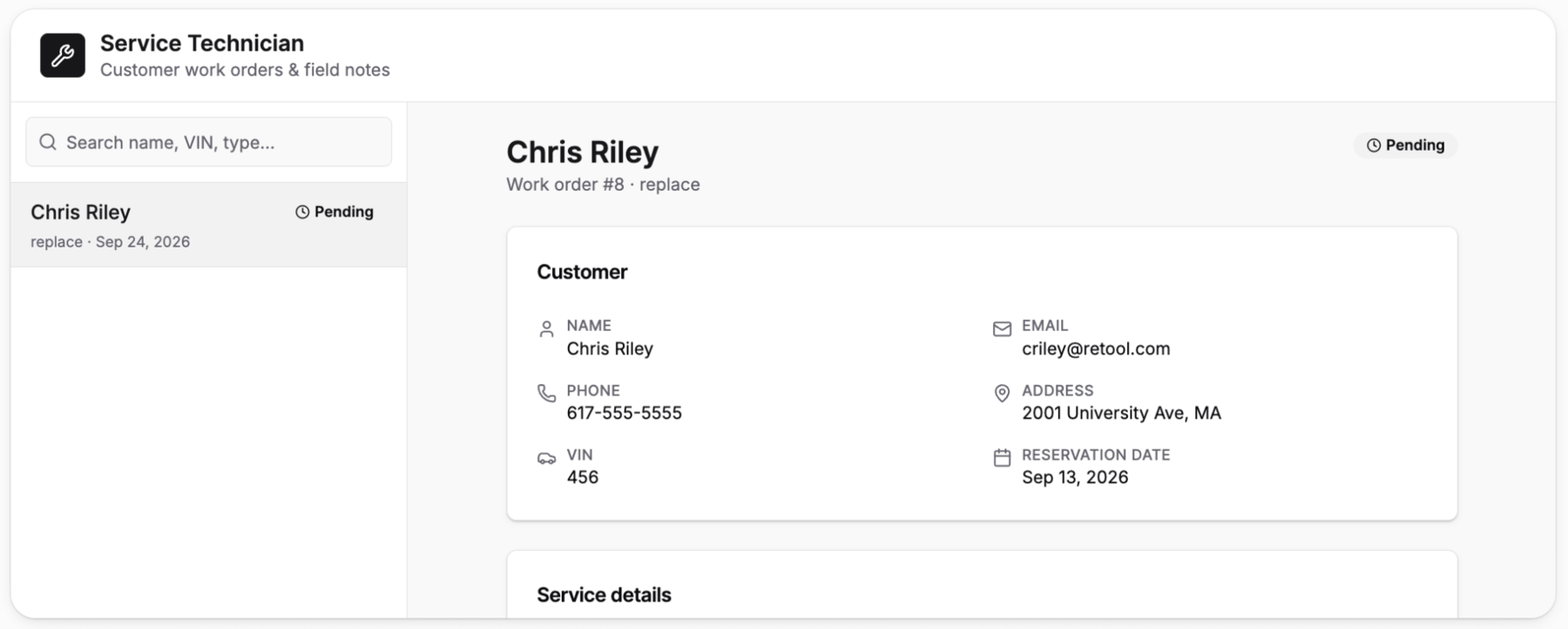
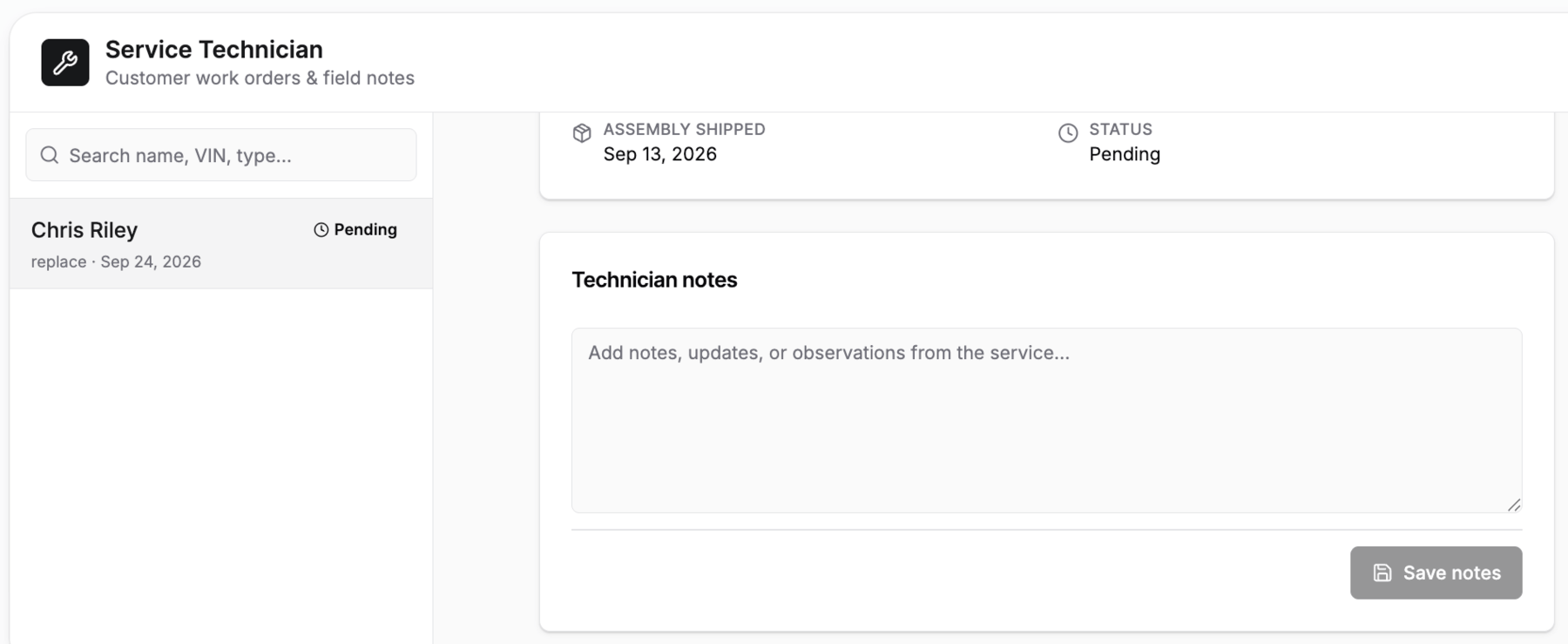
The following image shows the technician app that is used to review the customer details, access the FM2 Electric Bike manual, via a chat interface + Retool Vectors.
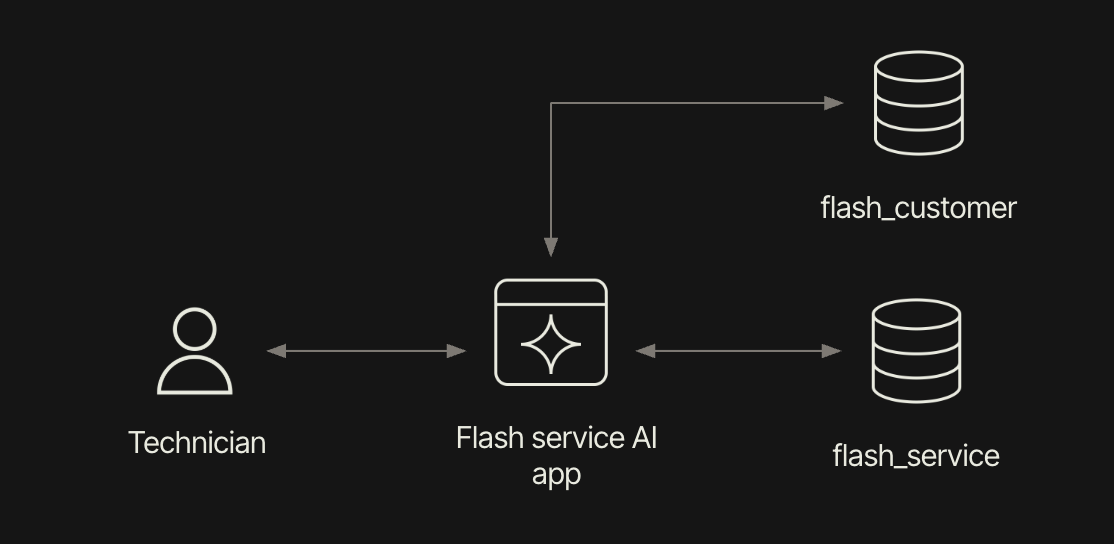
The following architectural image provides an overview:
Appointments
Let’s use Assist to generate the first app that displays appointments and allows the technician to review customer details and modify the complete column, in flash_service.
- Similar to the customer app, create a Navigation header that has an Appointments menu selection.
- Once this is complete use the following prompt to generate the app.
Create a service app for technicians that includes a table of available appointments that are to be completed. Use @Retool Database flash_customer and flash_service tables to create each customer entry. Allow the technician to double-click into the appointment, opening a modal that they can use to modify the service flash_service table / complete column.
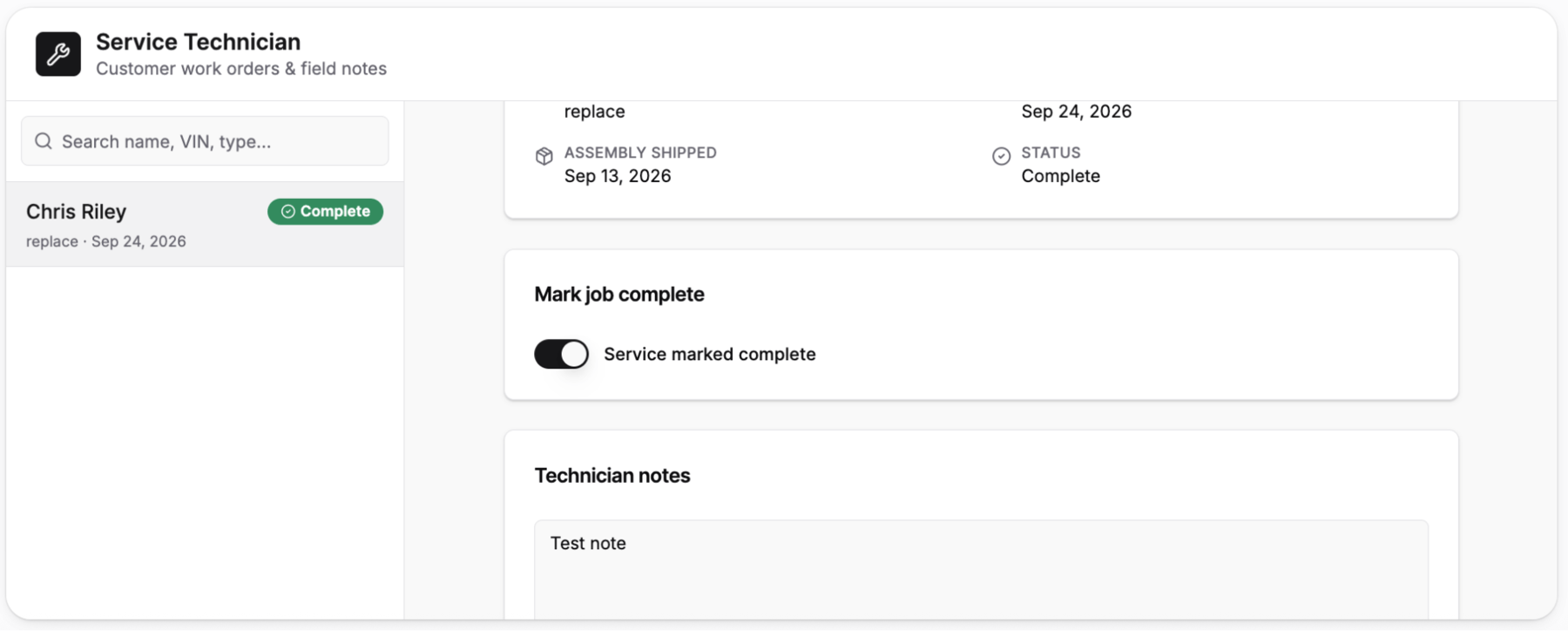
This result in something similar to the following:

- Double-clicking on an entry displays a modal that the technician can use to set the completed value/column in the flash_service table.

Service Manual
During installation, the technician may require assistance with the installation. By default, LLM providers do not have any knowledge of the FM2 Electric Bike, a recently launched product. To support questions, the following document, FM2 Manual Maintenance, can be used to guide AI Chat conversations and assist the technician. Download this to your laptop.
- Let’s manually create a new page and use the canvas to place an LLM Chat component.
- Next, we will update the AI Query, specify a vector, and test queries.
Retool Vector
Let’s take the manual and convert it to an embedding. An embedding is something we can use to help inform an LLM on how to perform maintenance on the FM2 Electric Bike. Retool provides this capabilty via Retool Vectors.
- Access the manual that was downloaded previously.
- Select Resources > Retool Vector > Create vector > Upload Document and provide a name (FM2 Maintenance Manual)
Maintenance Chat Window
For the service technician, an FM2 installation manual will be provided via a LLM Chat Window component.

- To build this interface, first create a new page called
manual. Edit the navigation bar and add a menu item,Manual. - Wire up the page and menu item to
Manualandmanual. - Using Add UI in the left panel, search for
LLM Chat Window. Drag and drop onto the Manual page canvas. - Expand the LLM Chat Window to take up more width.
To power the LLM Chat Window, an AI Action query is automatically generated, labelled llmChatQuery1.

- Update the temperature to
0.3for consistency, enable *Use Retool Vectors... , selectFM2 Maintenance Manual, and select Save. - Test the chat window by asking the following:
I am trying to replace the fm2-bt-30000 and need help.