Retool Building Context
This lab demonstrates how an administrator can add building context for app generation globally or per Retool space.
Lab Requirements
This lab will leverage the Retool App (4.24.0 Beta) and requires you to have an administrator account and the ability to create a Retool App (Beta).
Create Building Context
The first step as an administrator is to define the building context.
- Select Settings > Space > Building Context
- Update the various sections with direction/context as described below.
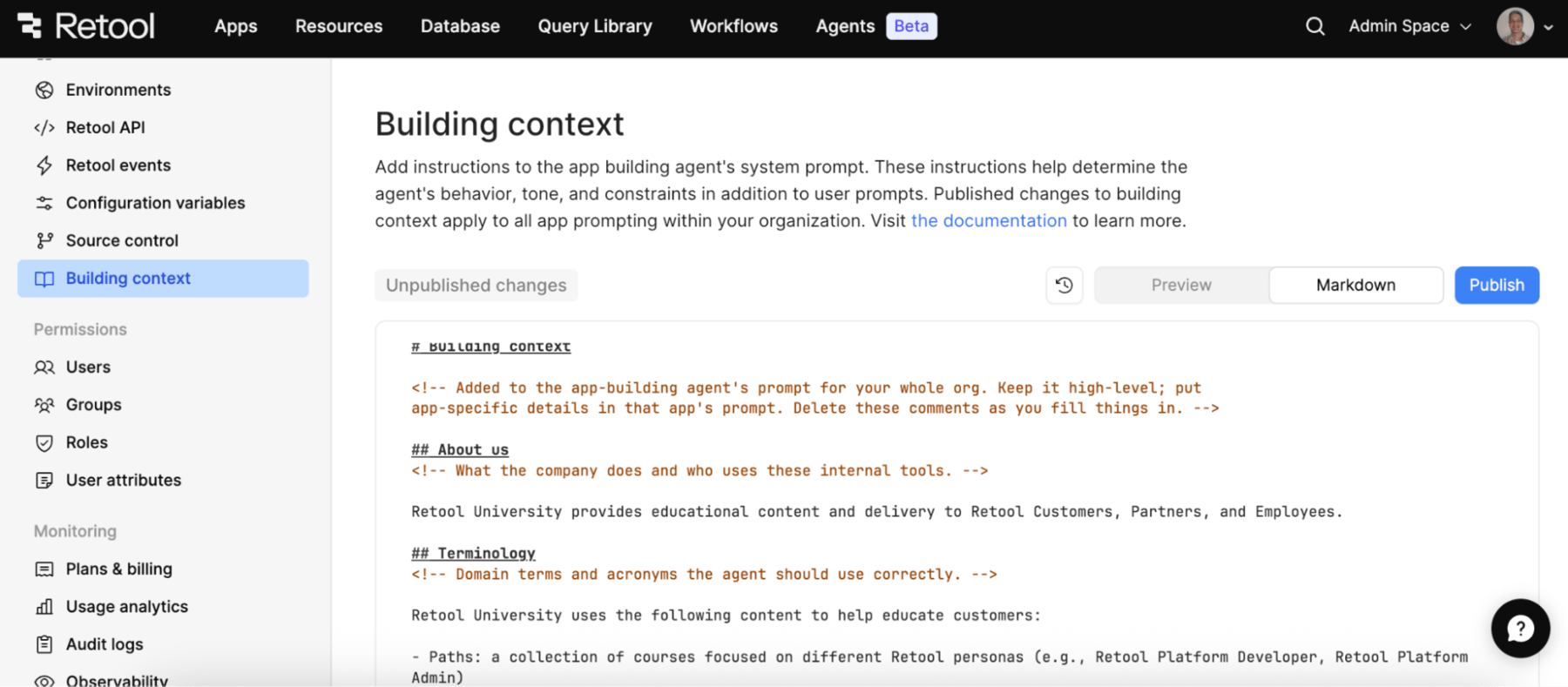
- Update the sections with your instructions. Below is a sample for Retool University.
# Building Context

<!-- Added to the app-building agent's prompt for your whole org. Keep it high-level; put
app-specific details in that app's prompt. Delete these comments as you fill things in. -->

**## About us**
<!-- What the company does and who uses these internal tools. -->

Retool University provides educational content and delivery to Retool Customers, Partners, and Employees.

**## Terminology**
<!-- Domain terms and acronyms the agent should use correctly. -->

Retool University uses the following content to help educate customers:

- Paths: a collection of courses focused on different Retool personas (e.g., Retool Platform Developer, Retool Platform Admin)
- Courses: content focused on a specific topic like (e.g., JavaScript, SQL, APIs, AppGen)
- Labs: examples of Retool in action that provides sample data and step-by-step instructions.
- Videos: YouTube video content that provides walkthroughs of Retool Apps, Workflows, Agents, Resources, and more.

**## Building conventions**
<!-- Naming, layout, and components to prefer or avoid. -->

Do not use any chart components for apps that I am building.

**## Data & resources**
<!-- Which resources to use for what, plus any data conventions (e.g. timestamps are UTC). -->

When building examples in the Labs folder, please use the Retool Database as the default resource unless specified otherwise.

**## Guardrails**
<!-- Anything the agent should always or never do. -->

Do not create CRUD applications by default, create read-only apps.
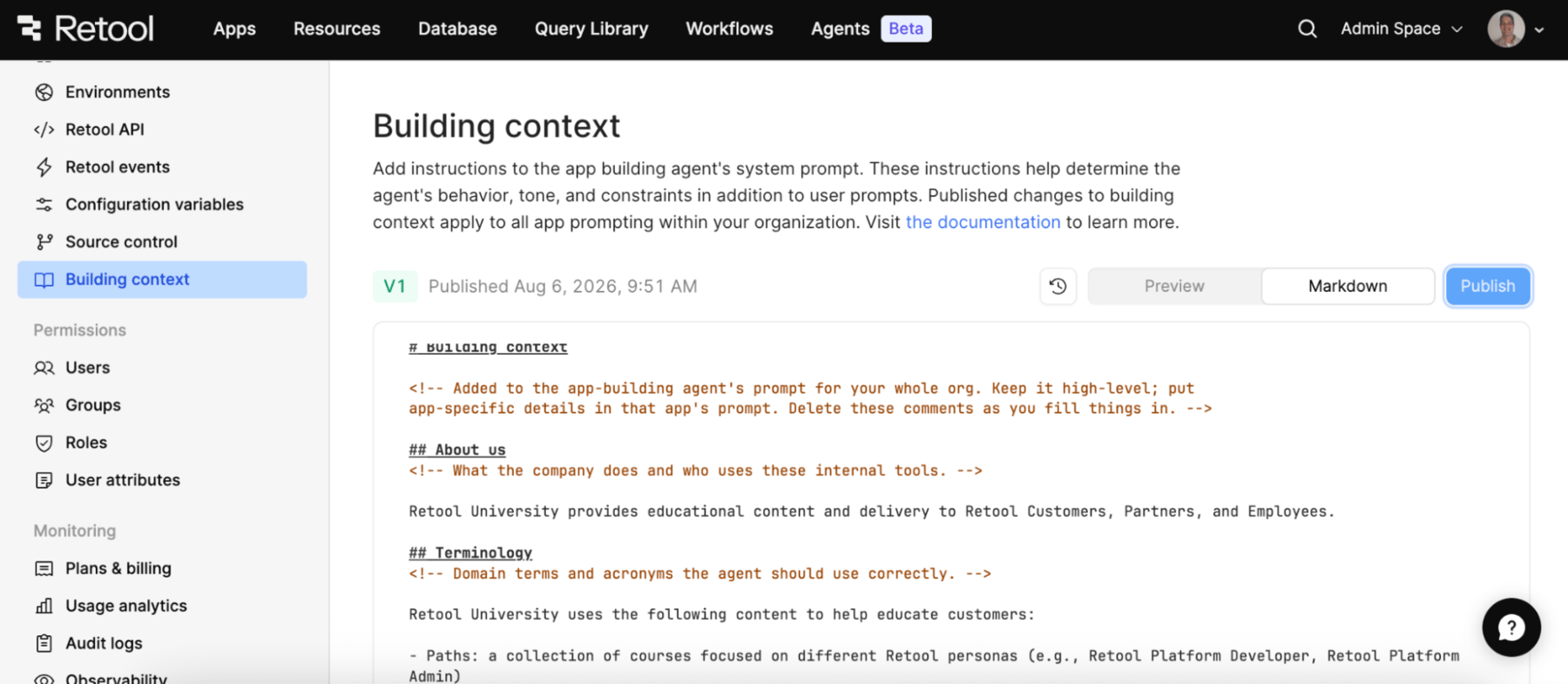
- Once you have updated the building context, select Publish to save it. A version identifier will appear.
Generate App
Now that a Building Context has been created, we can test its effects on AppGen.
- Select Apps > Create app > Retool App (Beta)
- Rename the app to appgen-with-context
- Provide a prompt to generate an application using Retool Database and a table.
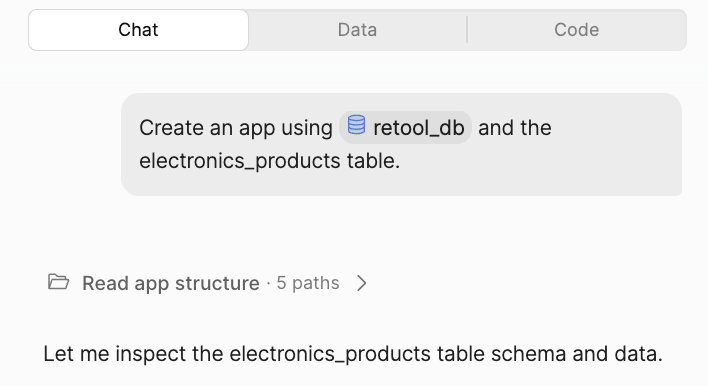
The application is generated and displayed in the preview pane.
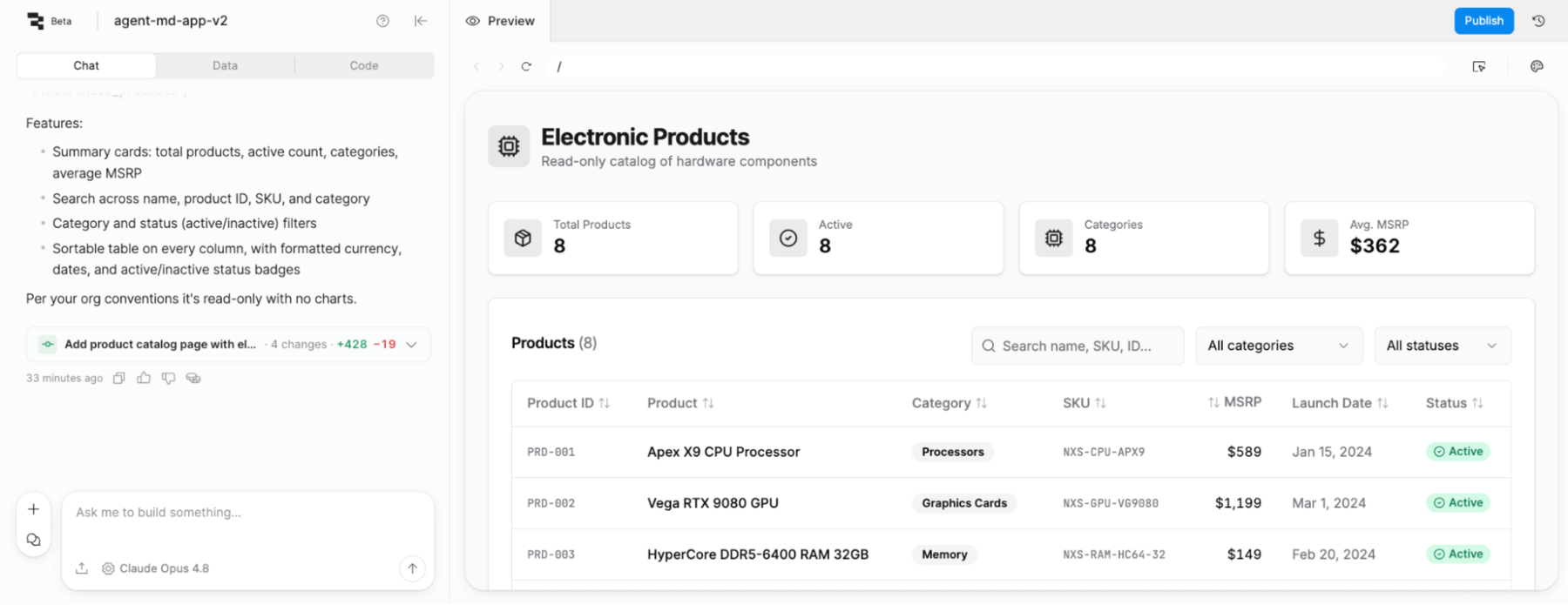
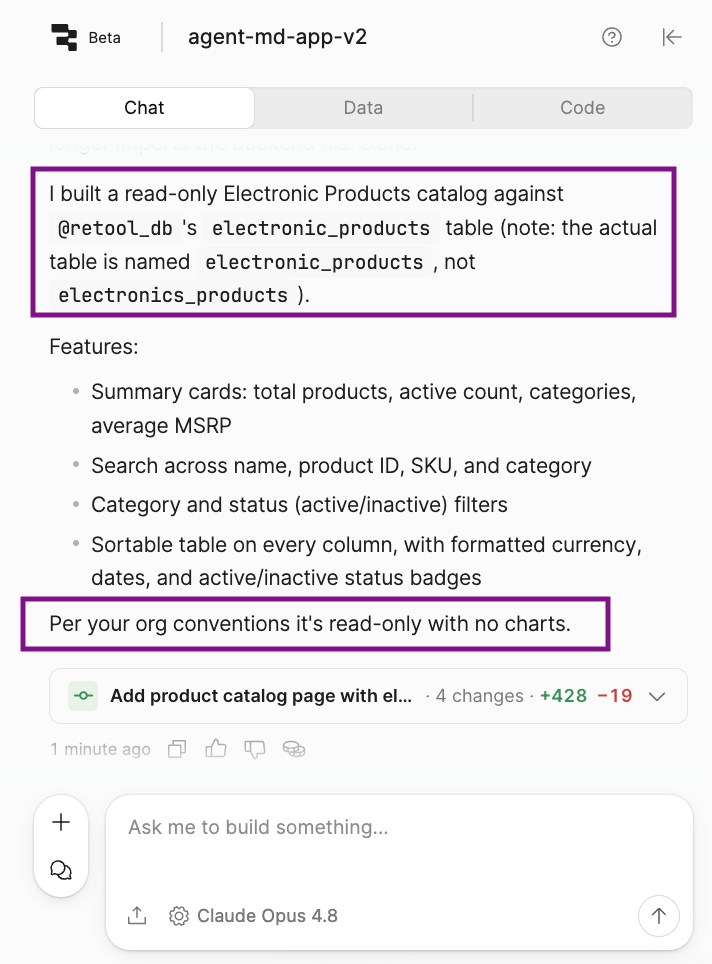
Upon completion of the application, the chat window displays its recognition of the building context, specifically creating read-only apps by default and a lack of charts.
Summary
This lab demonstrates the application of building context to help guide the appgen process using the new Building Context setting.