Organization Role
This lab demonstrates how to create and apply an administrative feature in an assignable role to a member in Retool. Sometimes, members in a Retool group need one or more administrative permissions to complete their work. Organization roles provide a way to select one or more administrative permission types that can be applied to an existing Retool Group. For this lab, imagine a builder team that needs to be able to create/manage queries in Query Library.
Lab Requirements
This lab demonstrates the Organization roles introduced in v3.300.0+.
Create Role
You start by creating an organization role with permission types focused on Query Library.
- Select Settings > Roles > Create Role
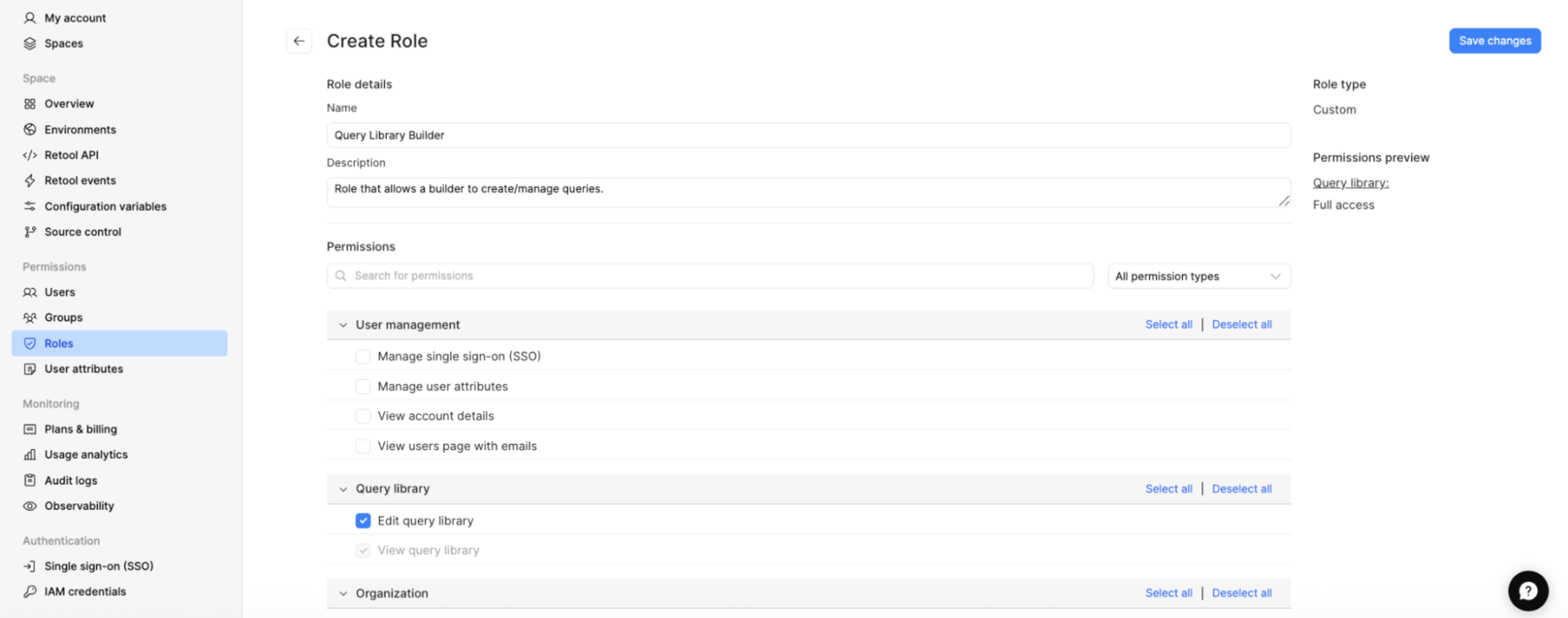
- Fill out the role name and description, and select under Query Library the permission types:
- Name: Query Library Builder
- Description: Role that allows a builder to create/manage queries
- Permission Types: Query Library
The following image shows the role definition.
- Select Save changes
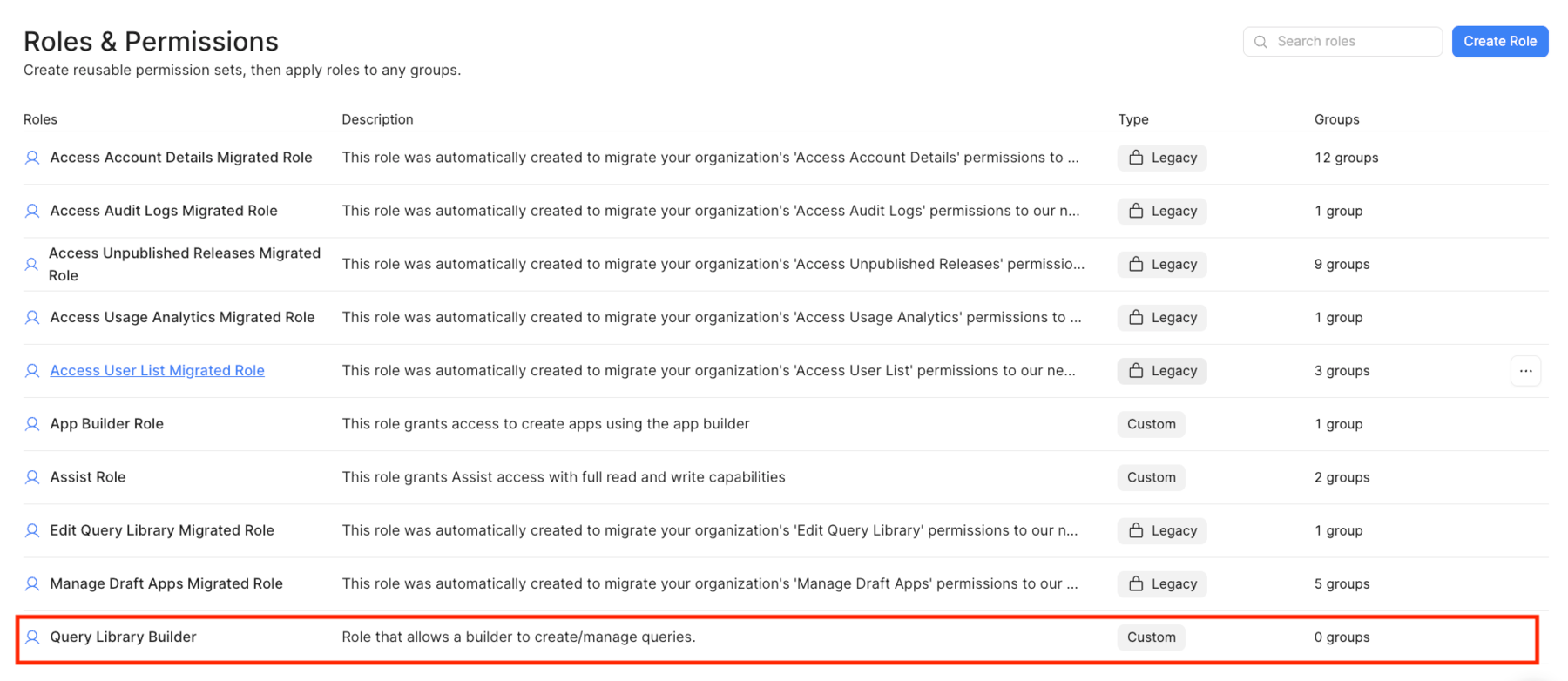
Apply policy to Builder Permission Group
With the policy defined, you can easily associate it with a group
- Select Query Library Builder > Edit > Assignment. This will display the following:

- Select + Add group assignment > (group that you want to apply policy to)

- Select Add to associate the group and Save changes to update the Assignment. This will display the group that now has these permissions, as shown below.

Summary
The previous steps demonstrate how to define and apply an organizational role to a group.