Compliance Dashboard
Build a React dashboard using Retool
This lab demonstrates the use of an API, database table, and file uploads developed in a design tool to create a compliance/inventory application. This demonstrates the new Retool app building experience with a React/Typescript foundation.
Data Requirements
The lab leverages a database and a REST API to populate two pages.
Compliance REST API
Compliance data is sourced from a REST API.
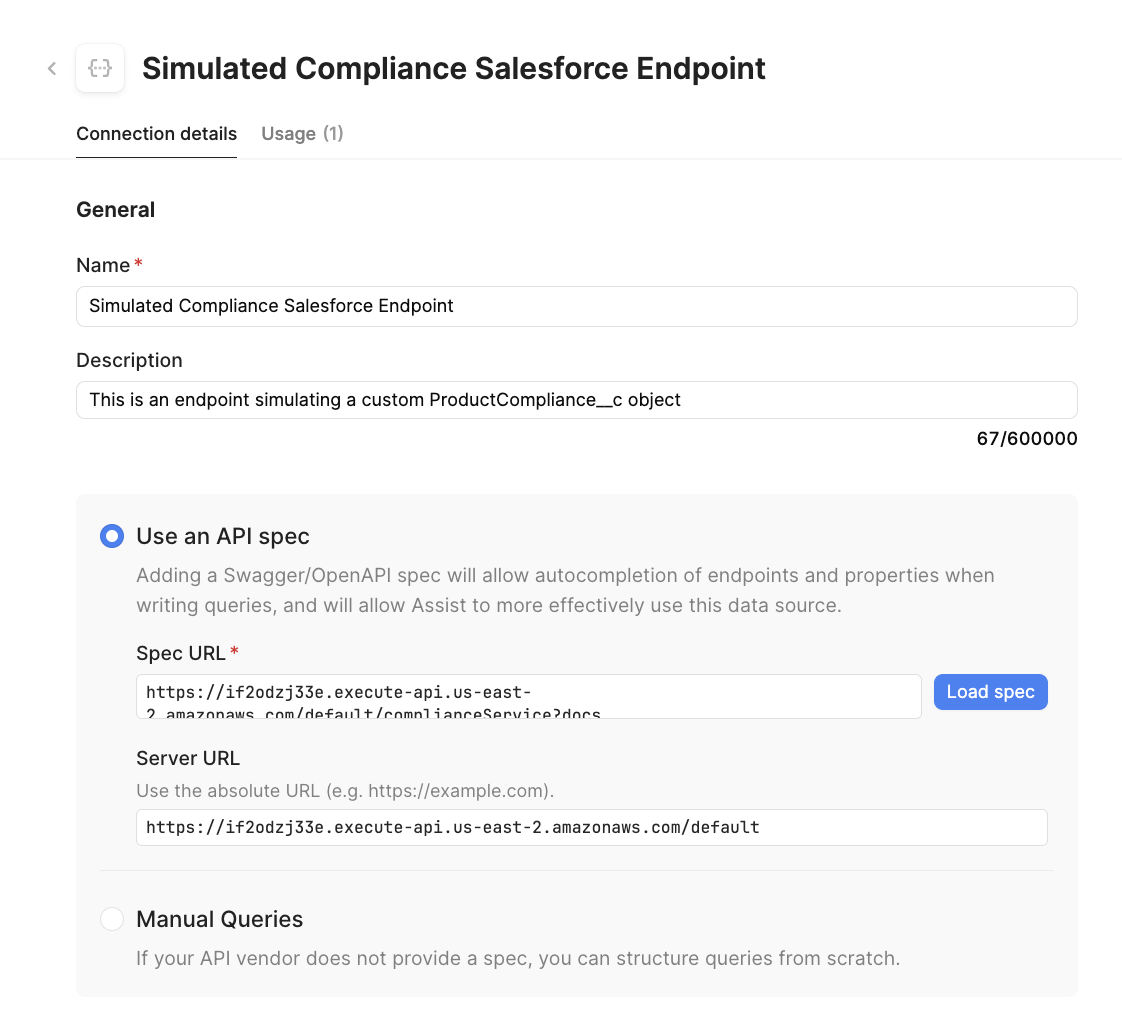
- Create a resource by selecting Retool Home > Resource > Create new > Resource
- Select
REST API - Specify a name =
Simulated Compliance Salesforce Endpoint - Specify a description =
This is an endpoint simulating a custom ProductCompliance__c object - Select
Use an API Spec - Specify the following URL for the
Spec URL
https://if2odzj33e.execute-api.us-east-2.amazonaws.com/default/complianceService?docs
- Once complete the resource should appear as the following image:
Database
Download the following CSV file to create a table in your selected database.
- Retool Database
- PostgreSQL
Import CSV to create table
- Once you are logged into the Retool Home Screen, select Database > +.
- Select Import from CSV
- Select the downloaded file
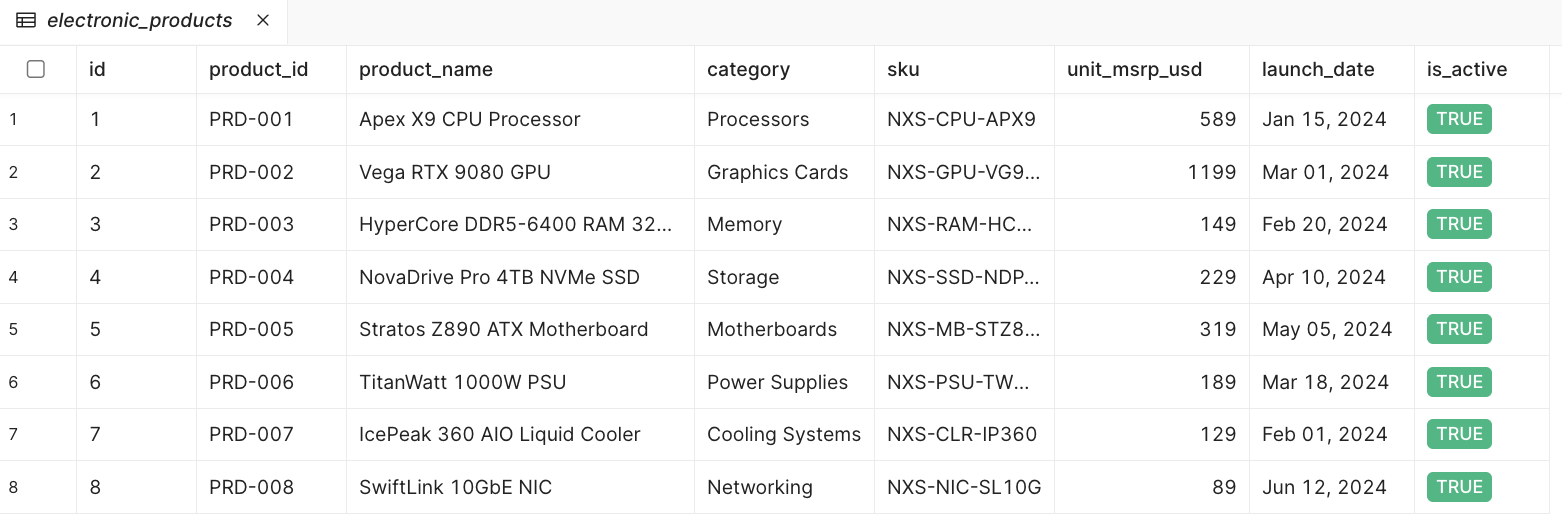
electronic_products.csv. - A mapping display will appear. Confirm that all fields are text except
unit_msrp_usd = int4,launch_date = date,is_active = bool. - Select Create table.
The table will then appear as shown in the following image.
Configure PostgreSQL Resource
Retool by default does not have a configured PostgreSQL Resource. Use the following documentation instructions with your Retool Administrator to create and configure permissions for the resource.
Create table / define schema
To store product inventory data, the PostgreSQL resource and pgAdmin 4 will be employed.
- Login to pgAdmin / PostgreSQL.
- Select Tools > Query Tool. Enter the following SQL statement and run it to create the table.
CREATE TABLE electronic_products (
    id SERIAL PRIMARY KEY,
    product_id TEXT,
    product_name TEXT,
    category TEXT,
    sku TEXT,
    unit_msrp_usd INT4,
    launch_date DATE,
    is_active BOOL
);
- Confirm the database table has been created by using the Object Explorer to see the
electronic_productsschema. - Right-click the table and select Import/Export Data and select the CSV file
electronic_products.csv.
Wireframe images
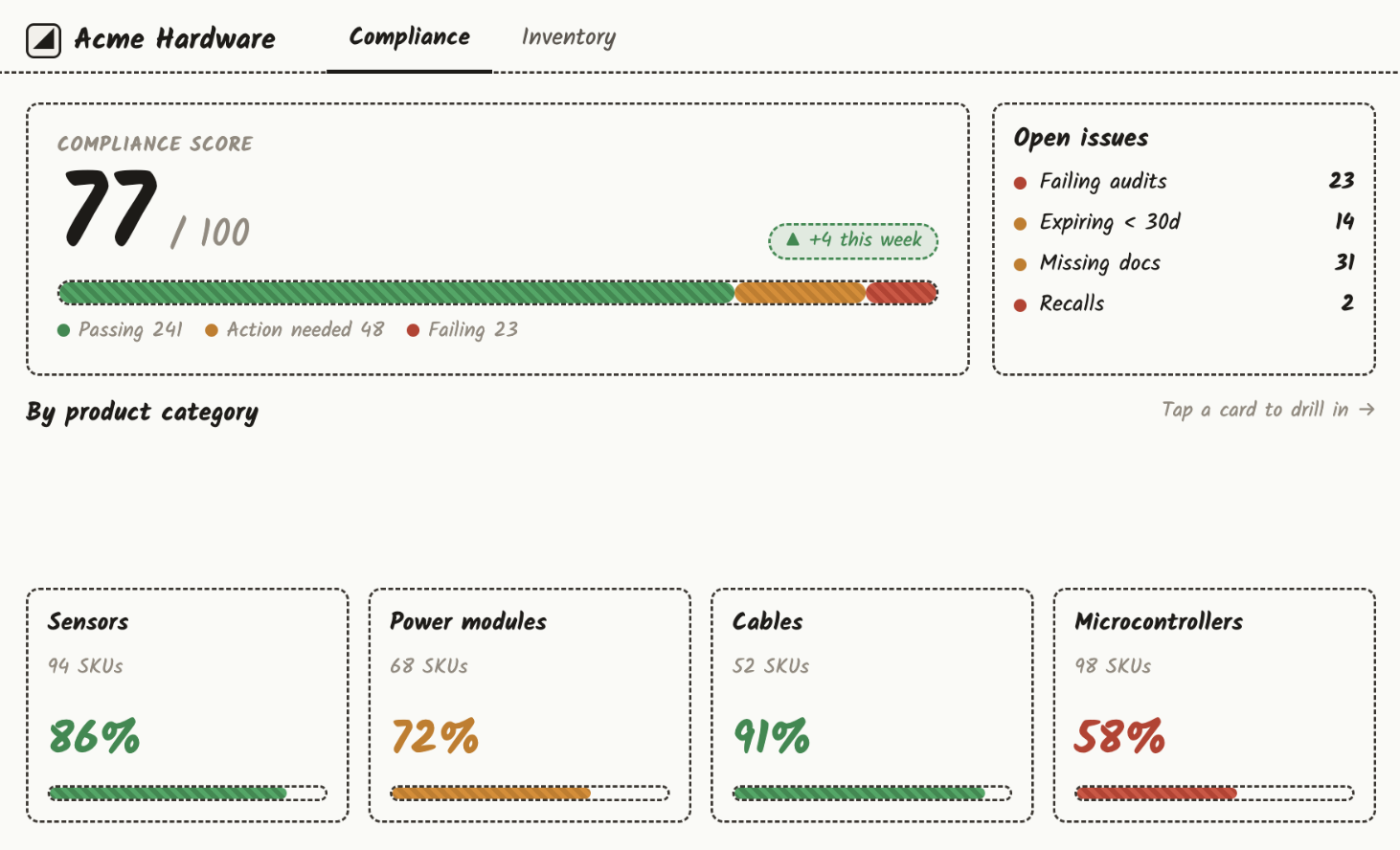
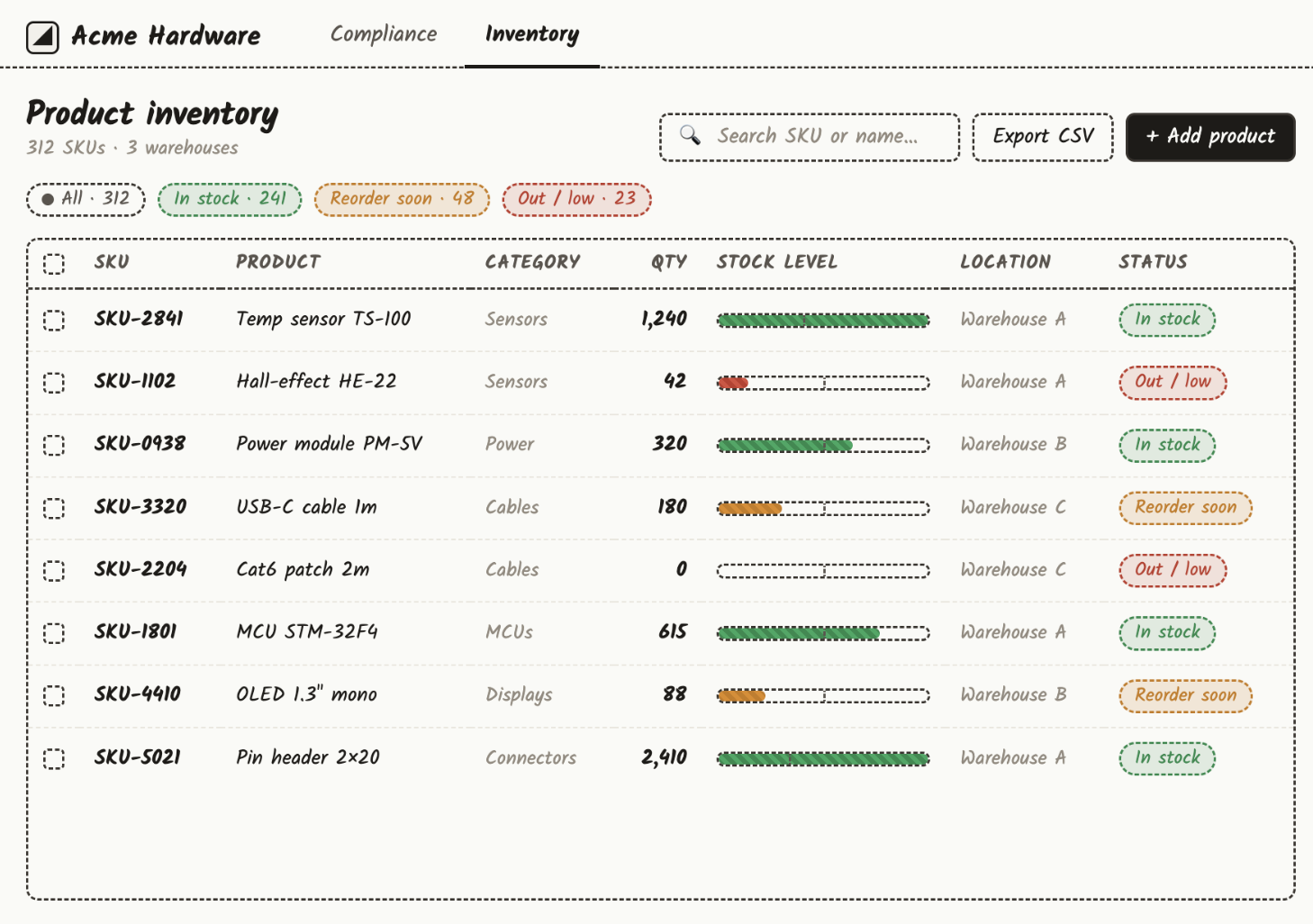
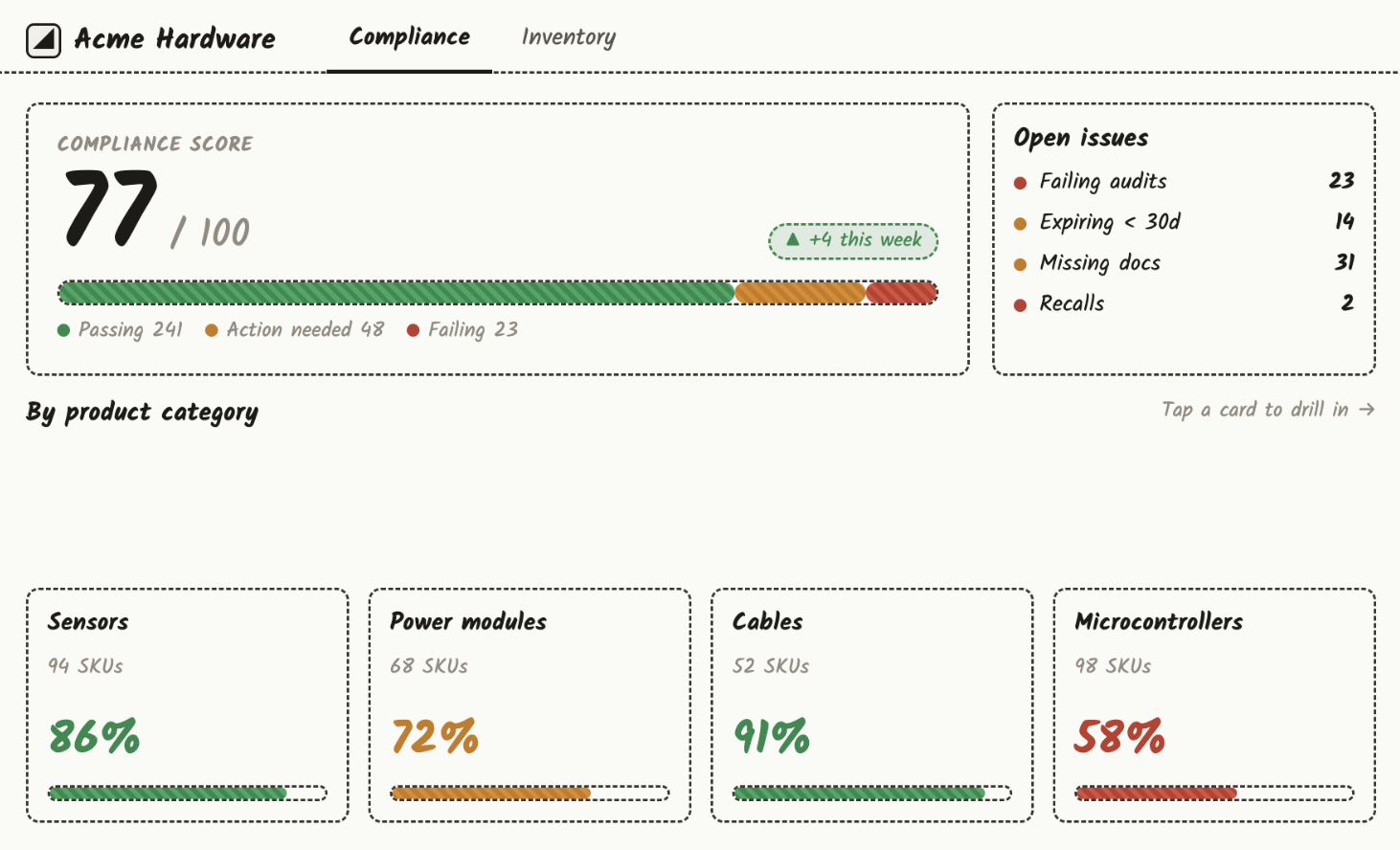
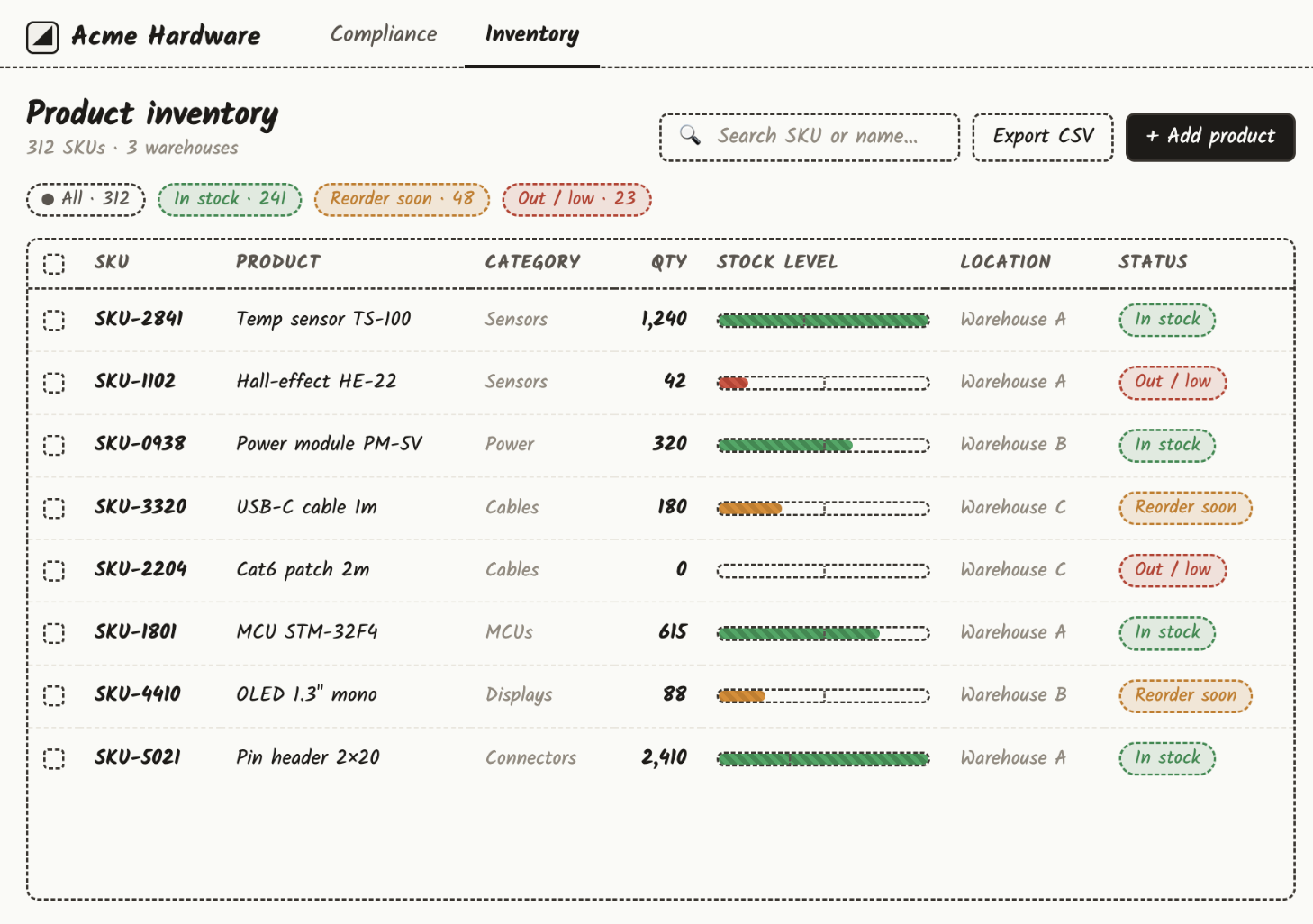
Using an external design tool, the following two wireframe examples were created to simulate an app experience.
Compliance page
The first is the compliance page that displays information related to electronic SKUs and their compliance. This will pull information from a REST API.
Inventory page
The second is the electronics inventory dashboard displaying information that is sourced from a database table.
To access these images, select the links below:
Prompt
The following example prompt is used to develop the application and references the resources configured previously. You may need to adjust the resource names to match your configuration. You may need to adjust the resource names to match your configuration.
Build a compliance dashboard that uses the @Retool Database electronic_products table
and @Simulated Compliance Salesforce Endpoint resource to power it. I have also provided
some example dashboard images to guide the look and feel.
- Drag and drop the two images into the prompt to add the additional context / look-and-feel that we are looking to complete.
- Select the prompt submission button to start the Agent and wait for it to complete / provide a summary of the app.
App Generation
Retool will take the prompt, wireframe design images, and resources to develop the application. The following is an example that is created through this process.
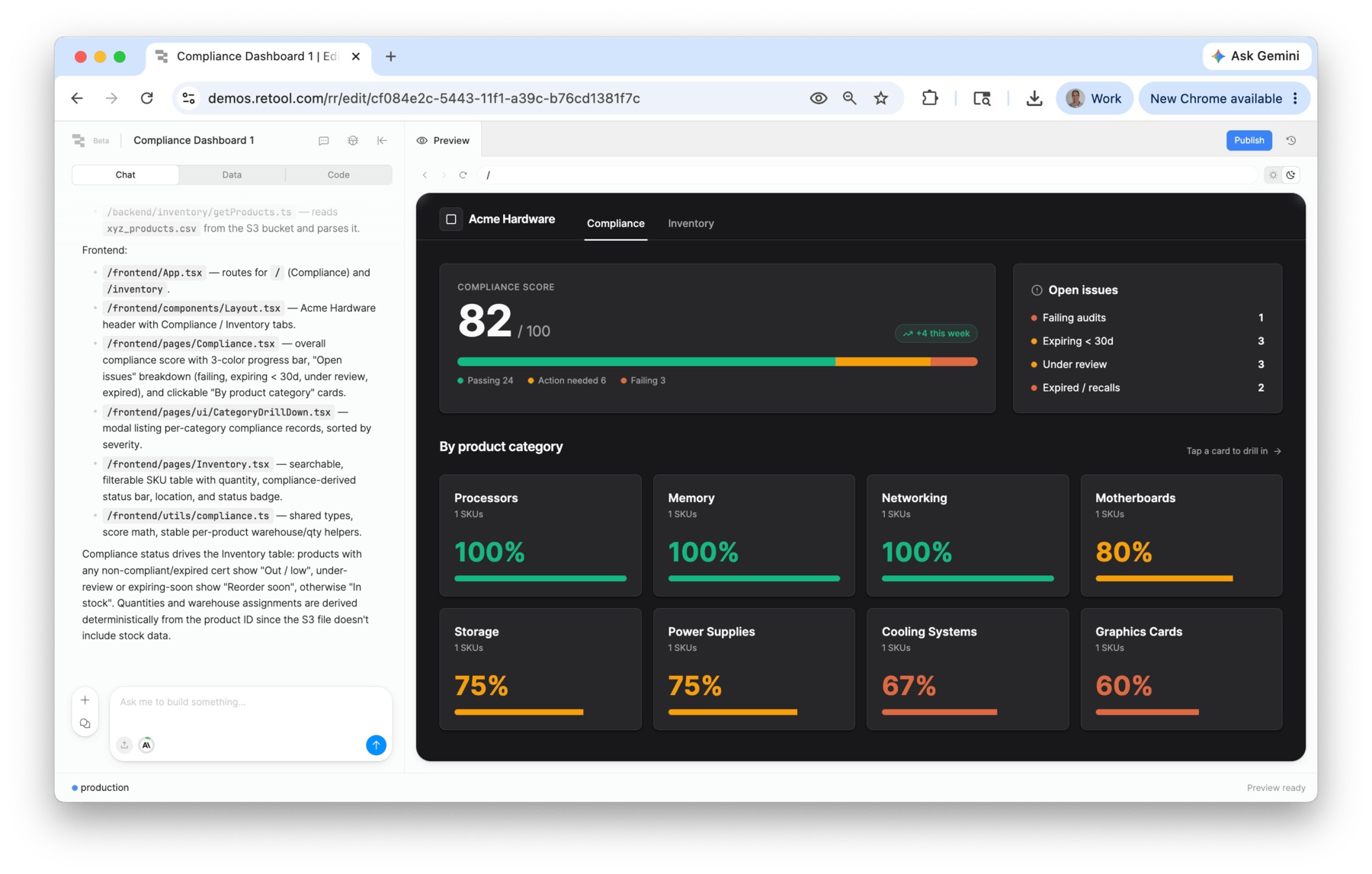
Compliance Page
The Compliance page is displayed in the following image. Note the similarity to the original wireframe and how the data is retrieved from the REST API.
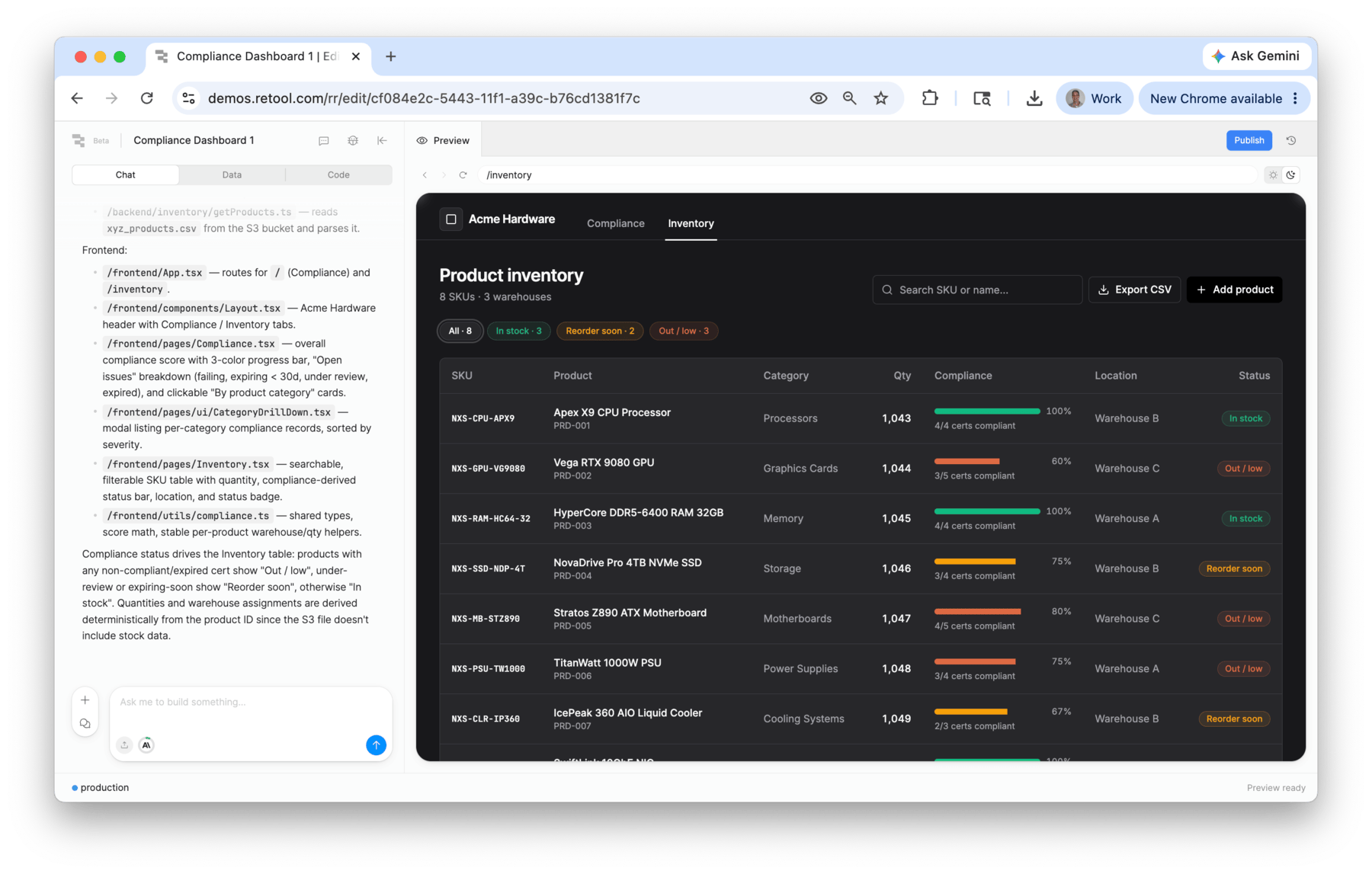
Inventory Page
The inventory page is displayed in the following image. Note the similarity to the original wireframe and how the data is retrieved from the database.
Summary
The new app building experience demonstrates the new features of file uploads, prior support for resource mentions, and an output result that closely matches the desired wireframe definitions.