AI visibility
Monitor AI Consumption in Retool
This lab provides an overview of AI visibility for Retool Administrators.
AI visibility overview
Retool Administrators collect metrics regarding Retool Managed or Bring your own key spend. AI visibility provides access to these analytics within Retool Settings.
Prerequisites
AI visibility is available to Enterprise organizations and requires Usage Analytics be enabled for Bring your own key. Refer to the Usage Analytics documentation for Cloud and Self-hosted requirements.
You must also consume credits or tokens before the analytics to display non-zero values. To generate usage:
- Generating a Retool App
- Use an AI Resource Query (Classic, Workflow) several times
- Use Ask AI in Classic App Editor to generate SQL, JavaScript
AI Spend Overview
Before we view metrics related to spend, it is important to understand what Retool is capturing. Retool supports two modes of AI usage, the first is Retool Managed (e.g. credits) and the second is Bring your own key (e.g. tokens).
Retool Managed provides customers with an embedded option to pick and choose models from providers such as OpenAI, Anthropic, Amazon Bedrock, Gemini and more. Each Retool plan provides a certain allocation of Retool Managed credits that can be leveraged.
Bring your own key allows customers who have enterprise agreements to define a sole provider and pin all usage to their inventory of models for their AI token spend.
AI Resource
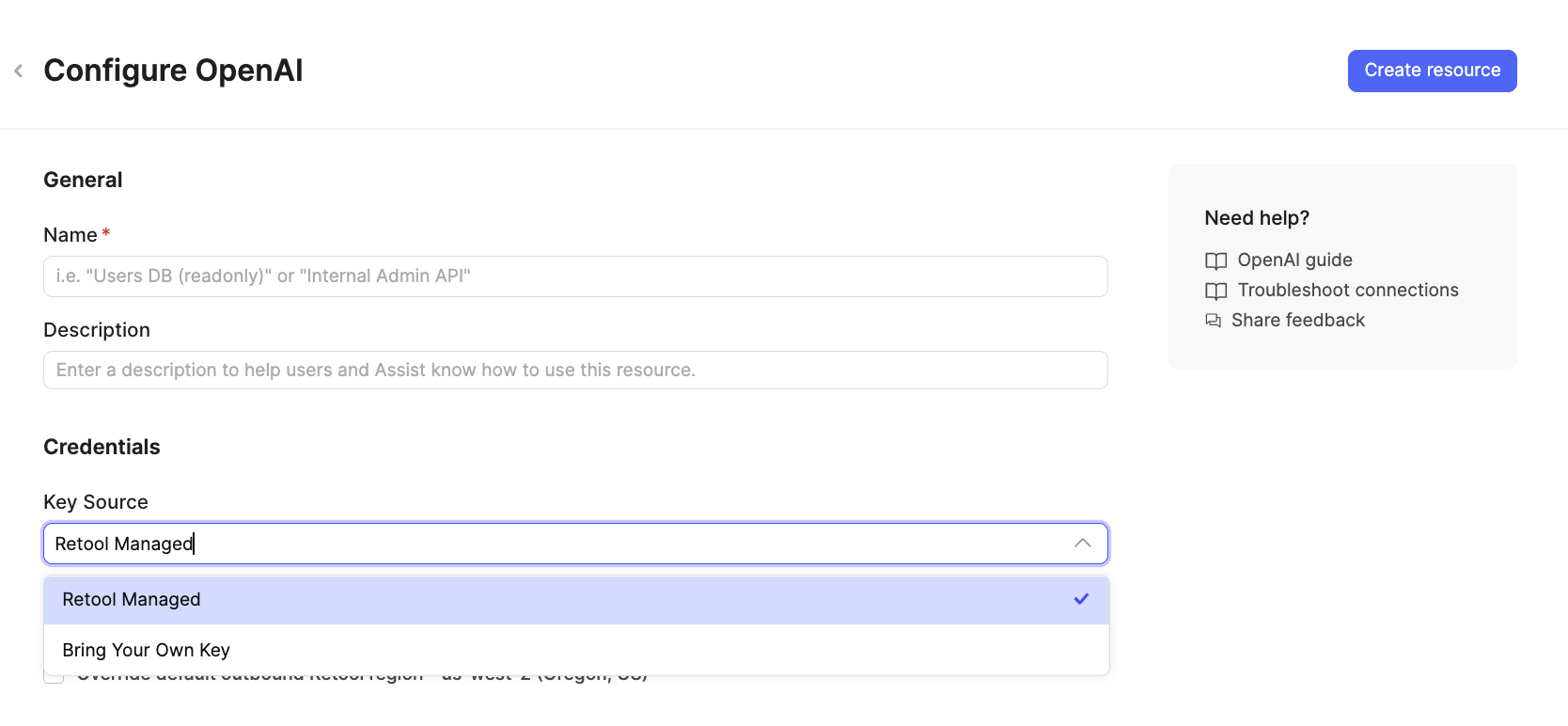
Connectivity to AI Providers (e.g., OpenAI, Anthropic) is through the AI Resource. An AI Resource specifies either Retool Managed or Bring Your Own Key, which determines how AI visibility tracks its usage. The following image depicts this configuration.
Retool Features Overview
Currently AI visibility focuses on the following Retool Features
- Apps - Retool Apps that are generated via a prompt
- AI Resource Queries - Retool Classic Apps and Workflows that use GenAI actions
- Ask AI - Retool Classic Apps and Workflows that have queries or blocks generated via prompt.
- Vectors - Retool Vectors provides the ability to generate embeddings of company documents/wikis to be used in AI Resource Queries.
Agents as a Retool feature are planned for a future release of Retool. You can access Agent costs within the Agent console.
Access AI visibility
To access details on AI spend/usage, select:
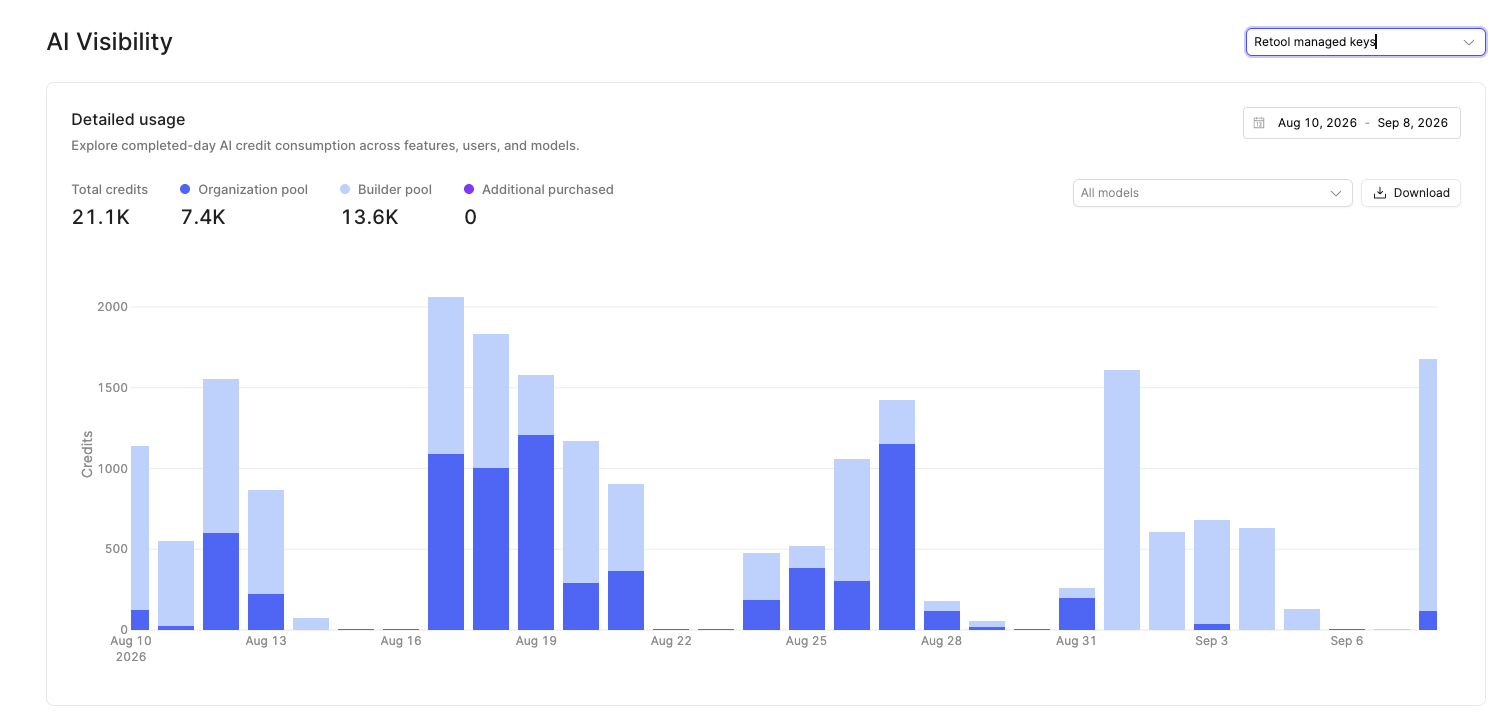
- Settings > Monitoring > AI visibility This displays a console where you can switch between Retool Managed and Bring your own key. The following image displays the portal that provides a Detailed breakdown of daily consumption, ability to define a time-range, filter on models and export to a CSV.
Retool Managed versus Bring your own key
The AI visibility console allows for selecting the type of AI utilization you employ, or both. Selecting the drop-down updates the display to the relevant information set as described below.
When examining the Detailed usage for Retool Managed, the values tracked are:
| Usage Type | Description |
|---|---|
| Builder pool | Credits allocated to builder(s) (1000 credits per builder) |
| Organization pool | Credits allocated to the Retool organization including external, internal users and builders that overflow from builder pool. |
| Additional purchased | Additional credits purchased |
| Total credits | Total credits = builder pool + organization pool + additional purchased. |
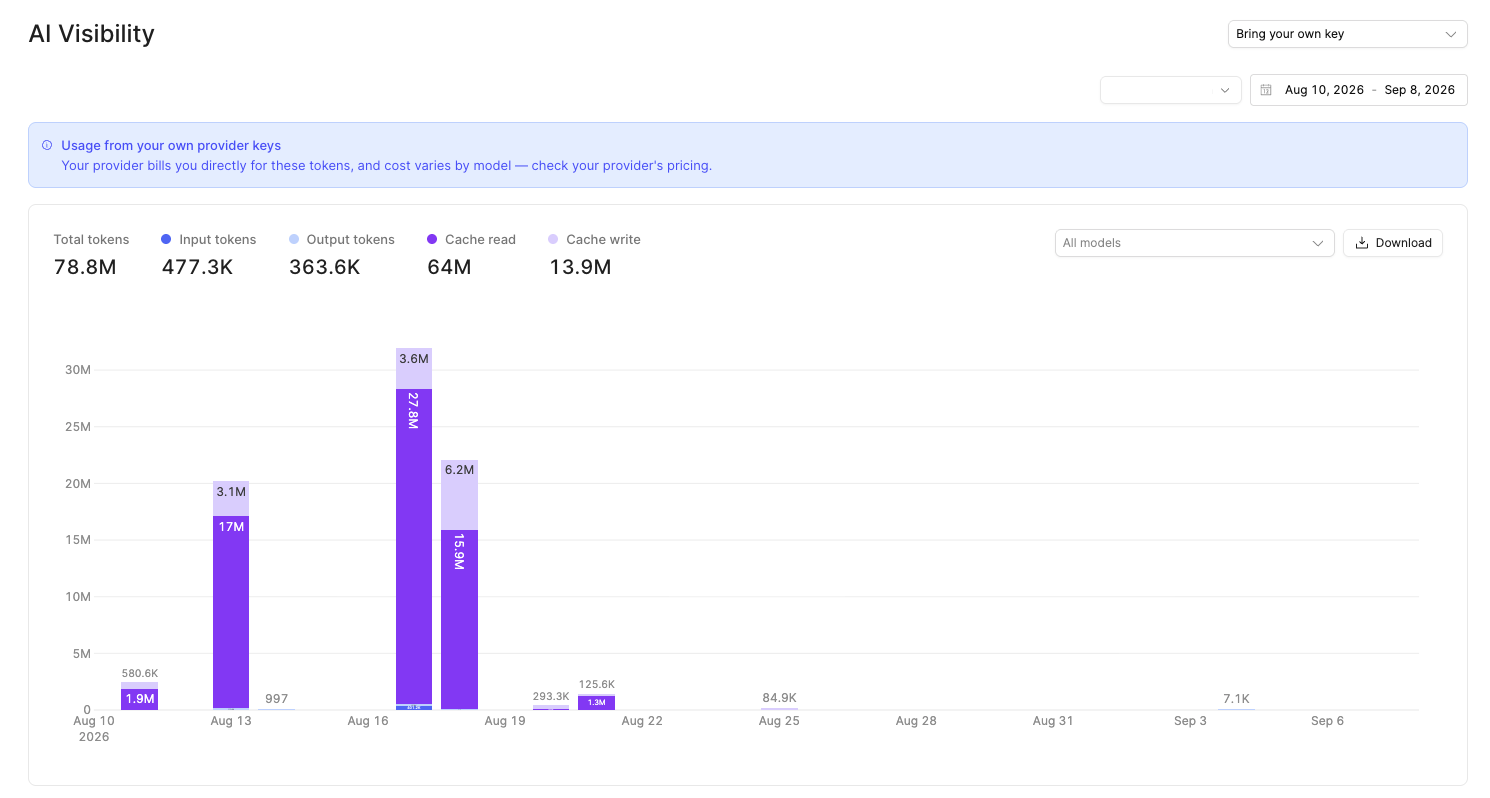
For Bring your own key, the values tracked are:
| Usage type | Description |
|---|---|
| Total tokens | Total tokens (input + output + cached read + cached write) |
| Input tokens | Tokens sent to the Model provider. |
| Output tokens | Tokens received from the Model provider. |
| Cache read | Cached tokens at the Model provider |
| Cache write | Cached tokens at the Model provider |
Cache write stores a prompt for reuse; cache read reuses it at a lower cost than a normal input token. This is why repeated queries with similar content can show cache activity and reduced spend.
The following image provides an example displaying Bring your own key consumption.
Additional Monitoring
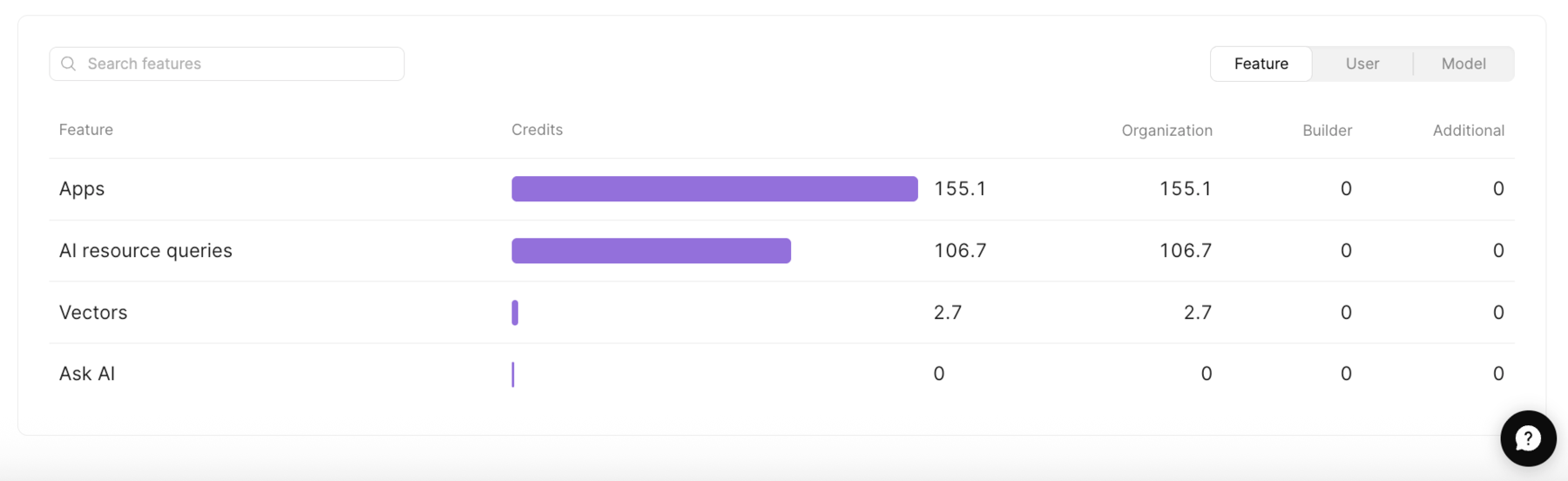
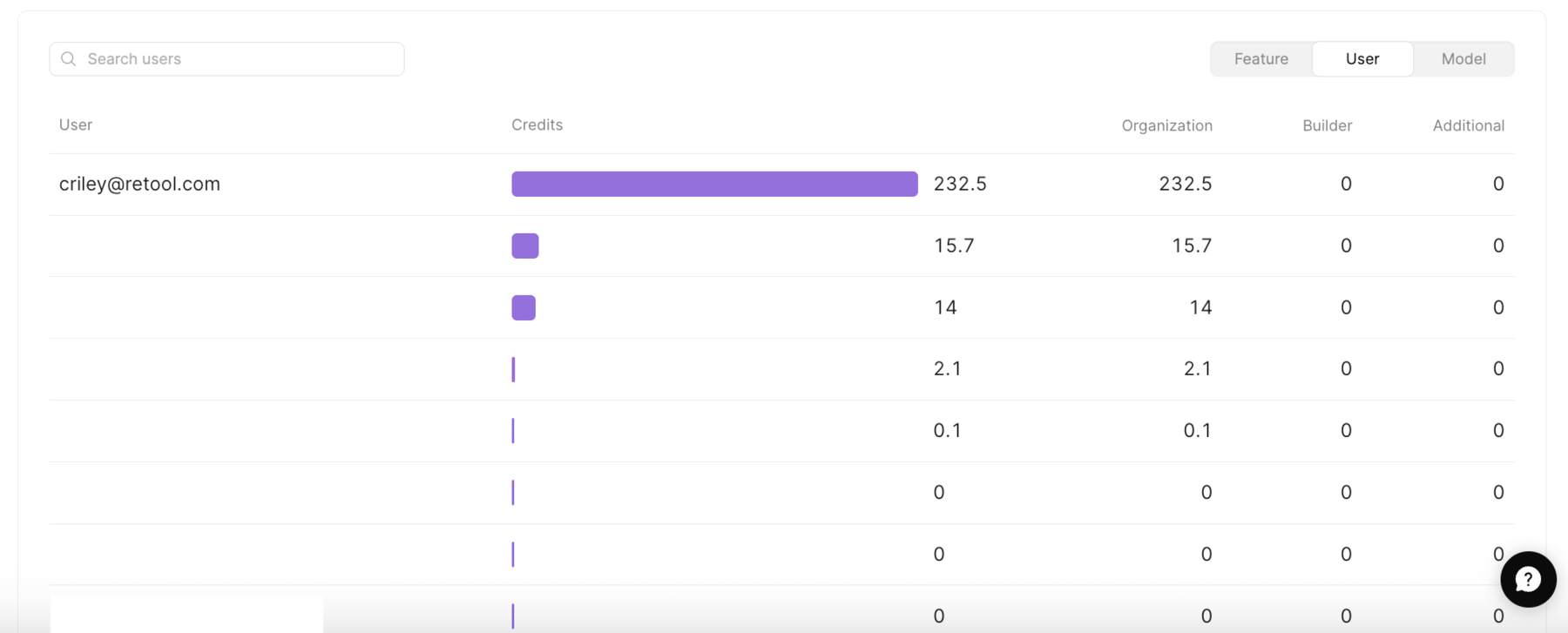
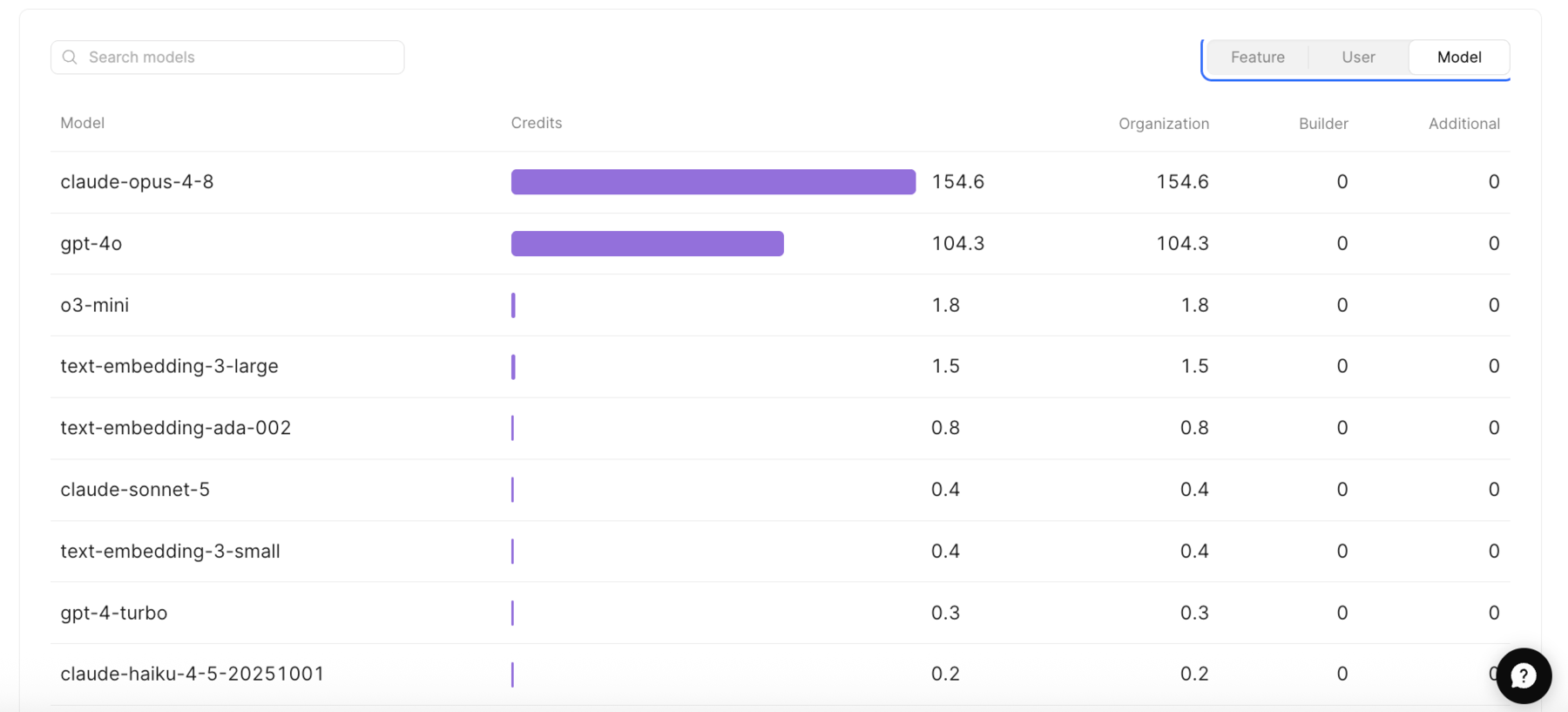
AI visibility also lets you examine usage by Feature, User, and Models.
Feature
Feature breaks usage down to Retool features, including Apps, AI Resource Queries (Classic Apps/Workflows), Vectors, and Ask AI.
User
User exposes individual credit/token consumption.
Models
Models expose individual model consumption.
Access AI visibility via Retool API
If you want to directly integrate with the collected data and develop Apps, Workflows, or Agents using that information, check out the APIs:
Summary
The ability to observe credit/token consumption is step 1 in informing Retool Administrators about governing the Retool Platform whether at an aggregate level or via a filter (Feature, User, Model). The lab focuses on the terminology employed for Retool Managed versus Bring your own key. Viewing this information can be done via Settings > Monitoring > AI visibility or through Retool API methods.