Lab 6 - Inventory management application
Goal
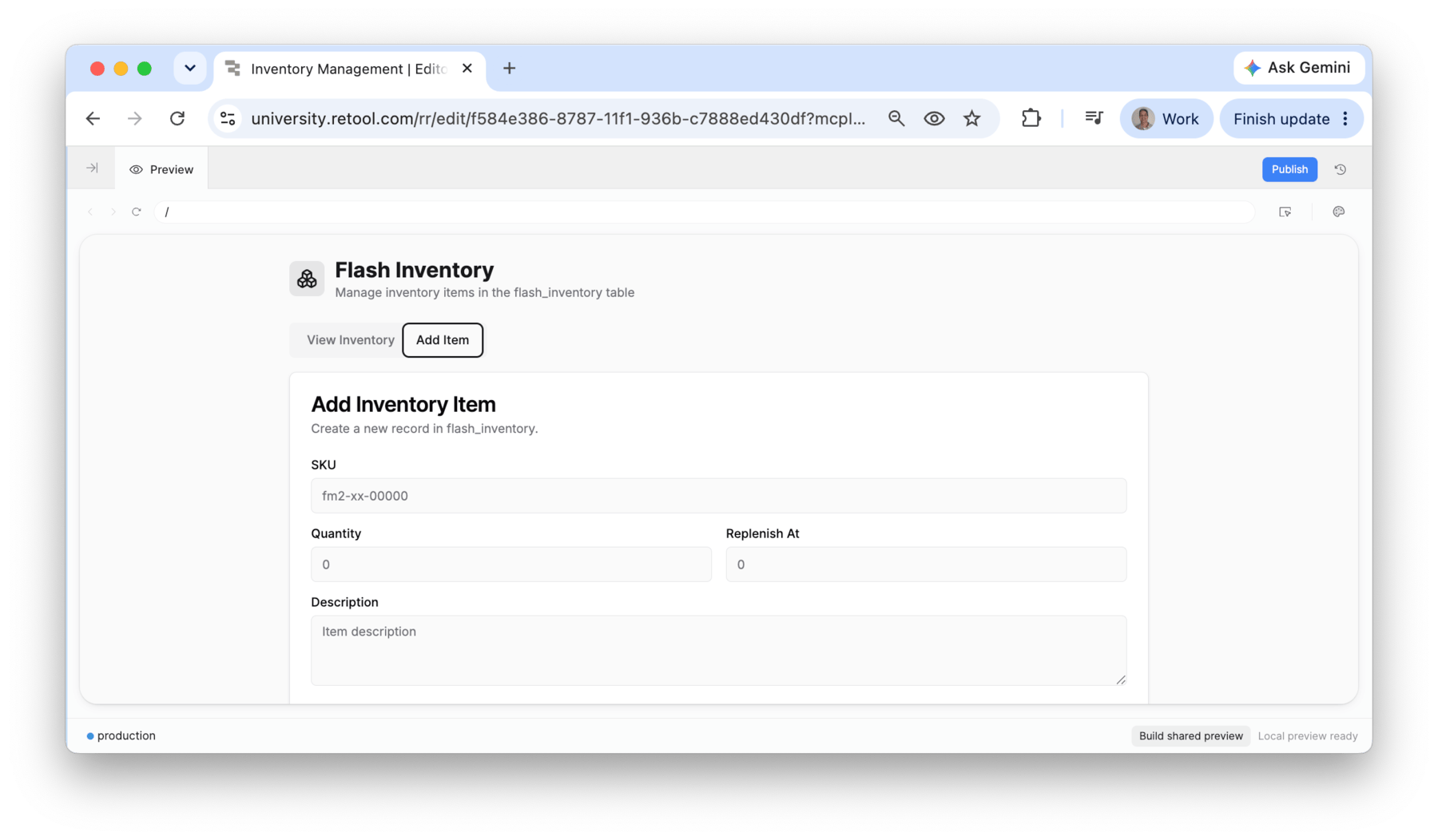
The procurement team is interested in being able to view/manage inventory more easily. This will allow them to identify trends in consumption and more effectively negotiate with suppliers when stock levels get too low.
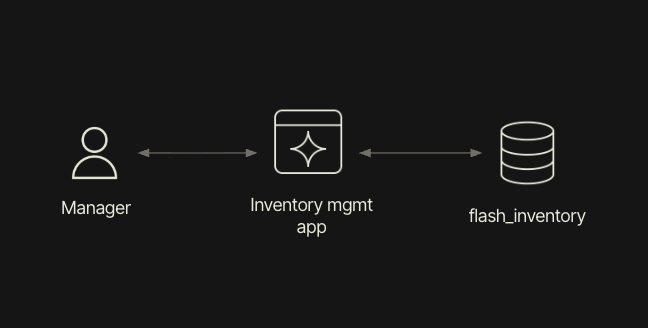
To access this information, an application that exposes the flash_inventory table is desired and the following architectural image shows what will be employed.
NOTE: This lab requires that you have Retool V4.0.0+ installed with MCP Server enabled.
Configure MCP
To build this application, we will leverage Retool MCP, to demonstrate how builders can create apps using their favorite agentic coding tools such as Claude Code, Codex, Cursor etc.
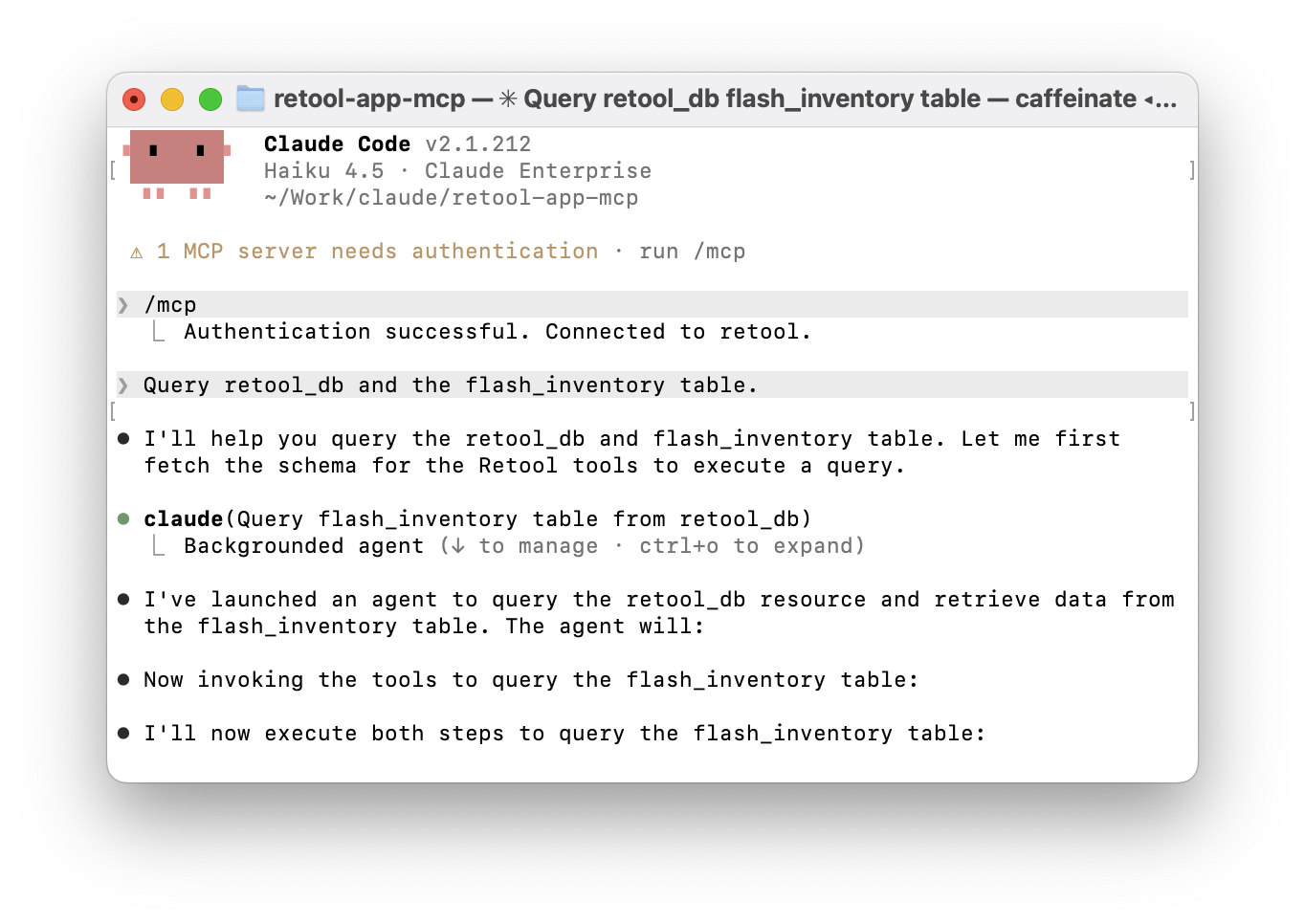
Configure your agent coding tools using the following Retool MCP app lab. Once configured confirm that the Claude Code session is authorized.
Test MCP connection
Once the MCP connection has been established, let's test by querying Retool Database and the flash_inventory table. This will demonstrate the use of MCP tools.
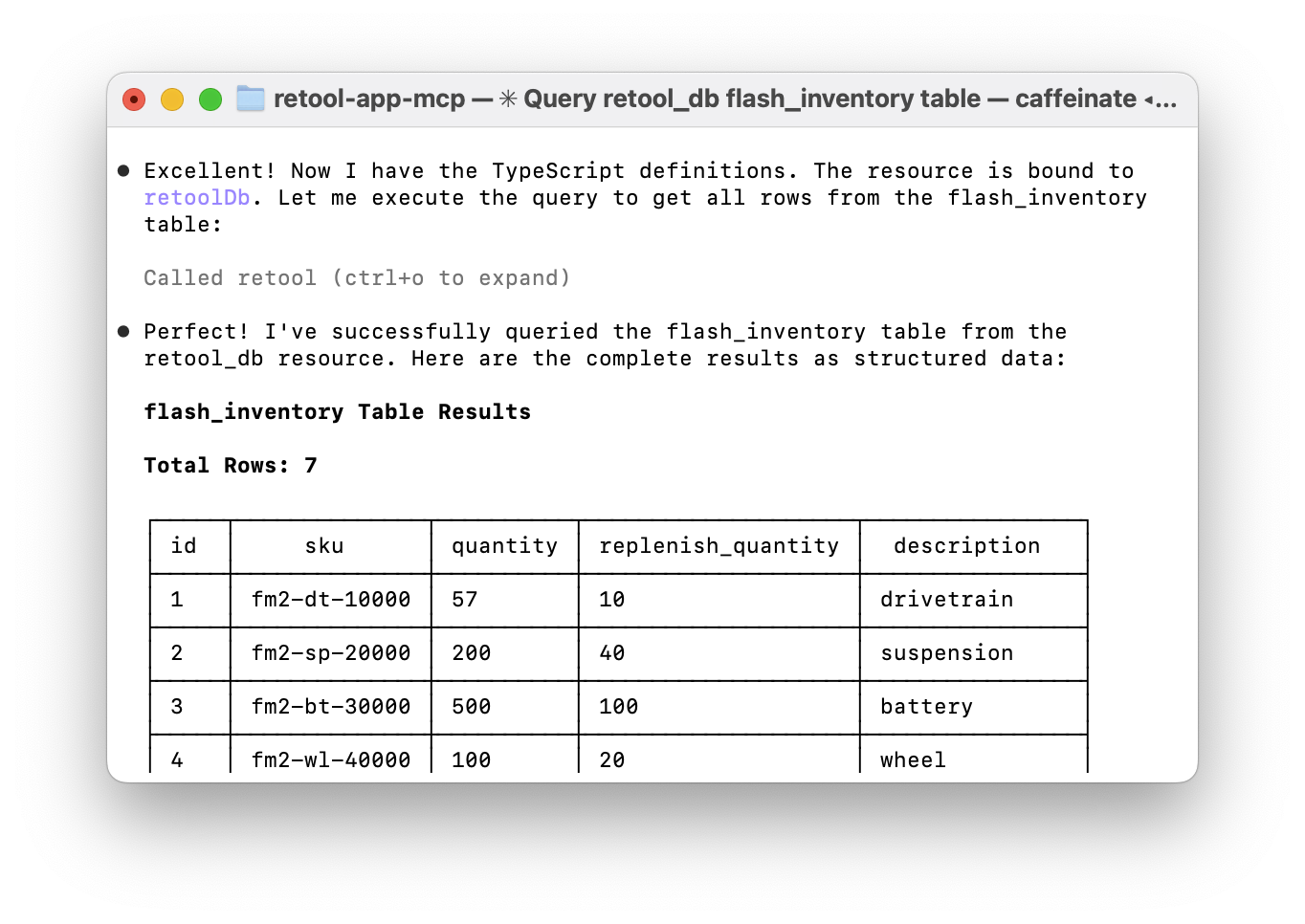
Query retool_db and the flash_inventory table.
This will return the current rows in the flash_inventory table through the use of the retool_list_resources, retool_get_resource, retool_execute_resource_ts tools.
Prompt application
Once you have confirmed that the MCP connection is operating, you will prompt an inventory management app.
Now I want to generate an application in Retool that uses the Retool MCP
  server and the following prompt: Create a Retool application that supports
  create, read, and update of inventory items
  using retool_db resource and the table flash_inventory.
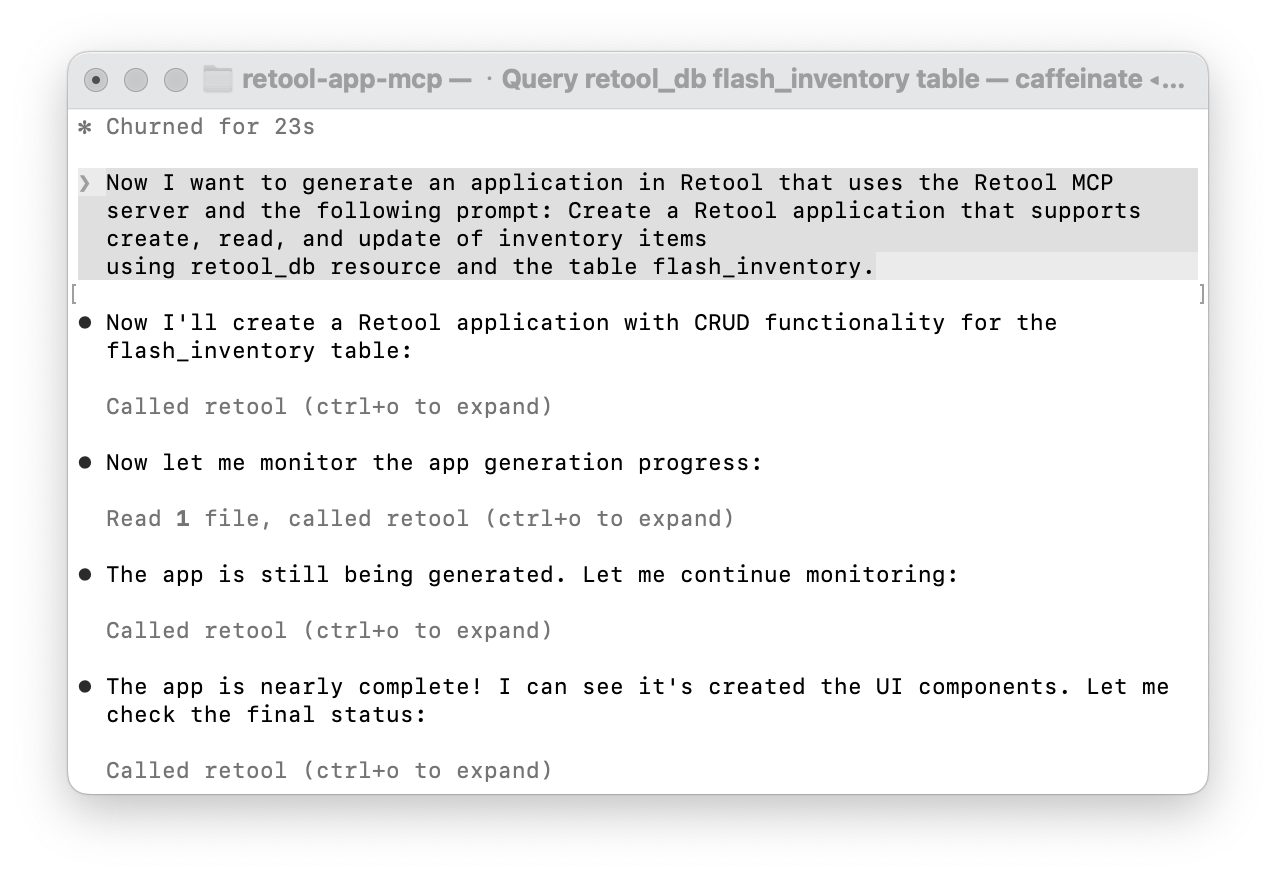
You may need to provide tool permissions as building executes. Eventually the following display should occur providing a summary and URL for the application.
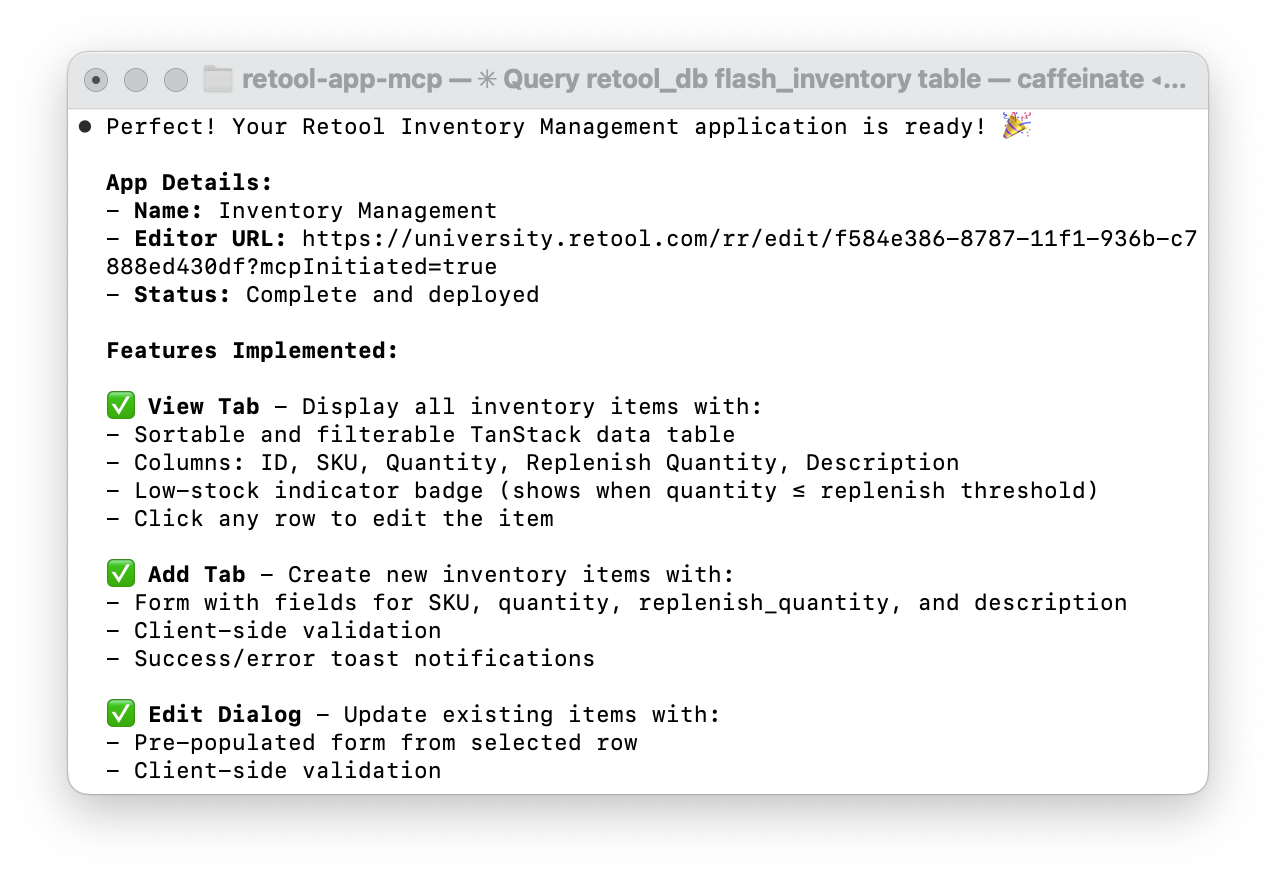
Review application
Once the application has been created, verify that you are able to view inventory, create entries, and update existing entries. Each generation can create different results. The following provides an overview of three core requirements:
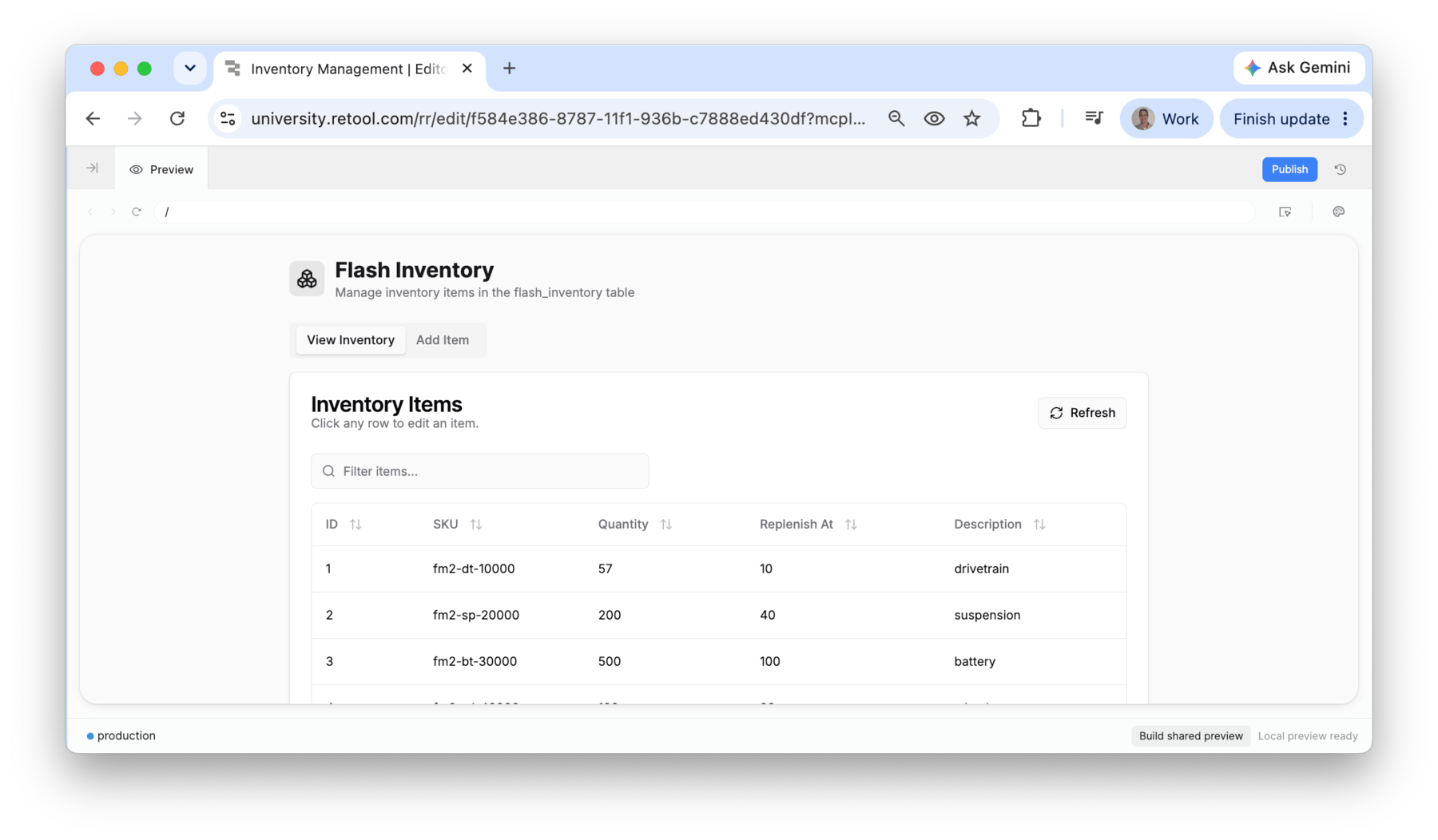
- Verify that the landing page of the application displays the inventory correctly.
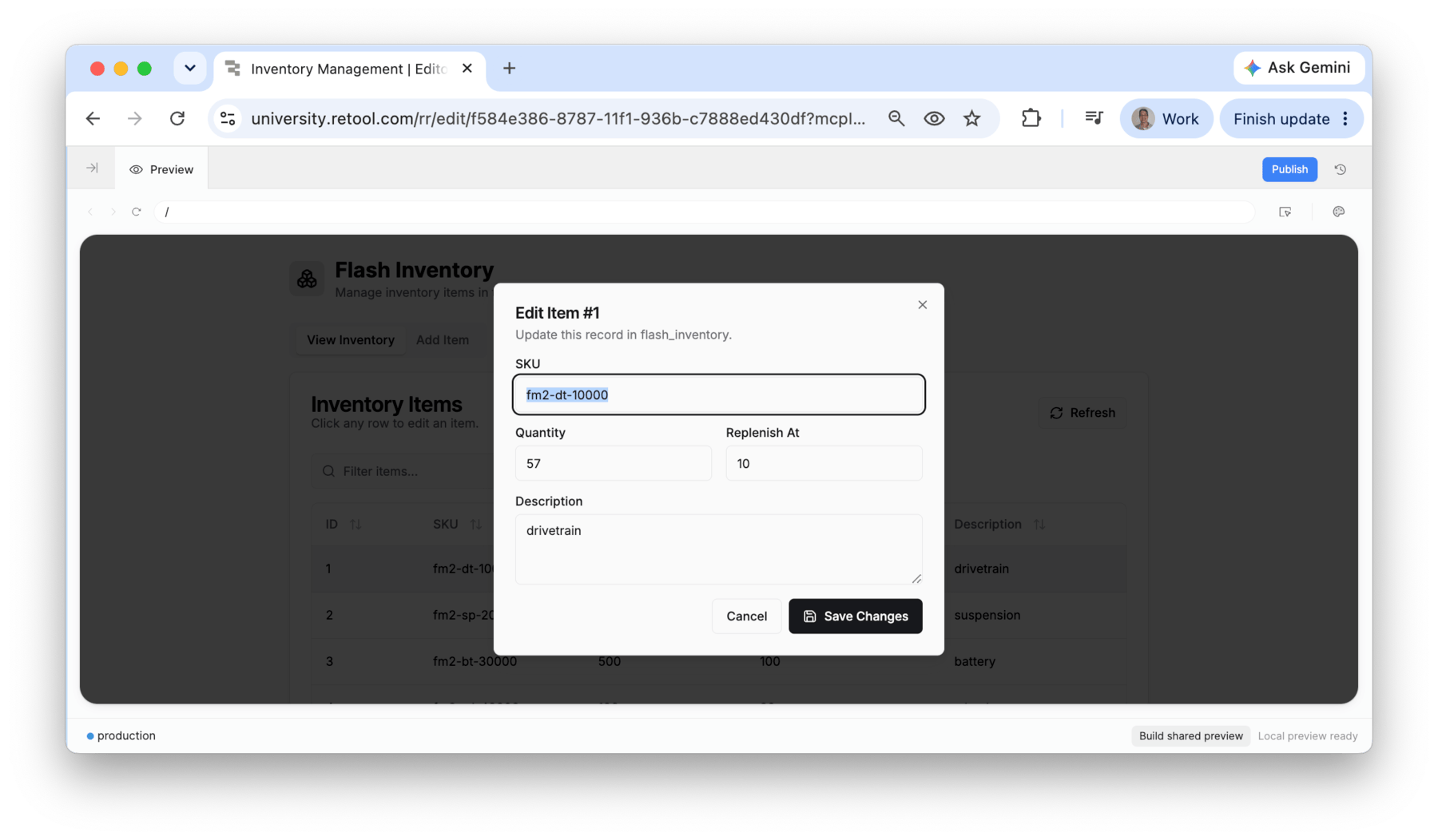
- Confirm there is a mechanism to update inventory values.
- Finally confirm that there is an option to create new items.