Retool App (Beta) Invoking Retool Workflow
This lab demonstrates how the Retool App (Beta) can integrate with Retool Workflows.
Lab Requirements
This lab will leverage Retool App (4.24.0 Beta), a Retool Workflow, and Retool Email (cloud-only). You will need access to both of these products.
If you are running on Retool Self-hosted then consider Slack or SMTP resources.
Retool Workflow
A common use for Retool Workflows is for supporting simple notifications such as email or Slack. You will create a workflow to generate an email notification.
- Select Workflows > Create Workflow
- Update the name of the workflow to Email-WF
Update startTrigger block
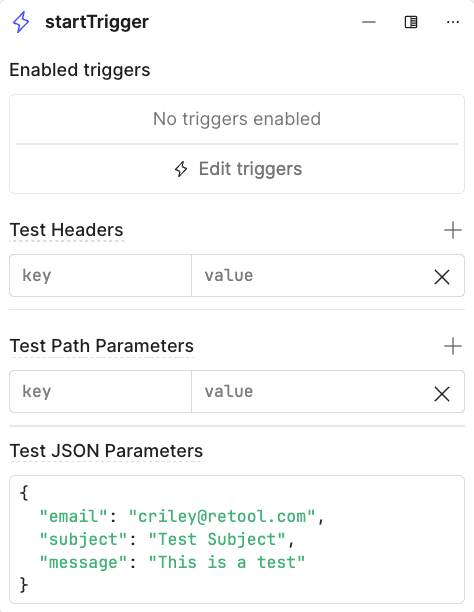
In order to accept inputs into the startTrigger block, let's define a JSON sample as shown below and update the startTrigger Test JSON parameters where you should update the email to your email:
{
  "email": "criley@retool.com",
  "subject": "Test Subject",
  "message": "This is a test"
}
Update Code block
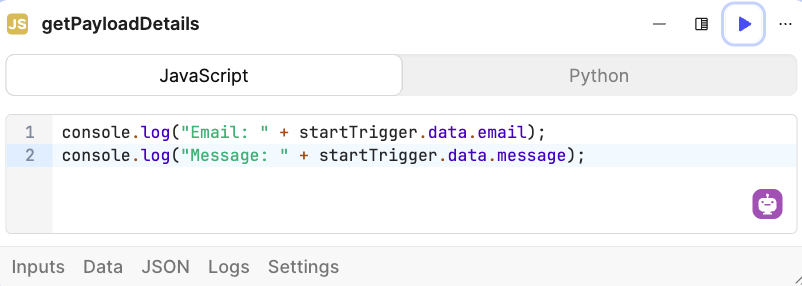
You will now update the code block to just log the email, message entries to confirm they are accessible to the workflow when run. Select the name code1 and change to getPayloadDetails.
Examine the following code and image below.
console.log("Email: " + startTrigger.data.email);
console.log("Message: " + startTrigger.data.message);
Add Resource query block
The next step employs a Resource Block with Retool Email (available in Retool Cloud only). If you are on self-hosted alternative notification options are Slack, SMTP, MS Teams.
- Select the circle on the right-side of the Code block and pick Resource query.
- Within the Resource query block select Retool Email.
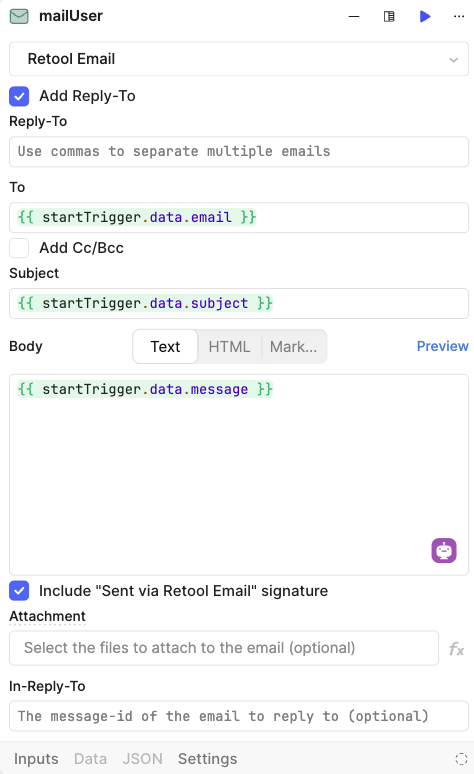
- Enter the following for To, Subject, and Message.
- To =
{{ startTrigger.data.email}} - Subject =
{{ startTrigger.data.subject}} - Message =
{{ startTrigger.data.message}}
- To =
Test workflow
You need to confirm the workflow is able to send a notification.
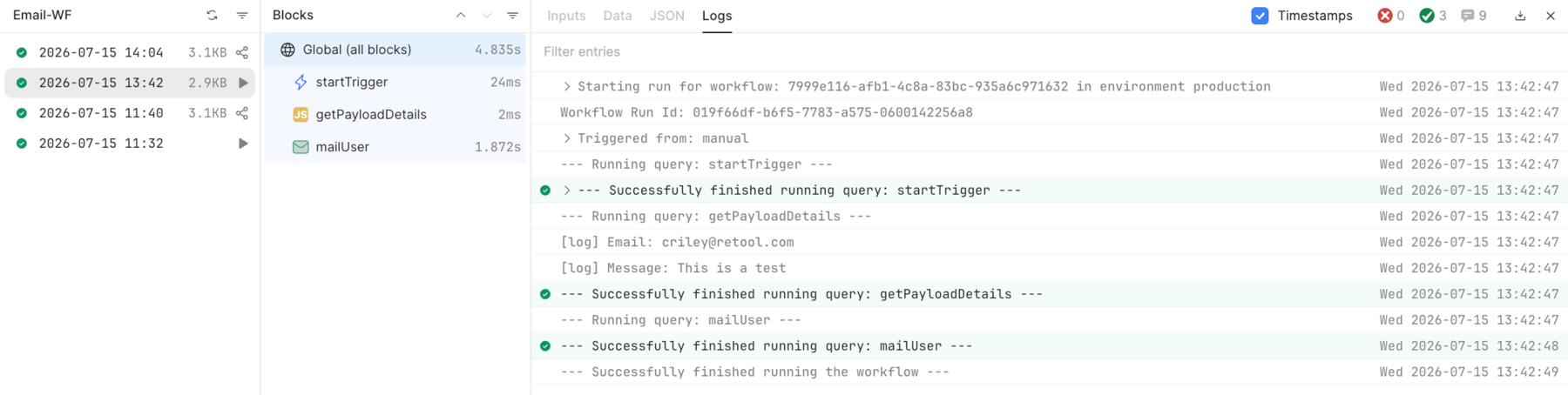
- Select Run to execute the workflow.
The workflow run history will appear and it should appear similar to the following image.
- Check your email for a notification like the following:
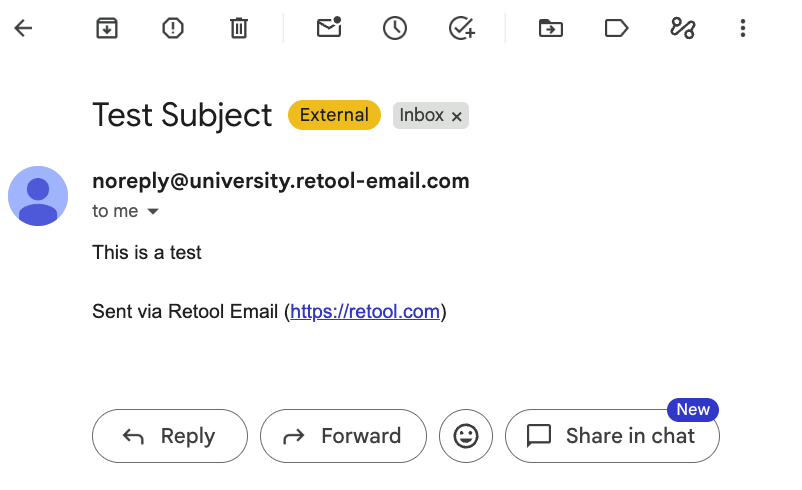
Publish workflow
In order for Retool Apps to be able to access the Workflow, it needs to be published.
- Select Publish release
- Specify a minor version and a comment of your choosing and then select Publish release
Retool App (Beta)
Now that you have a simple notification workflow, proceed to create a Retool App (Beta) that creates a form that retrieves the email, subject, and message. When the form is submitted it will invoke the Retool Workflow.
- Select Retool Home > Apps > Create > App (Beta)
- Rename the app in the upper left corner to app-to-workflow
- Provide the following prompt to create the app leveraging the existing workflow, Email-WF.
I want you to create a simple notification application that uses a Retool Workflow
called Email-WF to notify users. Review Email-WF to get the form elements
needed in the app for submission.
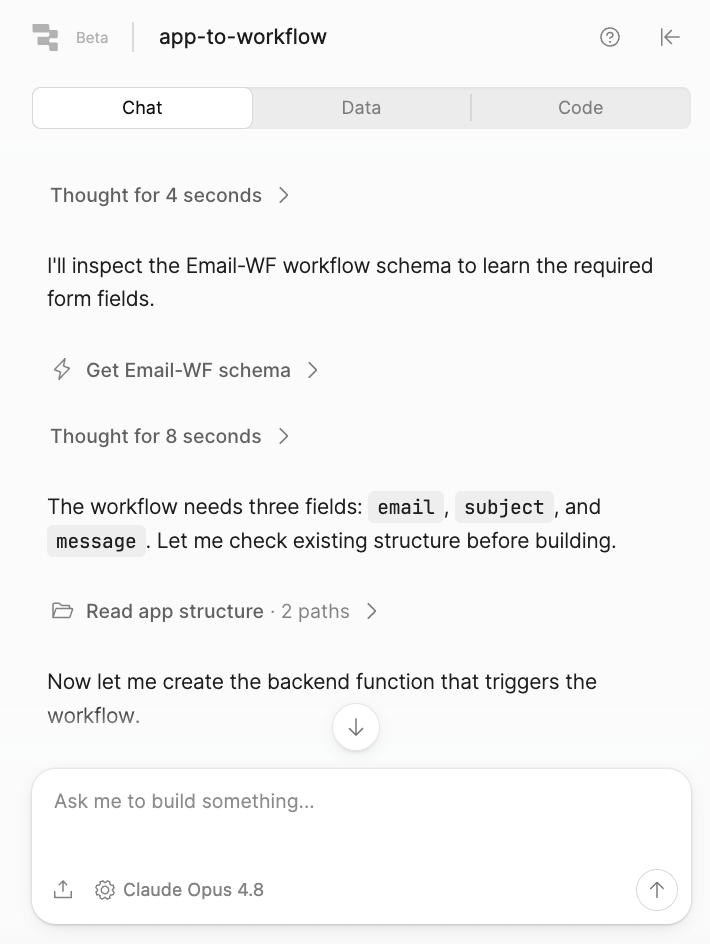
- Retool App Builder should examine the Workflow and report what it finds in the chat interface, like the following:
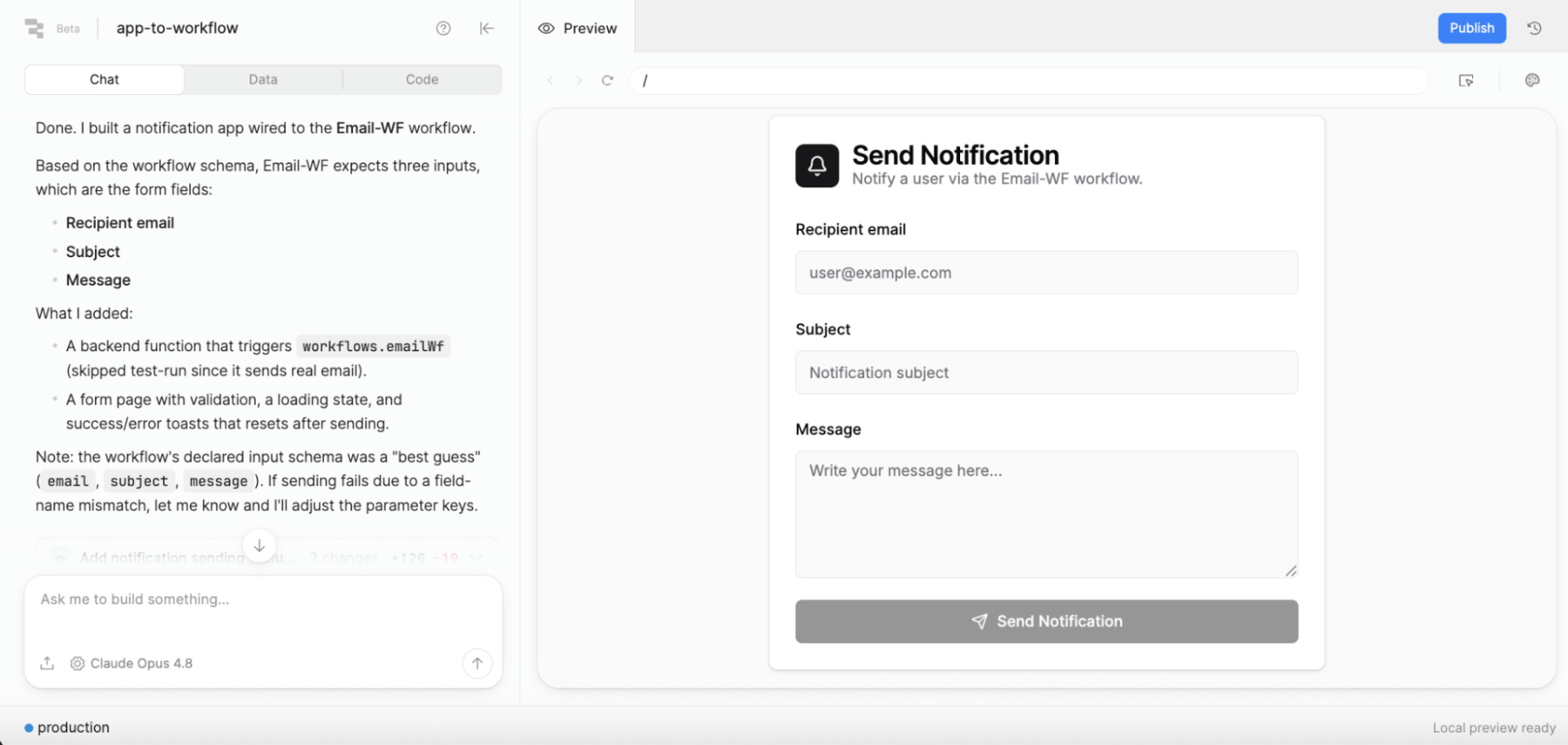
- The app builder will eventually complete, displaying the app and a summary.
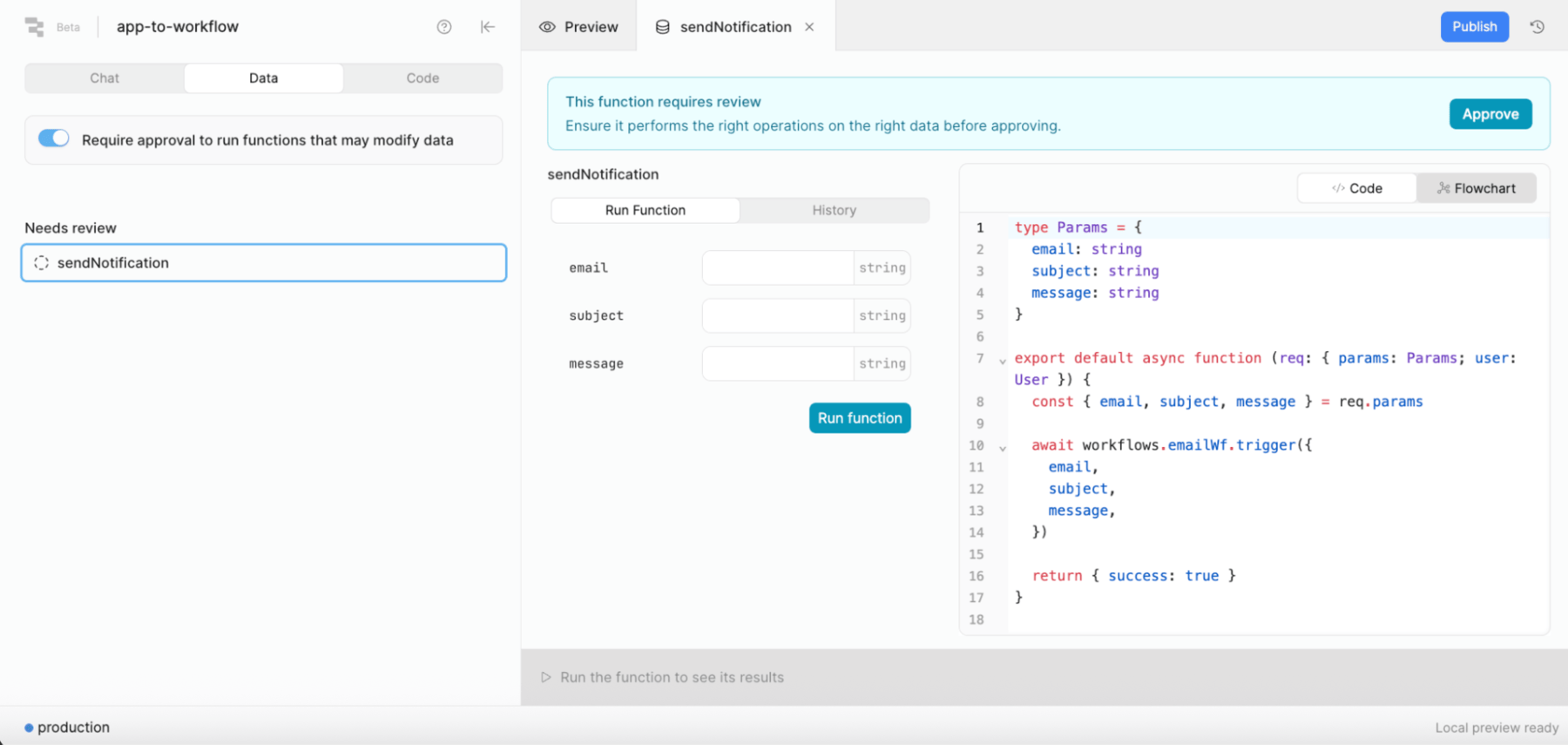
- Examine the newly generated function by selecting Data and Code tabs, sendNotification. Select Data to get a higher level view of the inputs/code employed.
Test app
Let's complete the development and test the application that was generated.
- Select Preview tab to view the app again.
- Enter an email, subject, and message as shown in the following image.
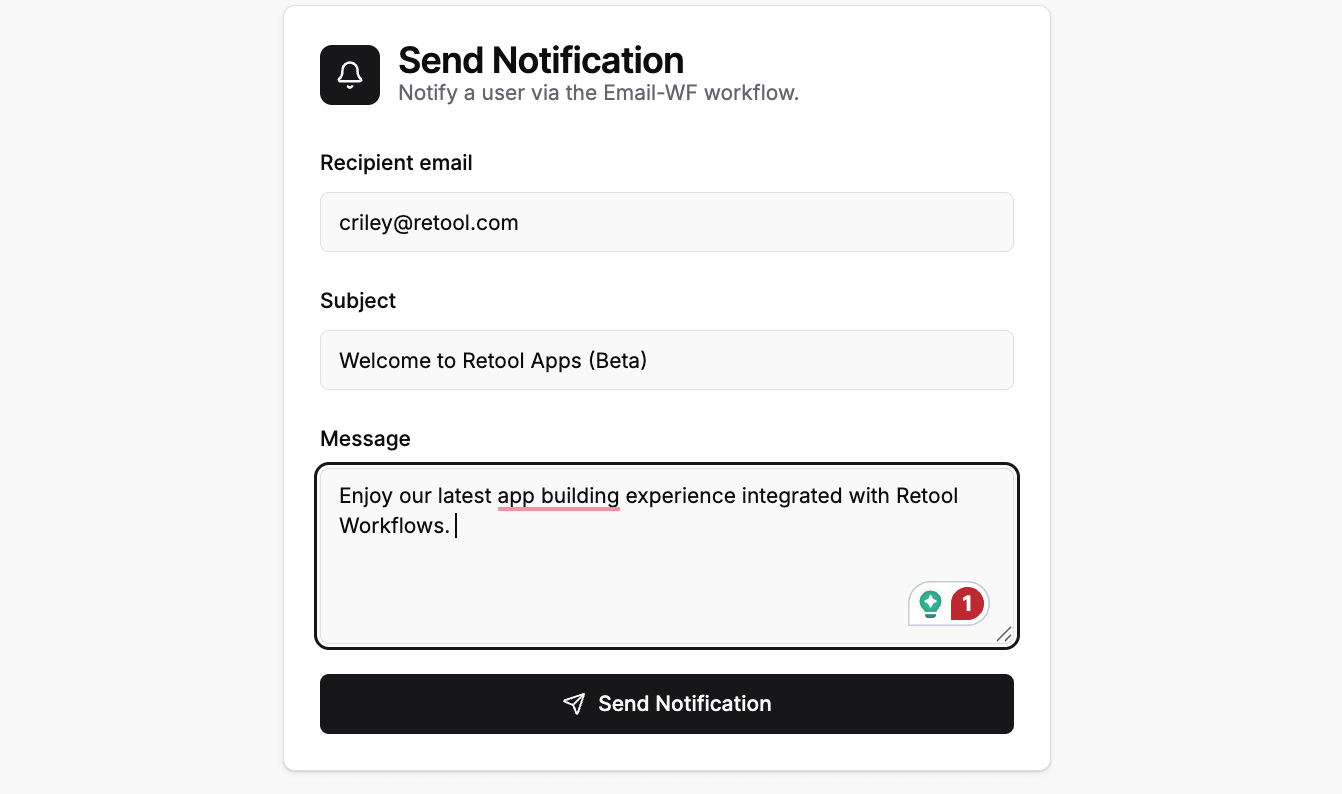
- Select Send Notification. This will pop a dialog requiring approval to run the function that was created to initiate the workflow.
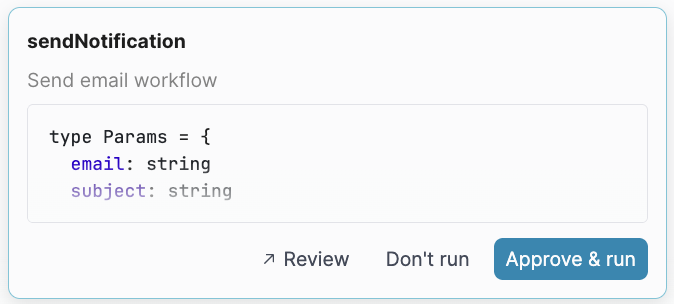
- Select Approve & run to execute the function. A notification display will appear indicating it was successful.
- Check your email to confirm receipt of the notification as shown below.
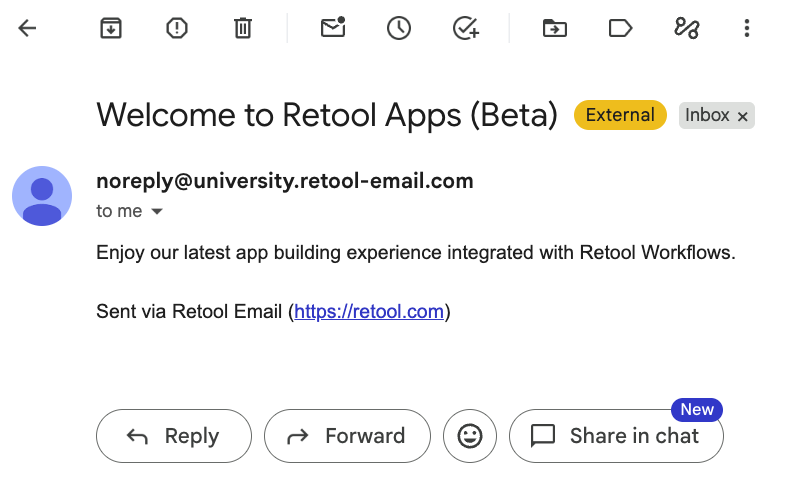
- If for some reason, the notification is not sent, check your Run history for the workflow that should have executed in Workflows.
Summary
This lab demonstrates the additional capability added for new Retool Apps (Beta) to integrate workflow functionality. Existing classic applications that employ Workflows should also now be supported for conversion.