Classic App Converter
This lab walks through converting a classic Retool app to a Retool app using the built-in Classic App Converter.
Lab Requirements
This lab recommends that you have a classic Retool application to convert. In this example, we'll use a simple multi-page app that tracks consultant time and engagements. The app has two pages — Home (statistics/charts) and Profile — and uses a PostgreSQL database (RetoolDB).
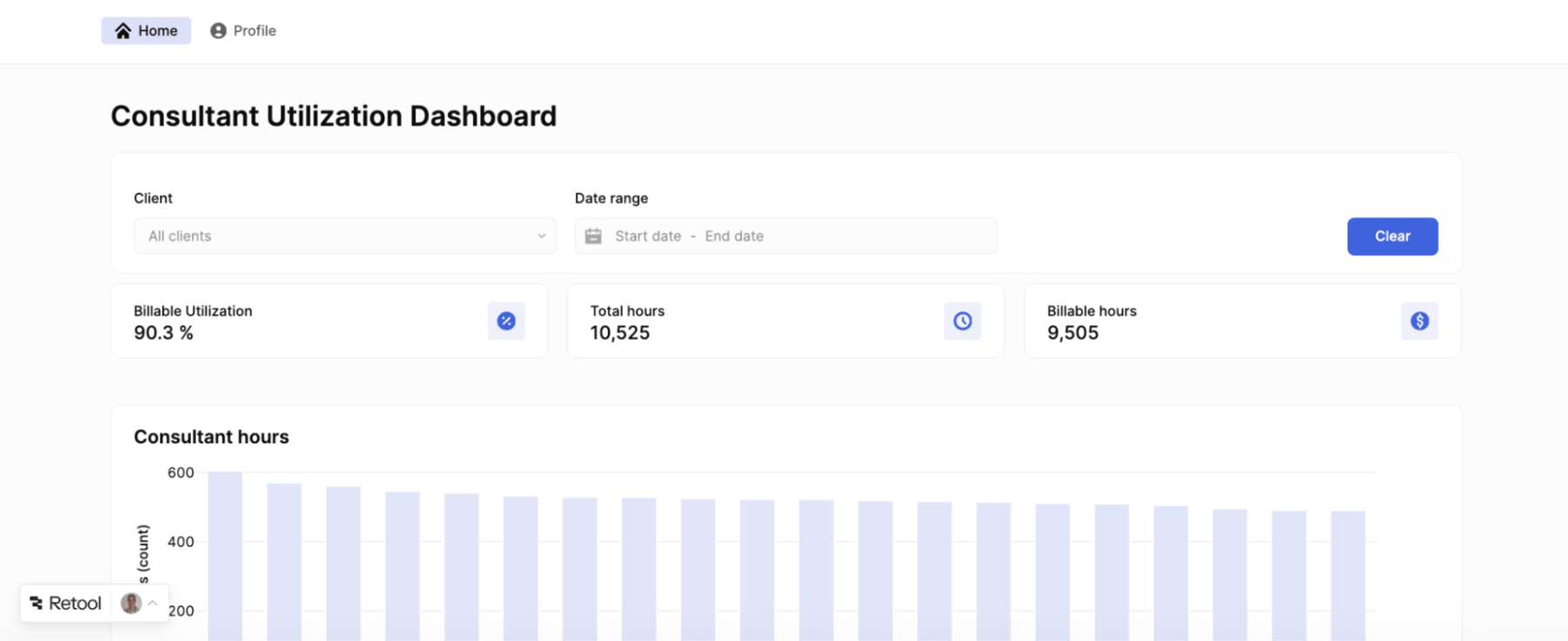
The following link provides a JSON export of the classic app to import into Retool:
In addition, we will need to download and import the following CSV files into Retool Database:
Import CSV Files into Database
The following video walks through creating a table with the engagement CSV file:
Import Classic App into Retool
The following video walks through importing the JSON export into Retool as a classic app:
Classic App Converter Overview
Retool apps can be generated from existing classic Retool apps. The following sections detail how the process works.
Conversion High-level Flow
Before performing the steps in this lab, you should understand how the process works with the Retool Agent.
- The user clicks Convert classic app and selects the classic app in a picker.
- Retool loads the latest page save/latest commit in the Agent Sandbox as read-only context. Dependent modules are included when present.
- The Retool Agent receives a kickoff prompt and creates a phased conversion plan. The agent builds the target app one phase at a time. Context is cleared for each new phase, aside from notes the agent writes after each phase.
- A final review phase compares the generated Retool app against the classic app and queues follow-up fix phases for obvious gaps.
- Once the conversion is complete, the user can review the generated app and test important workflows.
What to Expect
The following are expected behaviors during a conversion:
- The agent will develop a plan identifying the phases that will be executed and will clearly identify each phase as it is performed.
- The agent may ask for permission during planning to run certain write-back queries.
- The conversion process will continue running even if you close the browser.
- The conversion can take a long time for complex apps. An hour of runtime is not unreasonable, and costs if using Bring Your Own Key (BYOK) should be monitored.
What Gets Copied or Generated
During conversion, Retool creates several artifacts in the Agent sandbox:
/context/linked-classic-app/— Contains the read-only Classic app source context. This is not Retool App code and is not meant to be edited./context/linked-classic-app/queries-manifest.json— Summarizes Classic app resource queries and whether each was automatically translated./backend/functions/— May contain pre-translated serverless functions for supported SQL queries. This is native code in the target app once written the first time and will not be overridden, even if the source app changes./plans/conversion-plan.json— Tracks the agent's phased conversion plan and which phase is currently in progress.
Example Conversion
Let's test out the conversion using the example app provided above.
Create Retool App (Beta)
An app conversion requires creating a Retool App (Beta).
- Select Retool Home > Apps > Create > App (Beta).
Convert Classic App
Within the application editor, the Chat interface shows "What would you like to build?".
- Select Convert classic app.
- Using the app picker, select the classic app to convert.
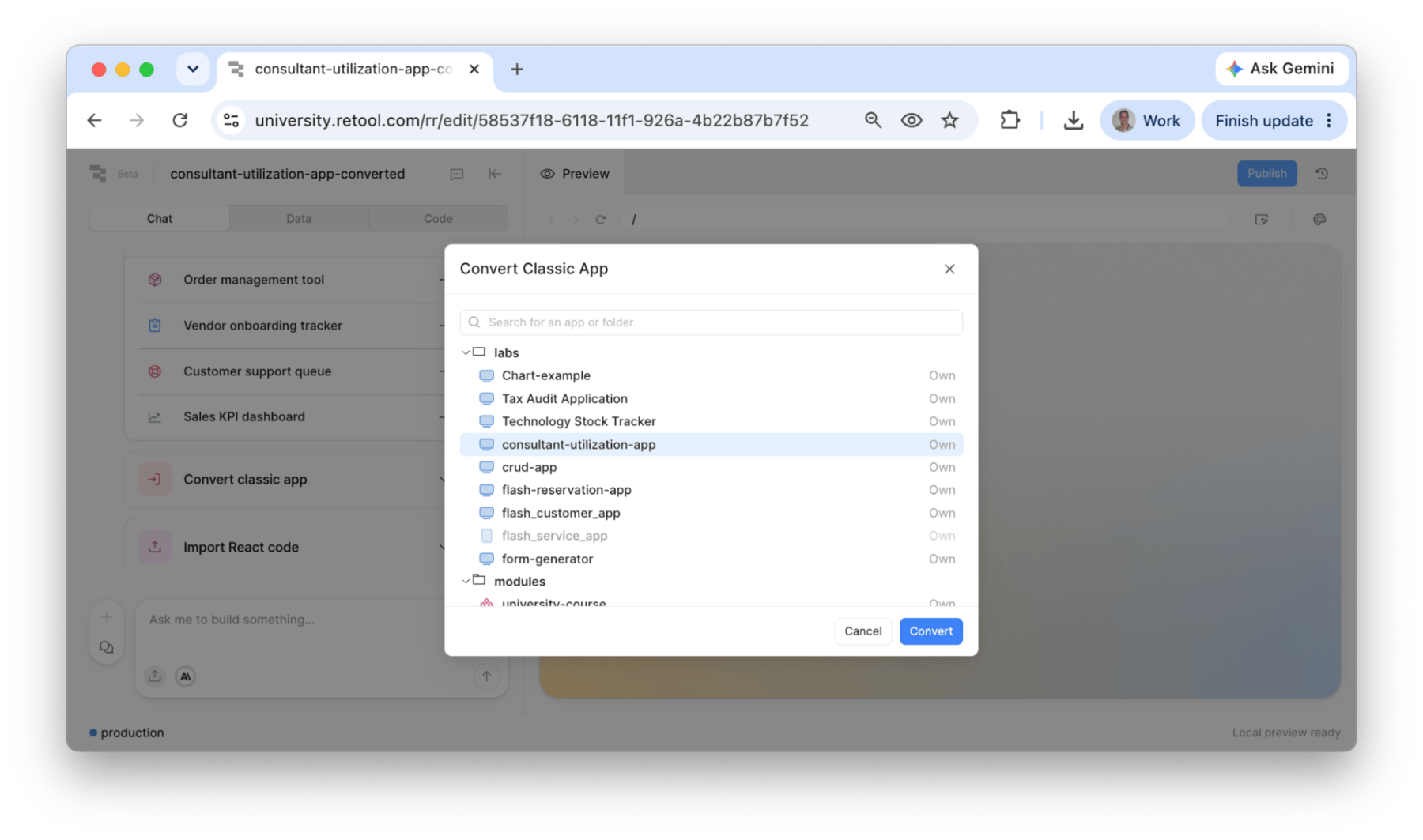
- The chat window will display an explanation of what it will perform. Select Start conversion.
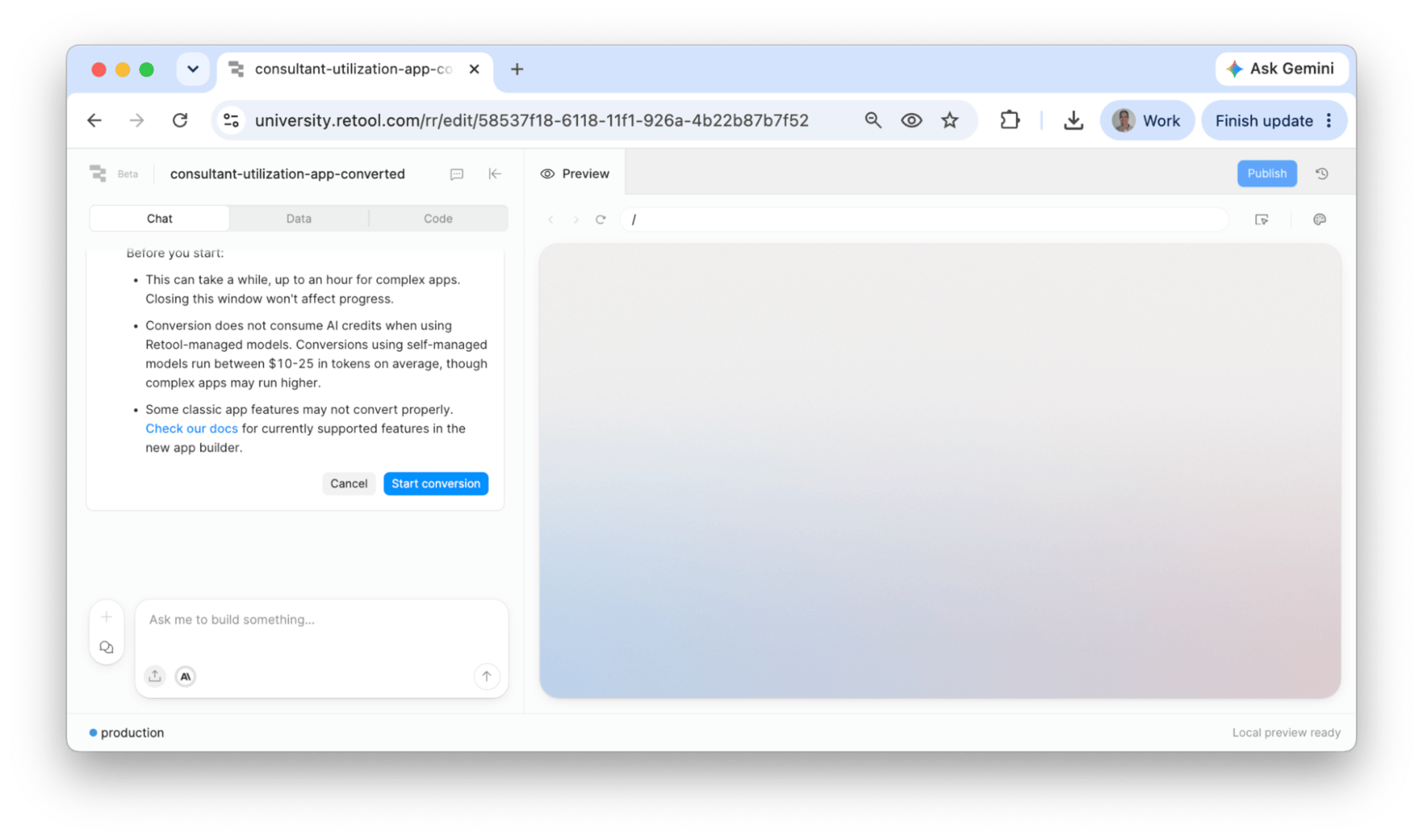
The conversion process depends on the complexity of the app and could take one hour or more. For this example app, expect between five to ten minutes.
Execution Steps
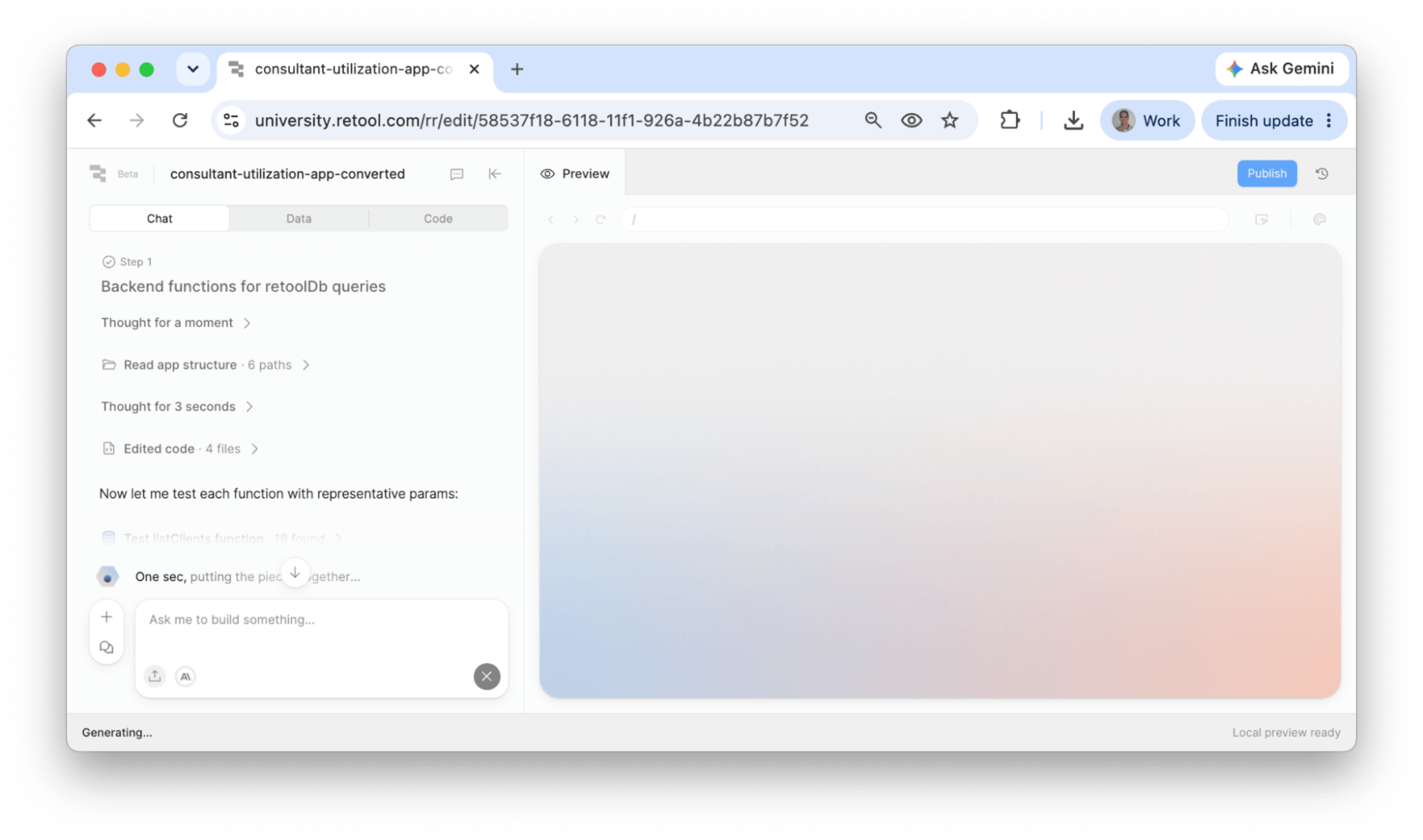
Once the process begins, an implementation plan is created and shared in the Chat panel. Each phase of the plan is identified and executed.
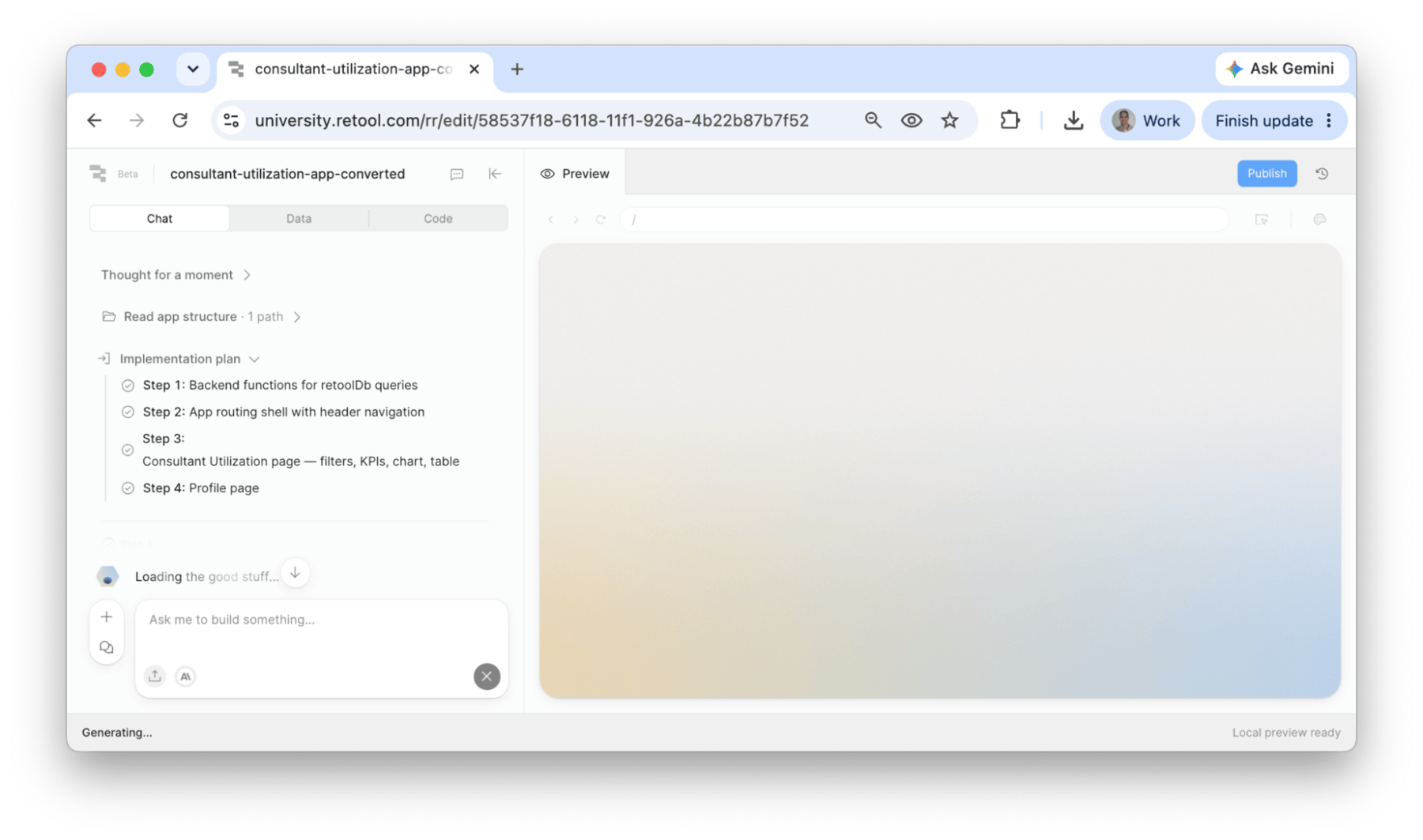
Once each step executes, it is marked complete and subsequent agent activity is broken out as shown below.
Conversion Plan
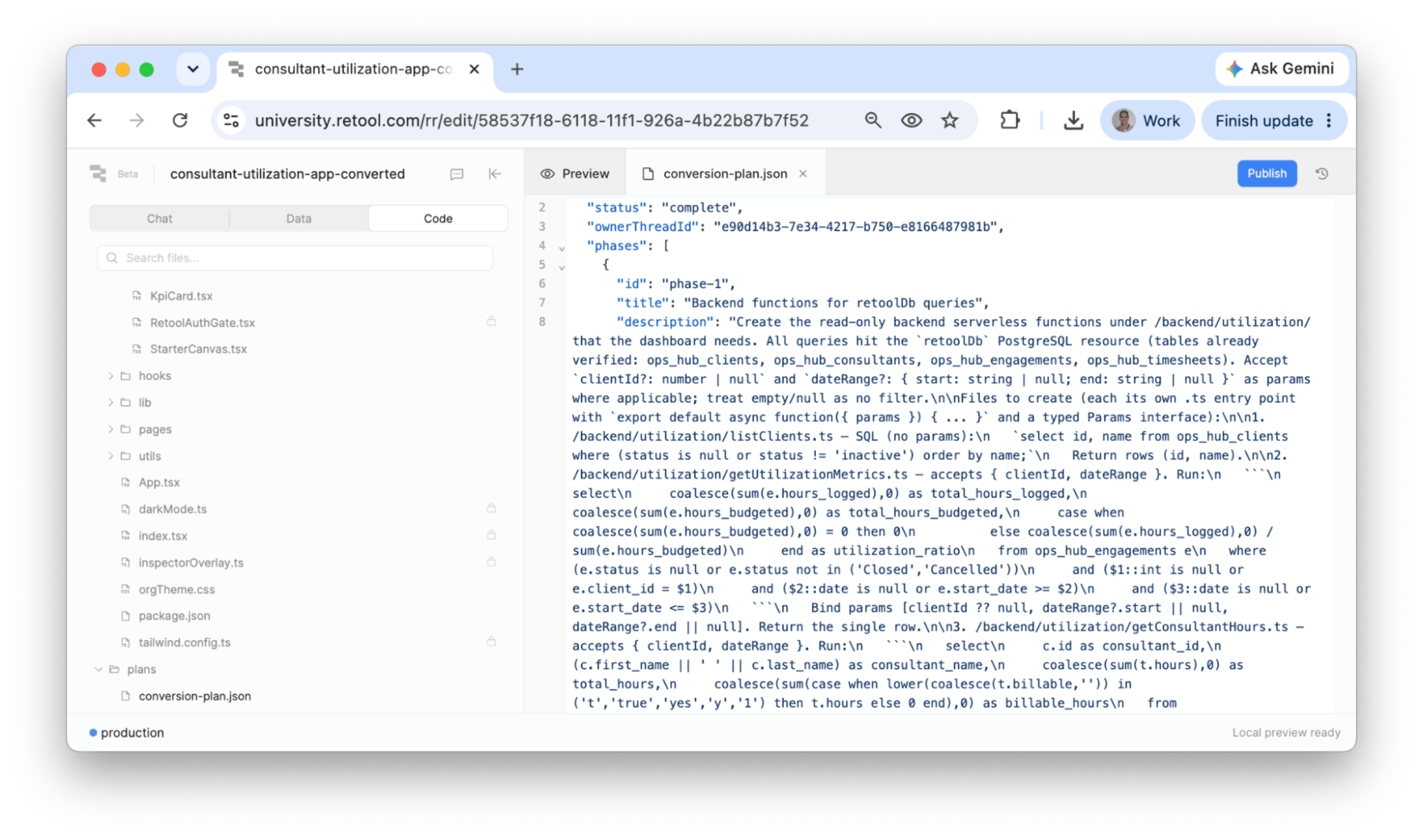
The /plans/conversion-plan.json in the Code tab captures each phase, description, status, and notes.
Review the Conversion
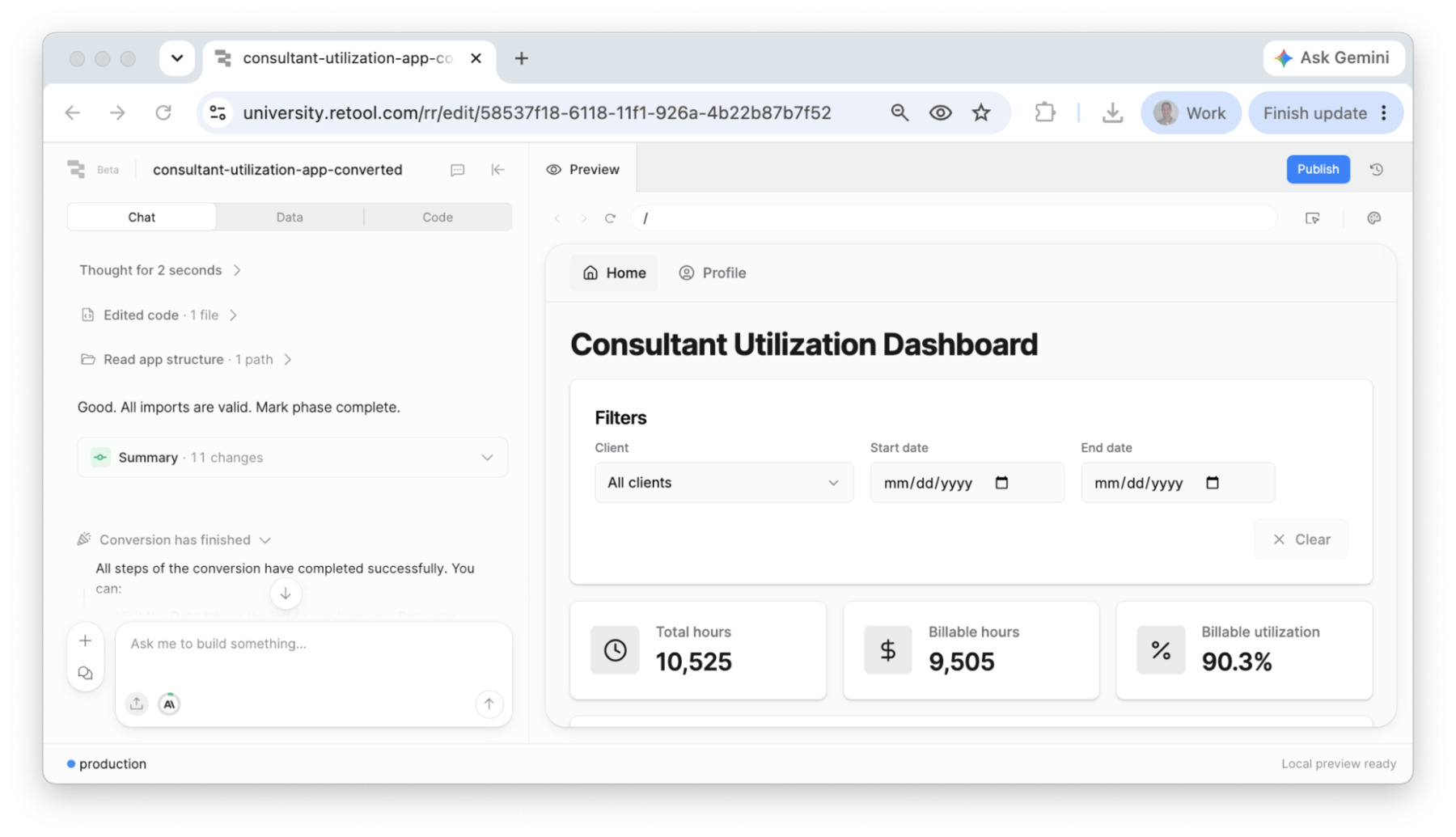
When the agent completes, the converted app displays in the Preview Panel.
Test Converted App
Testing requires a structured plan to confirm functionality migration. This lab uses user stories with acceptance criteria to compare the classic and converted apps.
User Story #1: Review Consulting Time
| Description | Acceptance Criteria |
|---|---|
| As a user, I want to filter by customer and see assigned consultants and time. | Able to select a customer; engagements update to the selected customer; consultants update with hours. |
Retool Classic App:
Retool App:
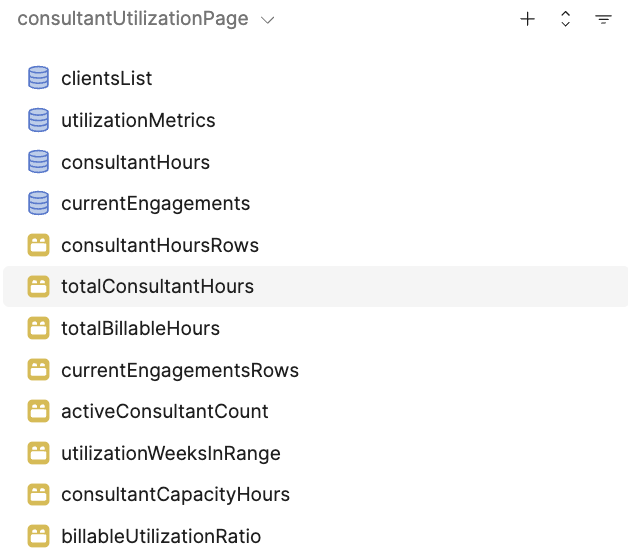
Query / Function Comparison
| Retool Classic App Queries | Retool App Functions |
|---|---|
 | 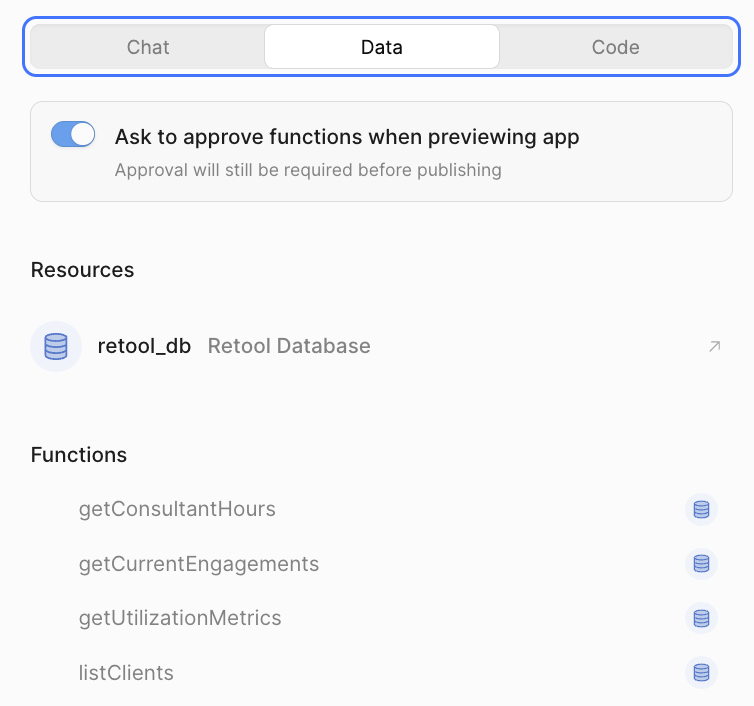 |
User Story #2: Confirm Profile
| Description | Acceptance Criteria |
|---|---|
| As a user, I want a profile page that displays my avatar, email, and name. | Selecting Profile displays an information card with avatar, email, and name. |
Retool Classic App:
Retool App:
Query / Function Comparison
Inline queries or inline functions were created for this page. The global current_user object was used by both for the avatar, email, and name.
| Classic Retool App (profile page) | Retool App (profile page) | |
|---|---|---|
| Avatar | {{ current_user.profilePhotoUrl }} | <Avatar className="w-12 h-12">{user.profilePhotoUrl ? (<AvatarImage src={user.profilePhotoUrl} alt={`${user.firstName} ${user.lastName}`}/>) : null}<AvatarFallback>{getInitials(user.firstName, user.lastName)}</AvatarFallback></Avatar> |
**Email:** {{ current_user.email }} | <span className='text-muted-foreground'>{user.email}</span> | |
| Name | #### {{ current_user.firstName }} {{ current_user.lastName }} | <h2 className='text-lg font-semibold text-foreground'>{user.firstName} {user.lastName}</h2> |
Summary
This lab demonstrates how classic Retool apps can be converted to Retool apps, and covers key testing considerations using user stories and acceptance criteria.