Claude Fable 5 available in Retool
Claude Fable 5 is now available through Anthropic. It can be used with AI resource queries when you connect Anthropic with your own API key.
Updates, changes, and improvements at Retool.
Refer to the stable and edge release notes for detailed information about self-hosted releases.
Updates related to Retool AI.
View All TagsClaude Fable 5 is now available through Anthropic. It can be used with AI resource queries when you connect Anthropic with your own API key.
Organization admins on Team and Business plans can now purchase additional AI credit packs directly by clicking on Buy credits from Settings > Plans & Billing > under the new AI Credits tab.
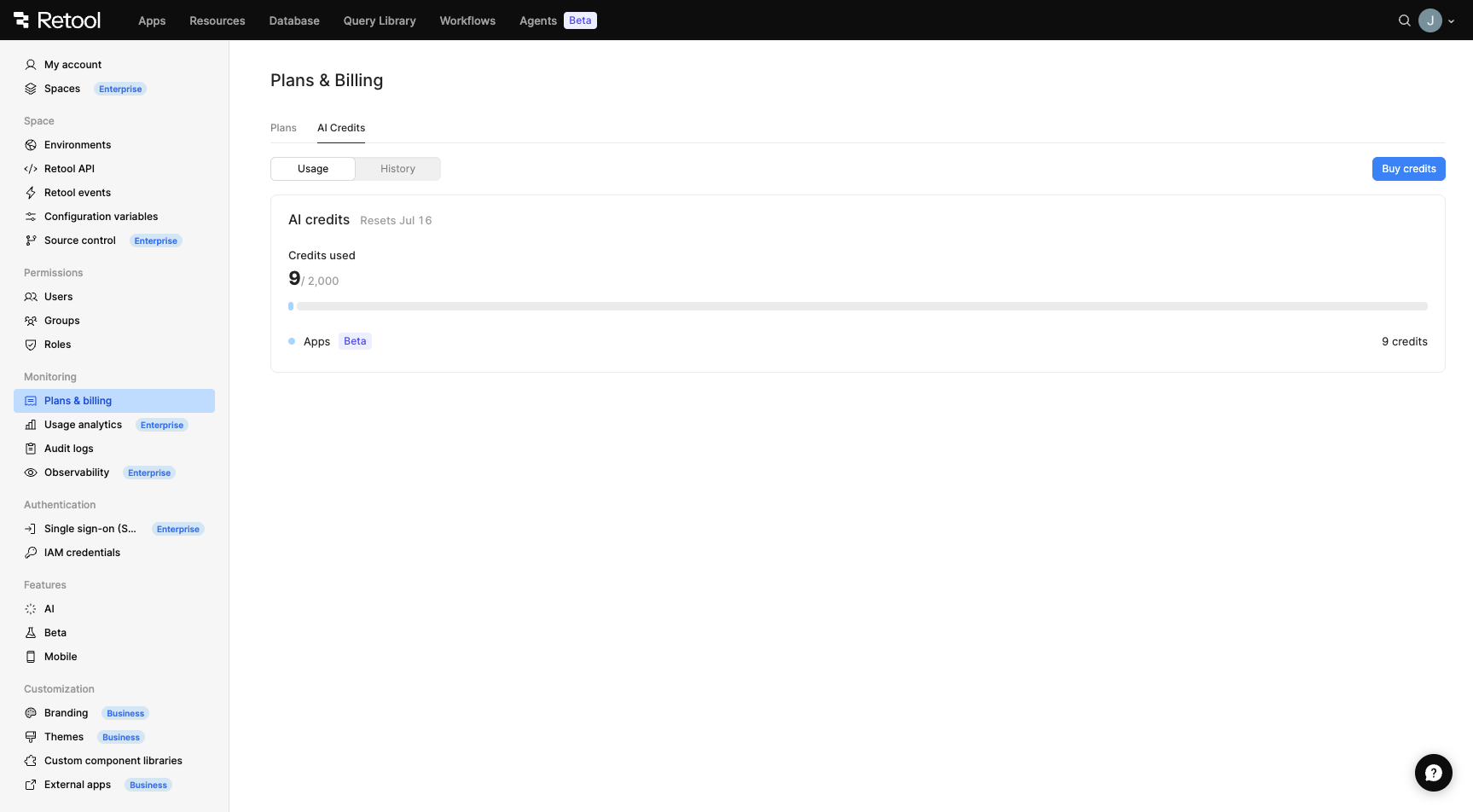
AI Credits tab with Buy credits button
Credit packs are sold in increments of 1,000 credits at $100 per pack. Purchased credits are added to your organization's shared pool and are consumed after your monthly allotment runs out, with the oldest (soonest-expiring) pack used first. Credit packs expire at the end of your next monthly billing cycle (between 30–60 days after purchase), depending on where you are in your billing cycle when you buy them.
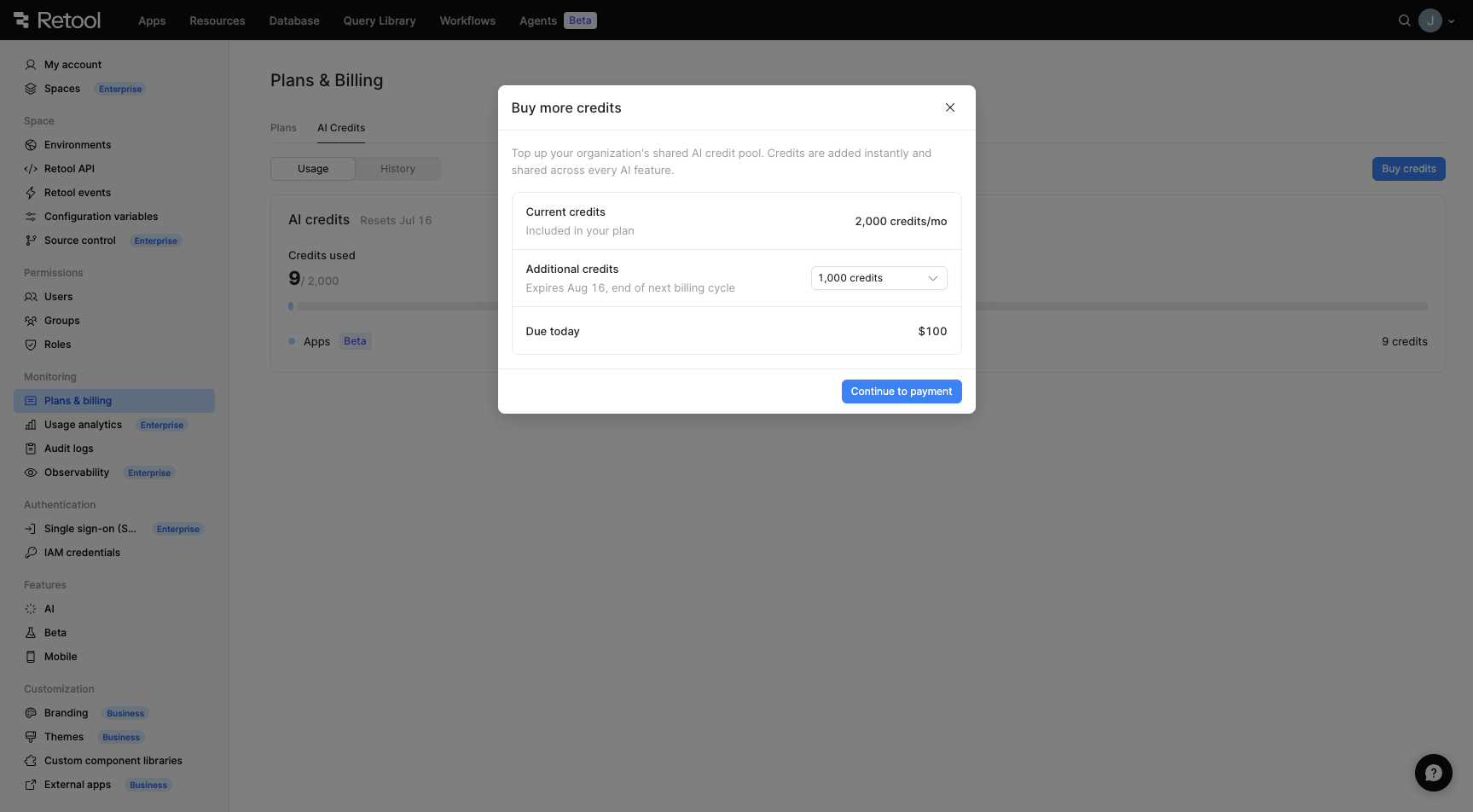
Buy more credits modal
When your organization's credits run out, admins will see a banner prompting them to purchase additional credits or upgrade their plan. Users who are not admins will be directed to contact their admin.
Credit pack purchasing is available on cloud plans using Retool-managed keys. Free plan organizations must upgrade to Team or Business to purchase credit packs. Enterprise customers should contact their account executive.
For more information, refer to the AI credits documentation.
You can now use Retool's MCP server to import React apps directly from your agentic coding environment.
Open a React app, and ask Retool to import the app. Retool guides you through the process of selecting the appropriate resources, and sends you a link to the newly imported app in the app builder. From there, you can make tweaks to the generated app, and securely publish the app using the MCP server or from the app builder.
Retool's new app builder now supports importing React apps from external sources, such as Replit, Lovable, and Claude Code, for further refinement and development in Retool.
To import your React app in Retool, generate a .zip file of the code, and select Import React code from the app builder. Learn more about how it works.
Apps created with the new app builder can now be protected and checked into your chosen Source Control Manager (SCM). Source Control lets organizations manage changes using remote SCM providers GitHub, GitLab, AWS CodeCommit, Bitbucket, and Azure Repos. Using this distributed approach, your users can:
To get started, first protect your app. Then you can create, publish, and tag new versions.
Claude Opus 4.8 is now available on Retool Cloud through Anthropic and Amazon Bedrock. It can be used with AI resource queries and with Retool Agents. Opus models require you to bring your own key for AI resource queries; Retool Agents can use Opus with a Retool-managed key. Support for self-hosted Retool is coming in an upcoming release.
A new AI-powered app builder is now available. Build production-ready React apps using natural language in the app builder or through your favorite coding agent via MCP. Whatever or however you build, everything inherits the security standards your organization has already approved and implemented.
The app builder includes:
Apps run on React 19 and a curated set of supporting libraries.
Admins can use the configuration guide to set up their organization to use the new app builder.
Apps built using Retool's drag-and-drop IDE are now called classic apps. Apps refer to apps created in the new app builder. Learn more.
Gemini 3.1 Pro (Preview), Gemini 3 Flash (Preview), and Gemini 3.1 Flash-Lite (Preview) are now available in Retool through Google. They can be used with AI resource queries.
Gemini 3.1 Pro (Preview) and Gemini 3.5 Flash can now be used to build apps, through both Google and Google Vertex AI. Refer to the AI models reference to see which models support app building.
GPT-5.5 and GPT-5.3 Codex are now available in Retool through OpenAI. They can be used with AI resource queries. GPT-5.5 is also available for use with Retool Agents.